What This article Covers
This article walks you through the complete native integration between FlexiFunnels and HubSpot CRM. By following both parts, every lead who submits a form and every customer who makes a purchase on your FlexiFunnels pages will automatically sync into HubSpot.
- Part 1 — HubSpot Setup: Create a contact list and generate your API access token
- Part 2 — FlexiFunnels Setup: Connect HubSpot via the Autoresponder Integration settings
PART 1 — HubSpot Setup
Step 1 — Create a Contact List in HubSpot
- Go to: CRM → Contacts → Lists
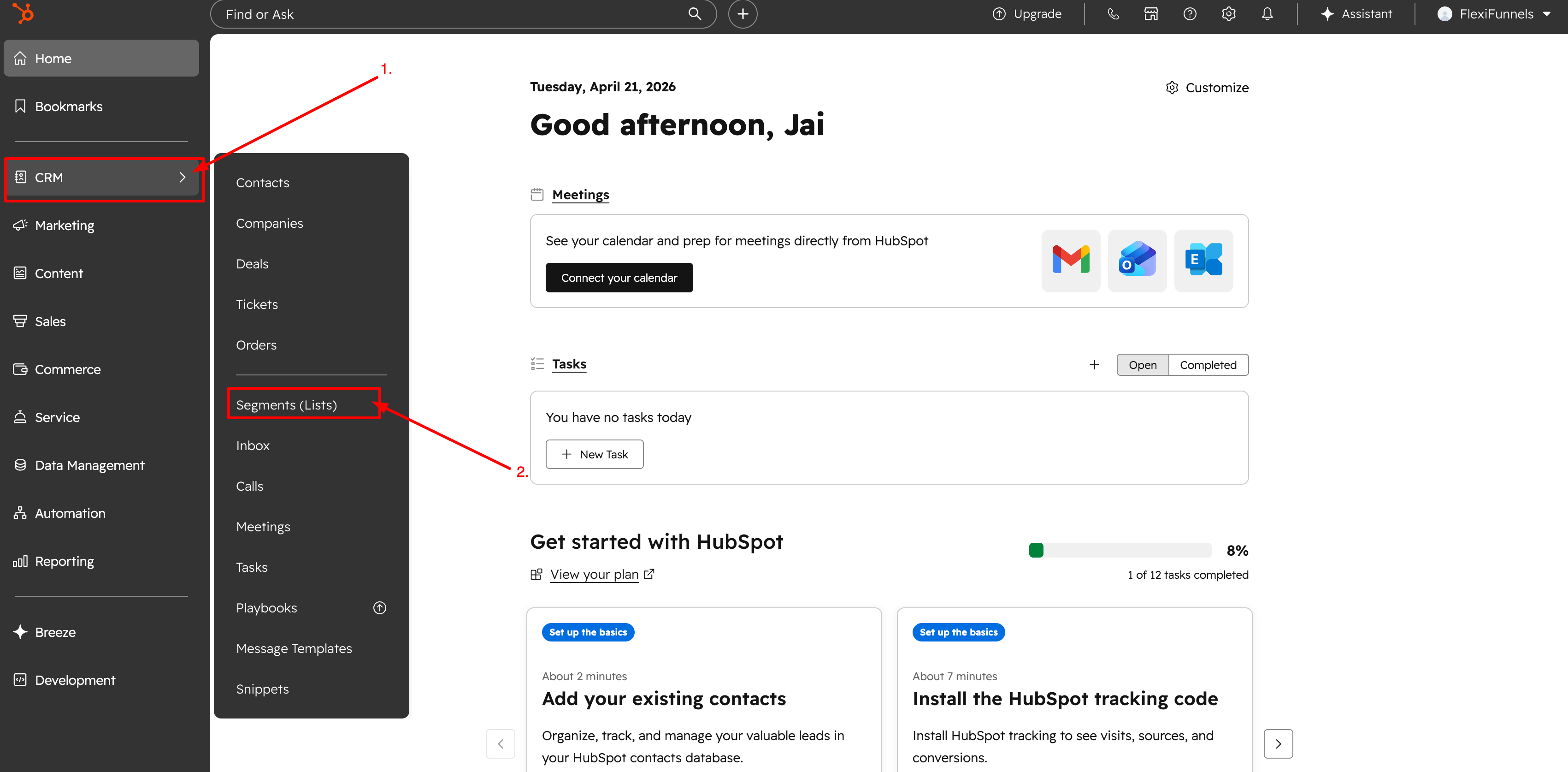
- Click Create list
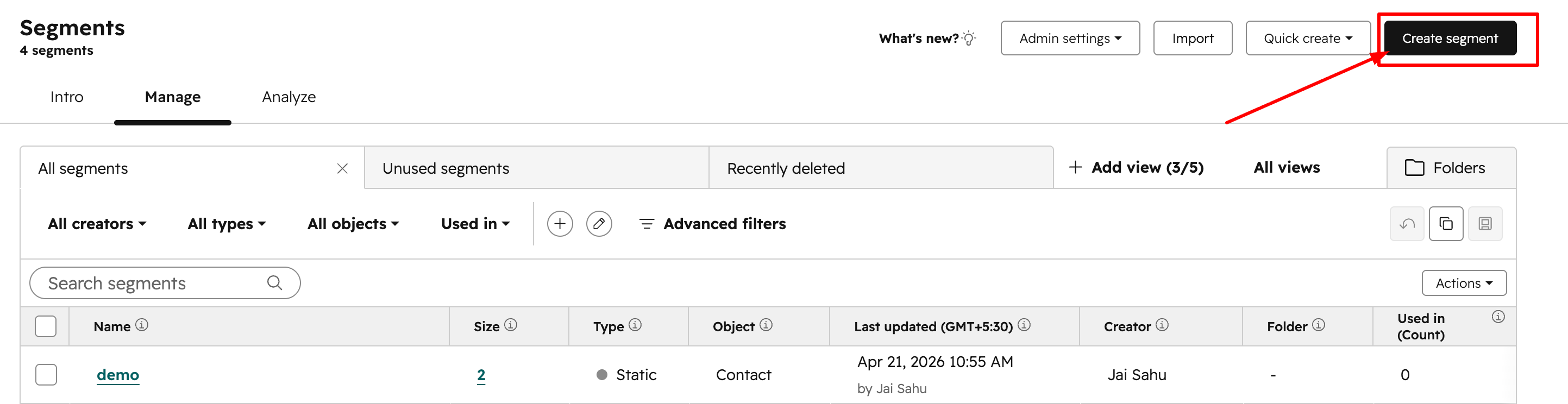
- Select Contact-based list
- Name your list
- Example: FlexiFunnels Leads, Webinar Registrants
- Click Save
Tip: Create separate lists for different funnels/products.
Step 2 — Create a Private App (Legacy App)
⚠️ Note: “Private Apps” are now called Legacy Apps
Steps:
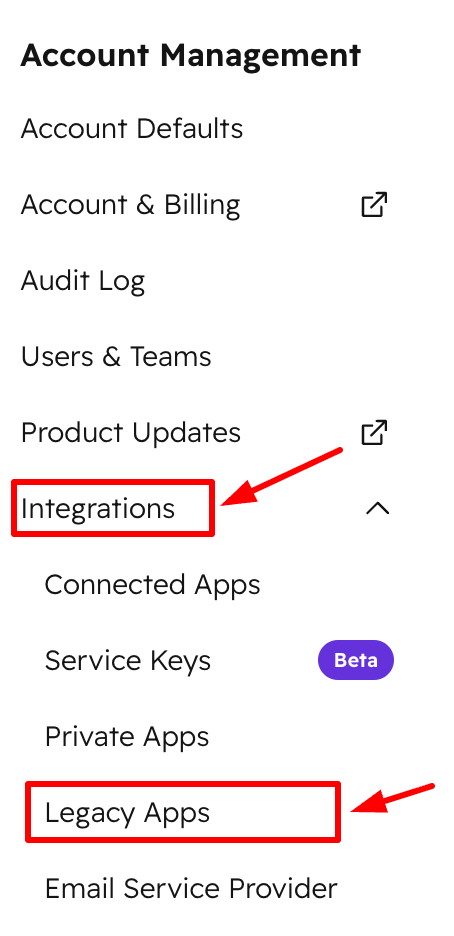
- Open Settings (⚙️)

- Go to Integrations → Legacy Apps
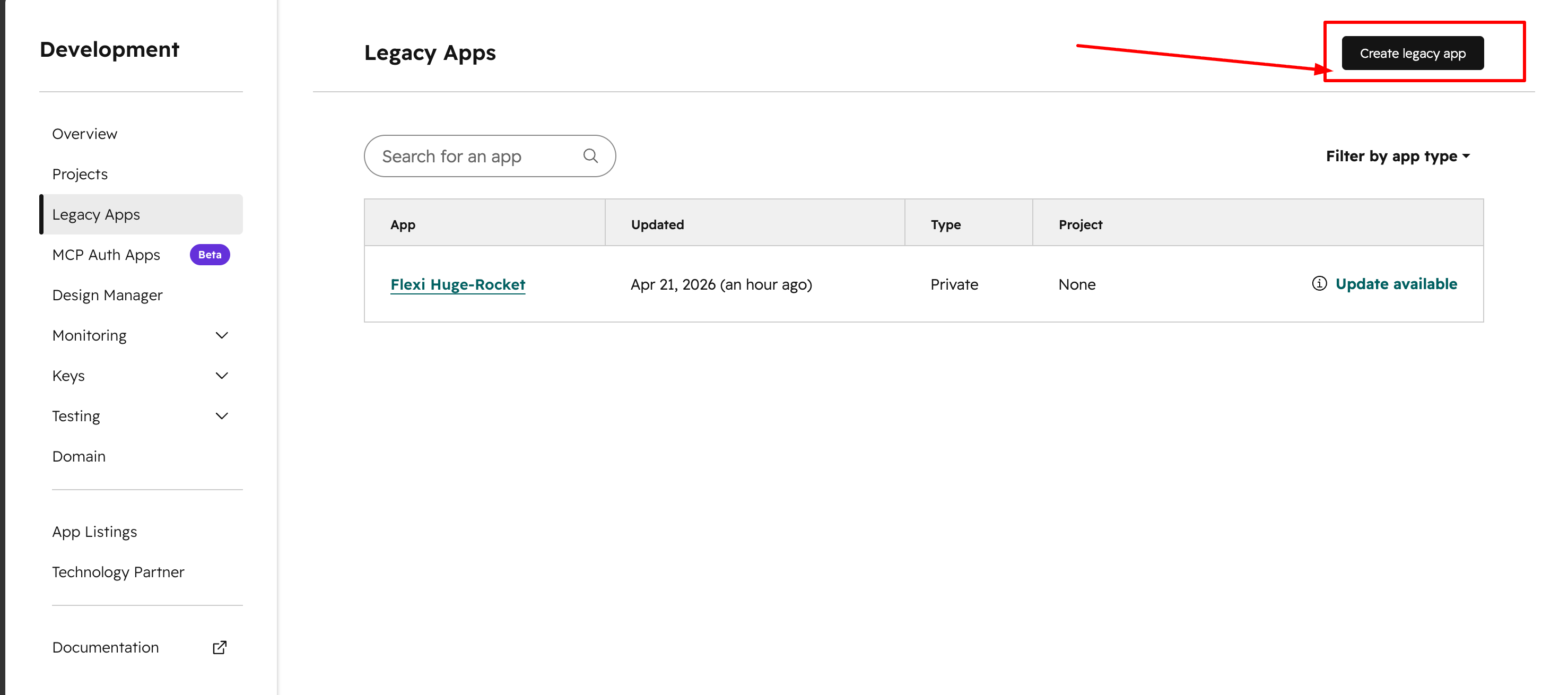
- Click Create a Legacy app
- Name: FlexiFunnels Integration
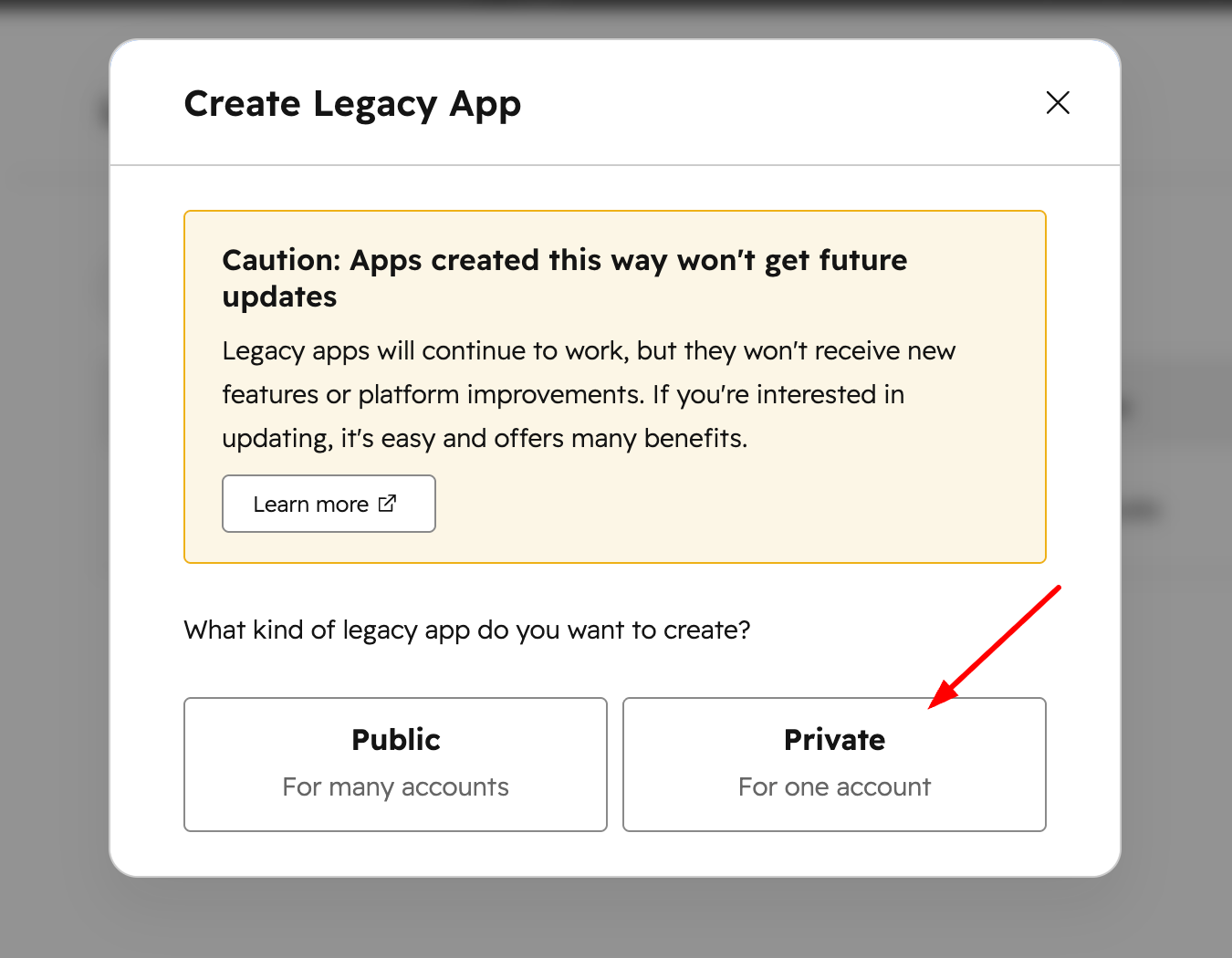
- Name: FlexiFunnels Integration
Set Required Scopes
Add the following permissions:
crm.objects.contacts.read→ Read contactscrm.objects.contacts.write→ Create/update contactscrm.lists.read→ Fetch lists (Important)crm.lists.write→ Add contacts to listscrm.objects.deals.read→ Read dealscrm.objects.deals.write→ Create deals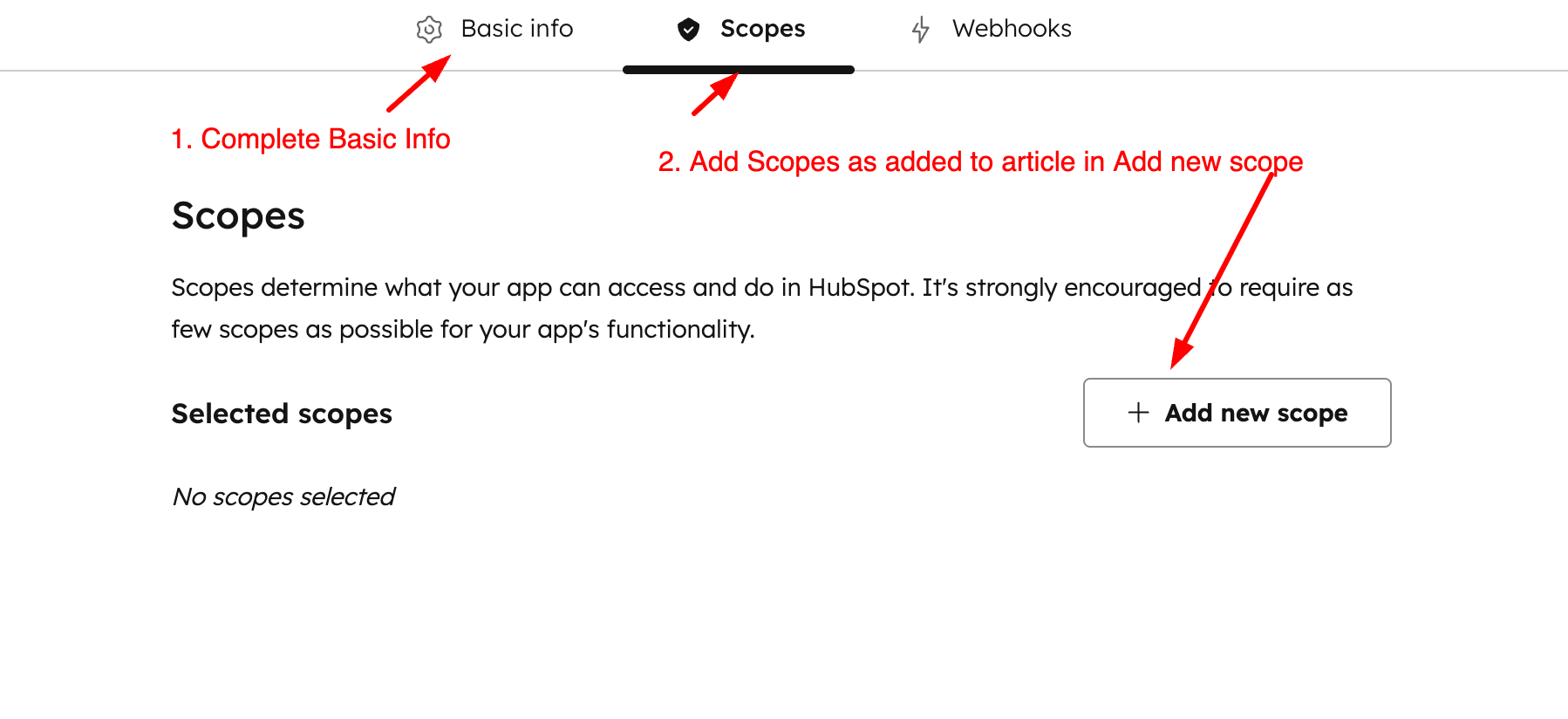
Create App & Get Token
- Click Create app
- Go to Auth tab
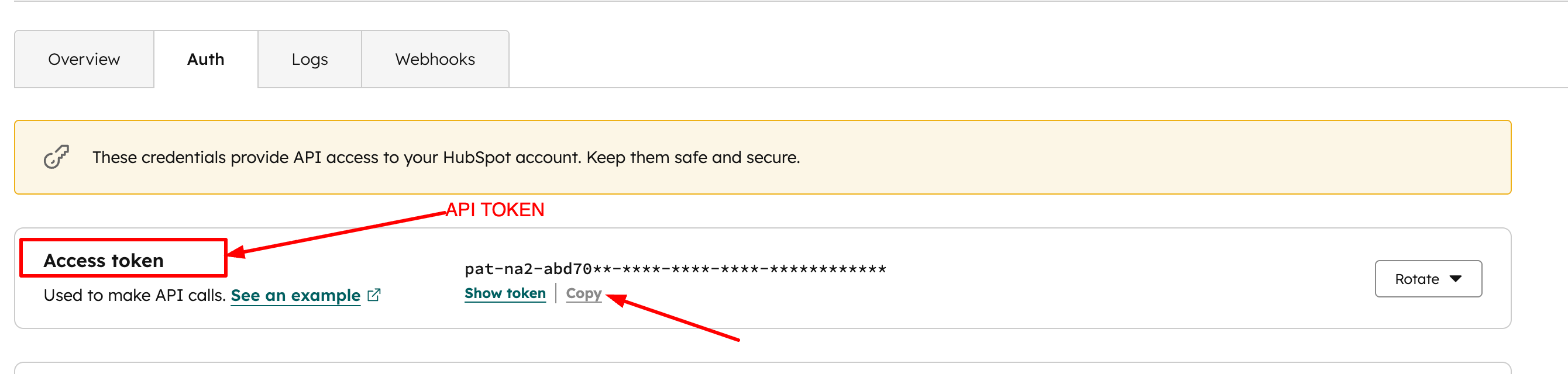
- Click Show token → Copy
? Keep this token secure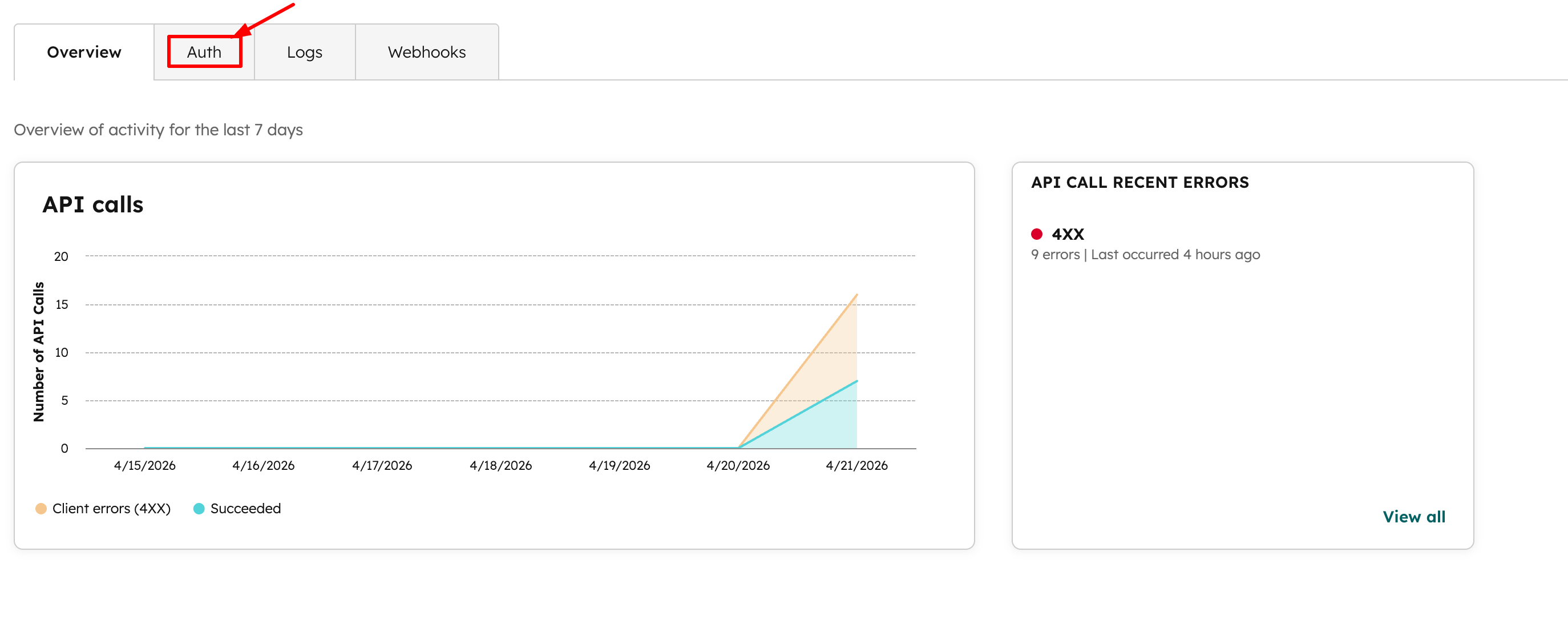
Scope Summary
| Scope | Purpose | Used For |
|---|---|---|
| contacts.read | Read contacts | Both |
| contacts.write | Create/update contacts | Both |
| lists.read | Fetch lists | Both |
| lists.write | Add contacts to list | Both |
| deals.read | Read deals | Purchases |
| deals.write | Create deals | Purchases |
PART 2 — FlexiFunnels Setup
Step 1 — Go to Settings
- Login to FlexiFunnels
- Open Dashboard
- Click Settings
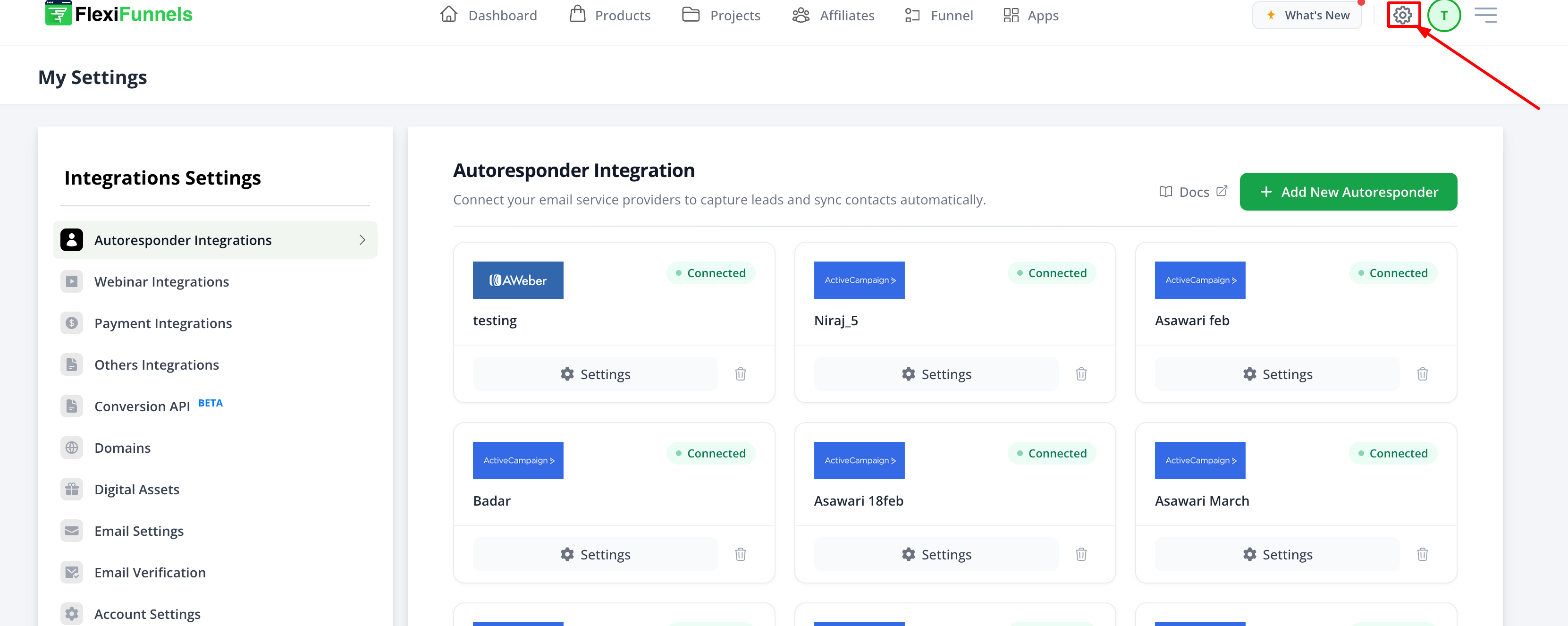
Step 2 — Autoresponder Integration
- Click Autoresponder Integration
- Click Add Autoresponder
- Select HubSpot
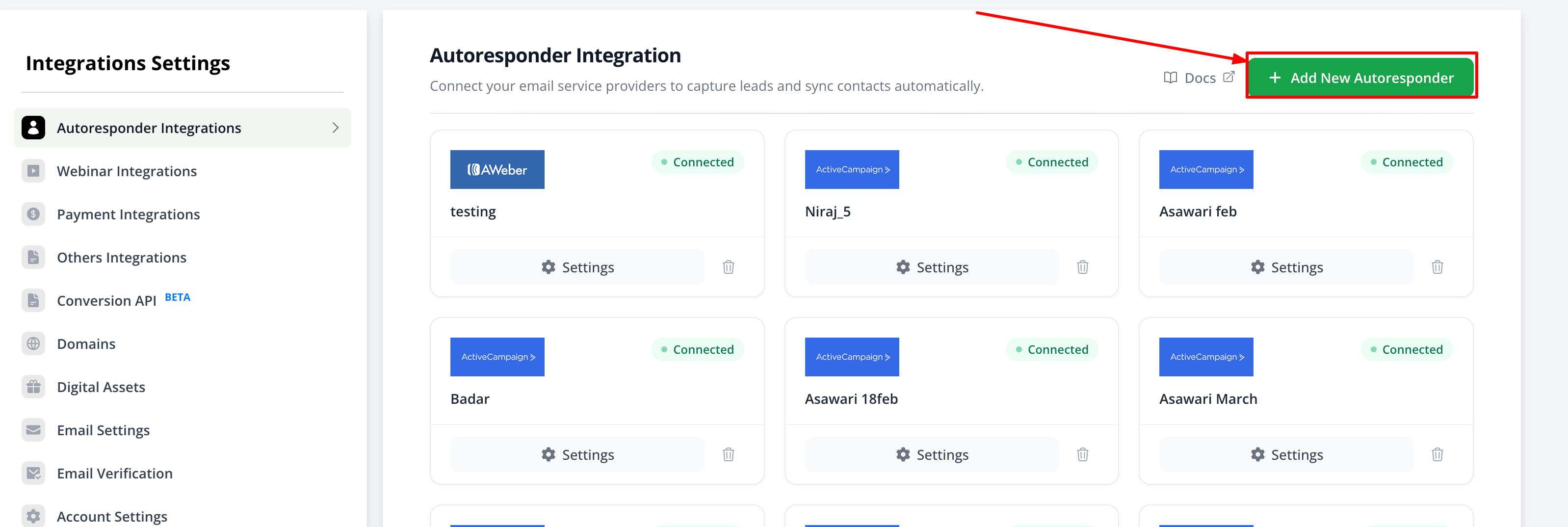
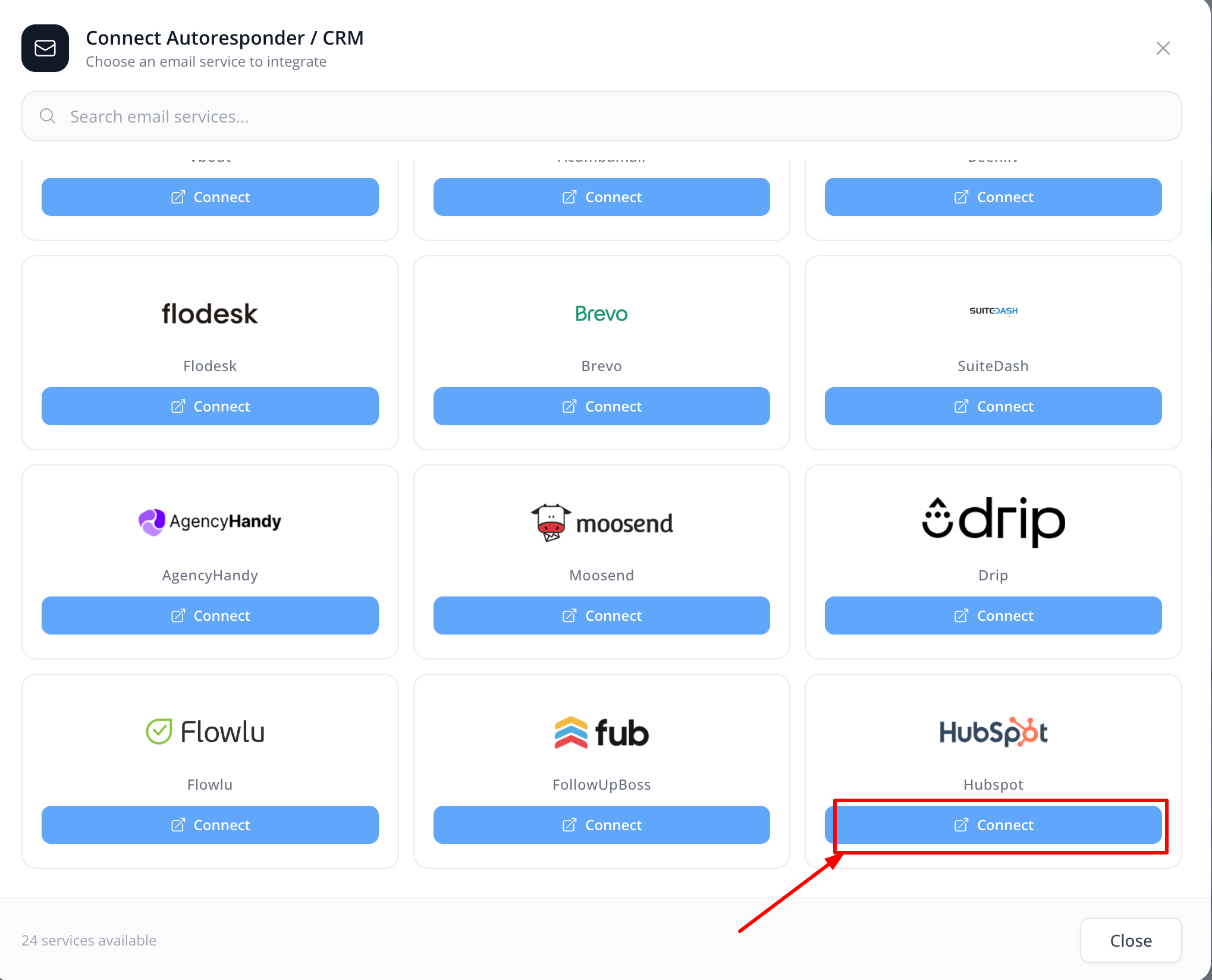
Step 3 — Enter Details
- Add Account Name
- Example: My HubSpot CRM
- Paste Access Token
- Turn Integration Toggle ON
- Click Save / Connect
⚠️ If lists don’t appear → Missing crm.lists.read scope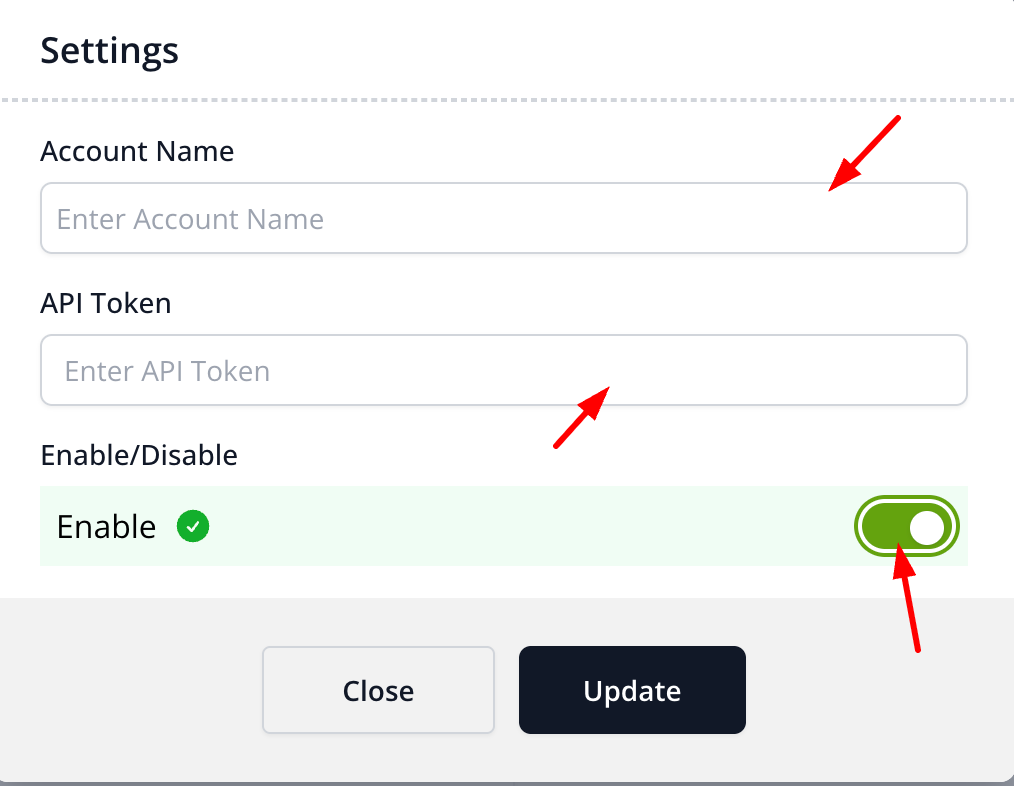
Step 4 — Connect to Funnel
Integration with form- https://help.flexifunnels.com/support/solutions/articles/36000578524-standard-integration-inside-flexifunnels
Integration with product- https://help.flexifunnels.com/support/solutions/articles/36000308272-set-rules-in-product-settings
Was this article helpful?
That’s Great!
Thank you for your feedback
Sorry! We couldn't be helpful
Thank you for your feedback
Feedback sent
We appreciate your effort and will try to fix the article