How to Customize the Thank You Page in FlexiFunnels Membership?
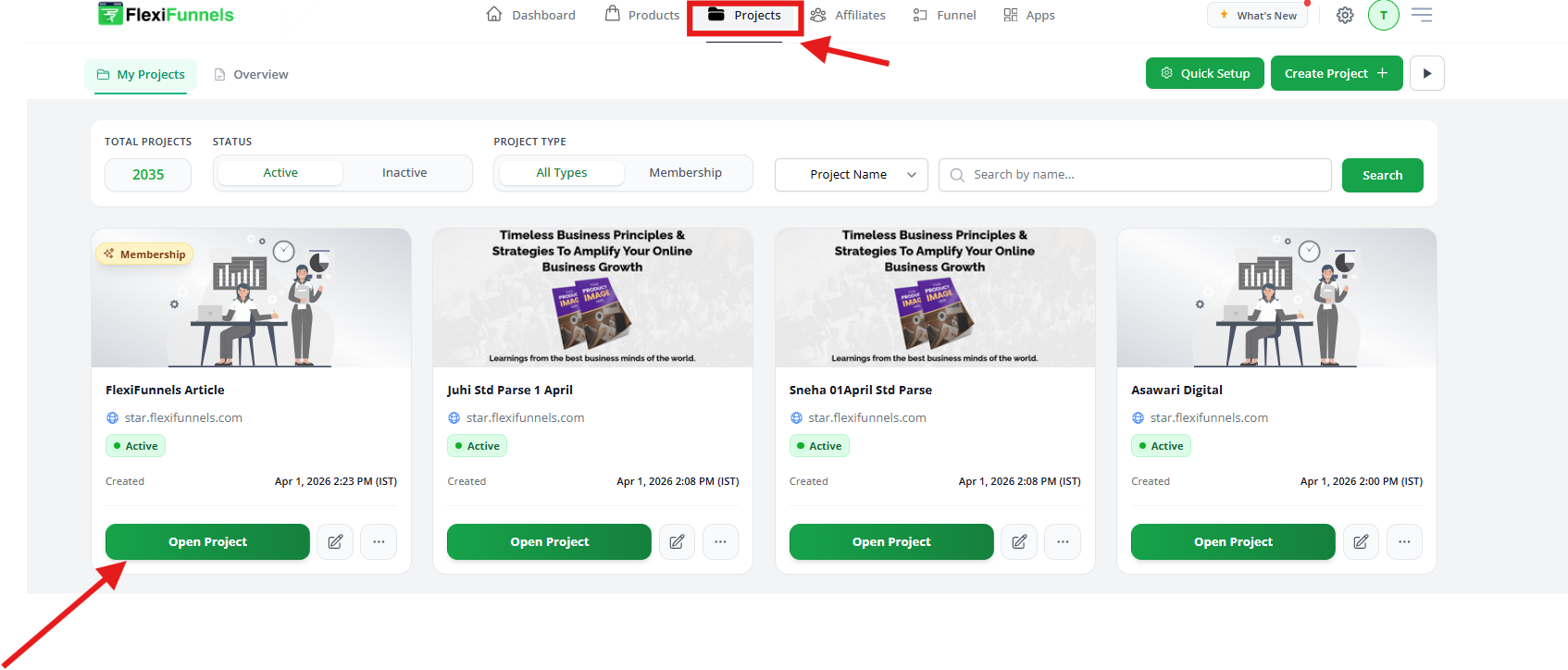
Step 1: Open Your Membership Project
- Log in to your FlexiFunnels account.
- From the dashboard, open the Membership project you want to edit.
- In the left sidebar, you will see all pages listed under the Membership section.
Step 2: Find the Thank You Page
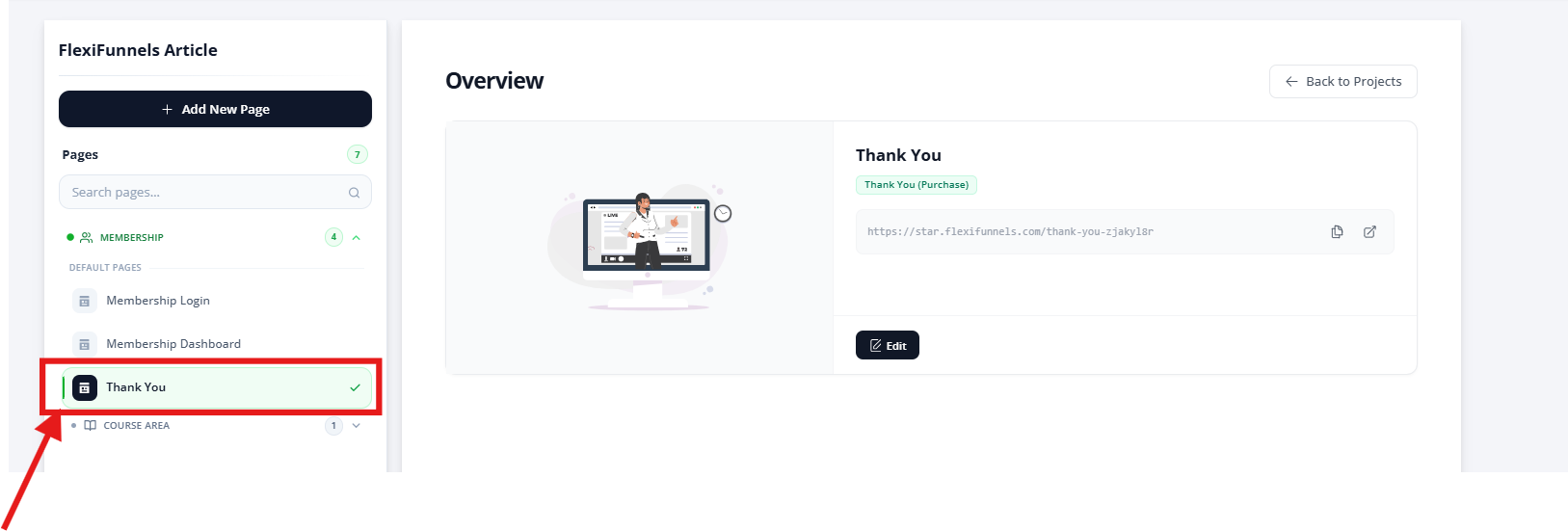
- In the left panel, locate Default Pages.
- Click on the Thank You page.
- On the right side, you will see:
- Page preview
- Live page URL
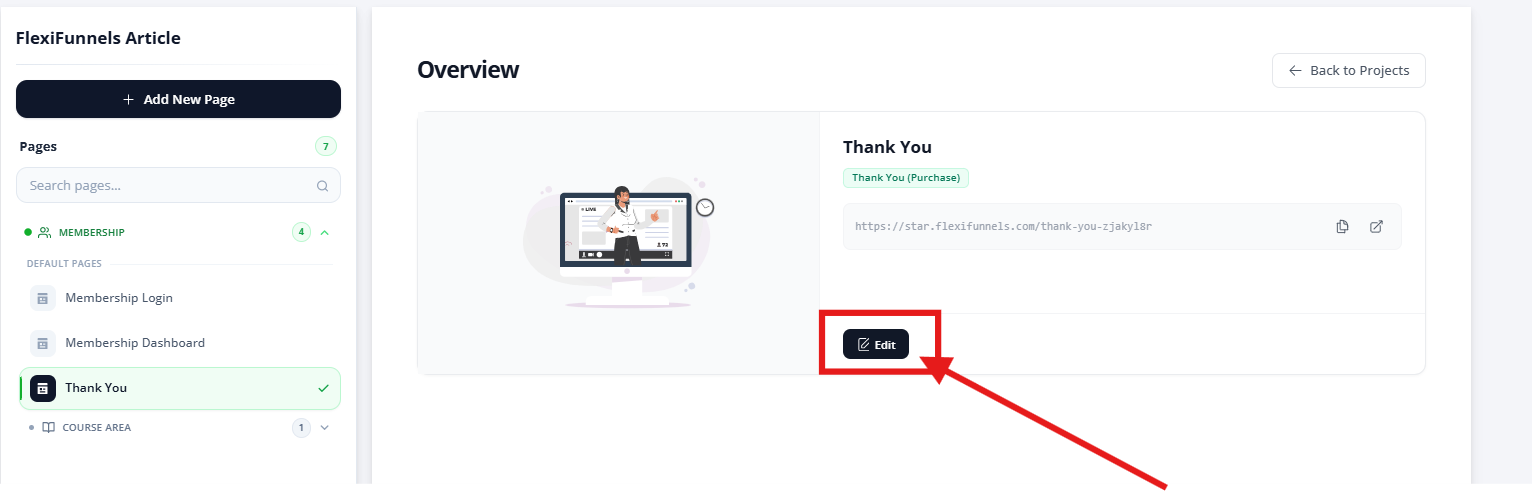
- Edit button
- Click the Edit button.
- The Thank You page will open inside the FlexiFunnels page builder, where you can start editing the design and content.
Step 4: Check the Default Credential Blocks
The Thank You page already contains three important blocks that show login details to members:
- Access URL – Displays the membership login link (
{{url}}) - Username – Displays the member’s email (
{{email}}) - Password – Displays the auto-generated password (
{{password}})
⚠️ Important:
Do not delete or change these dynamic variables, or members will not receive their login credentials.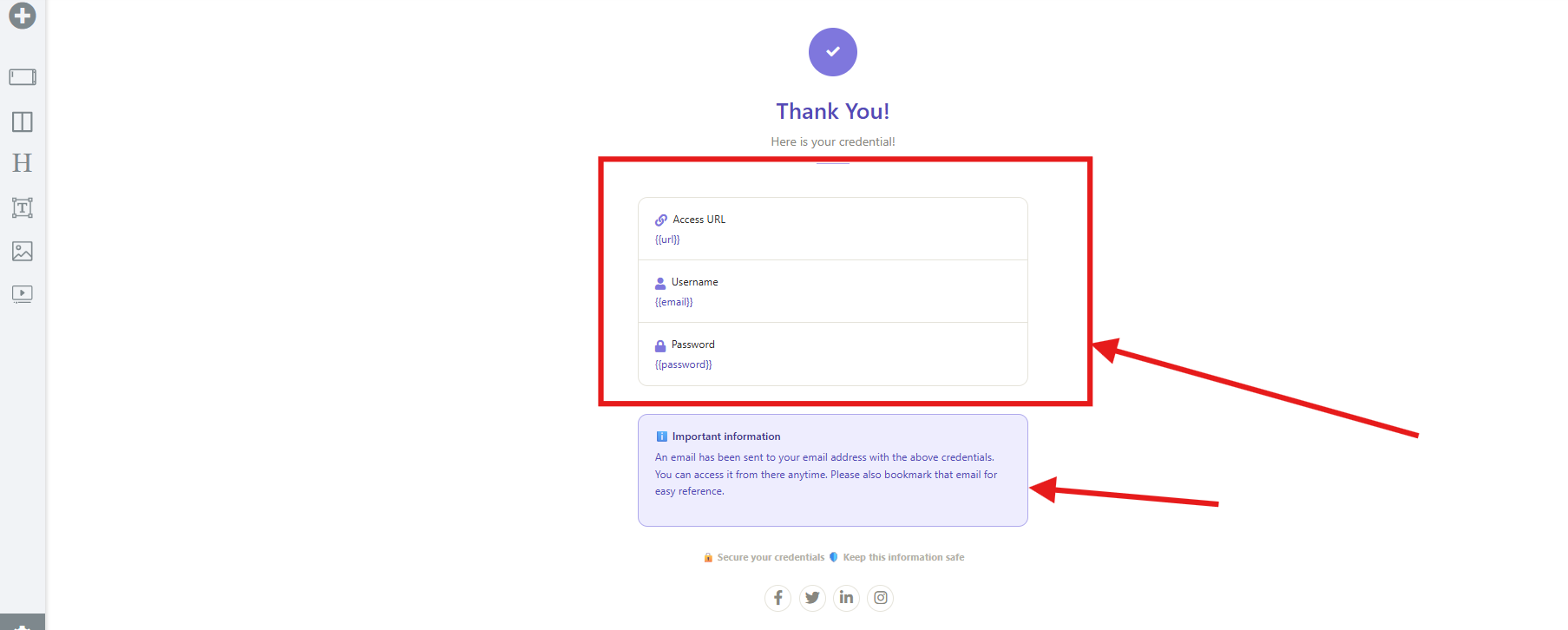
Step 5: Review the Important Information Section
Below the login details, there is an information box telling users that:
- Their credentials have been emailed to them
- They should save or bookmark the email
You can edit the wording in this section, but keep the message clear and helpful.
After taking care of all the above points, you can proceed to customize the Thank You page as per your branding and requirements.
Was this article helpful?
That’s Great!
Thank you for your feedback
Sorry! We couldn't be helpful
Thank you for your feedback
Feedback sent
We appreciate your effort and will try to fix the article