Overview
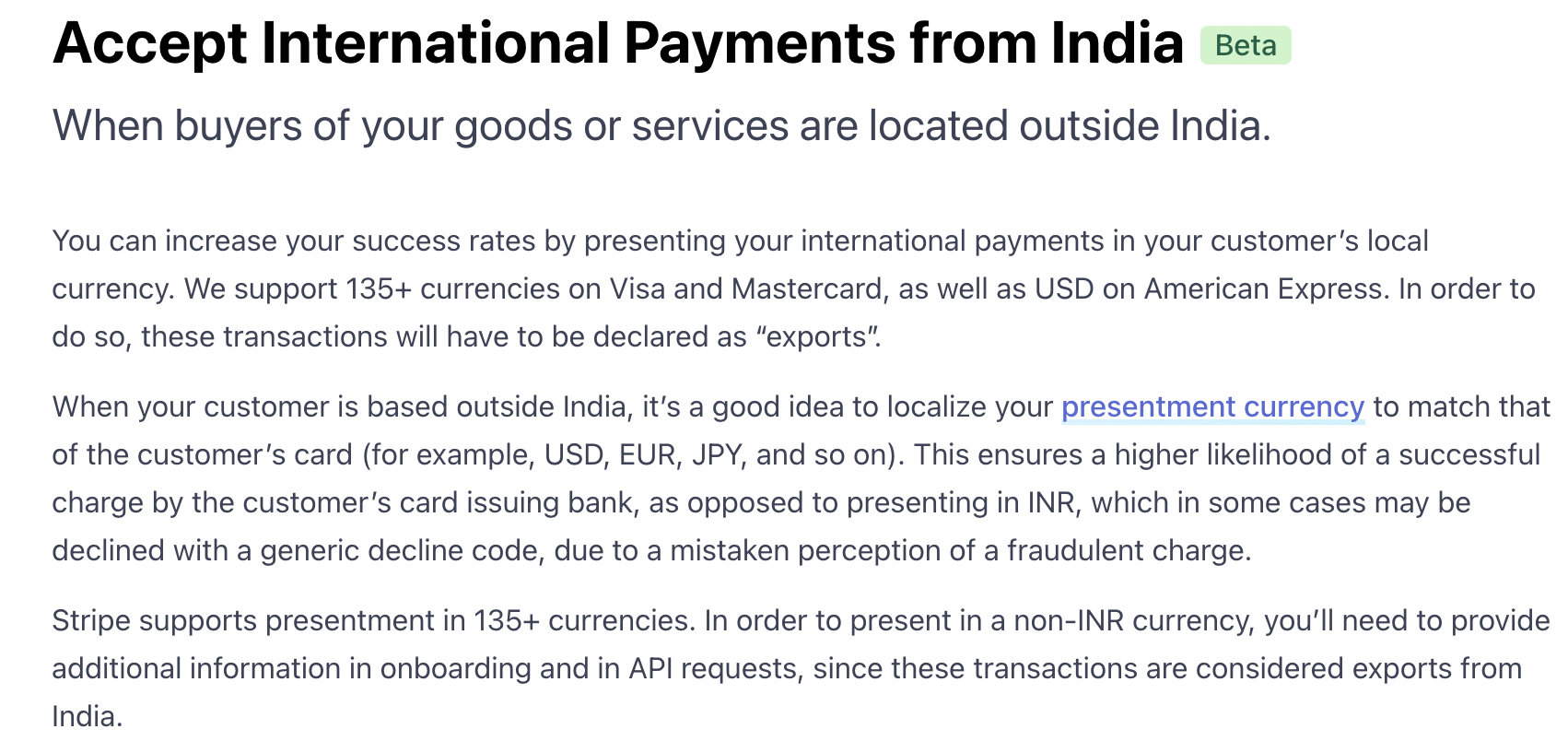
If you use an Indian Stripe account to accept international payments through FlexiFunnels, you must comply with Stripe's requirements for cross-border transactions. Payments made in currencies other than INR are treated as exports of goods or services, and additional customer information is required for compliance.
Before You Begin
- An active Stripe account registered in India.
- International payments enabled on your Stripe account.
- A FlexiFunnels order form configured to collect the required customer information.
International Payment Requirements
To successfully process international payments using an Indian Stripe account:
- The merchant must use an Indian Stripe account that is enabled to accept international payments.
- The customer must complete the payment using an international card.
- Indian cards cannot be used for payments made in foreign currencies.
The screenshot below from Stripe provides additional information about international payment eligibility.
Configure Your Order Form
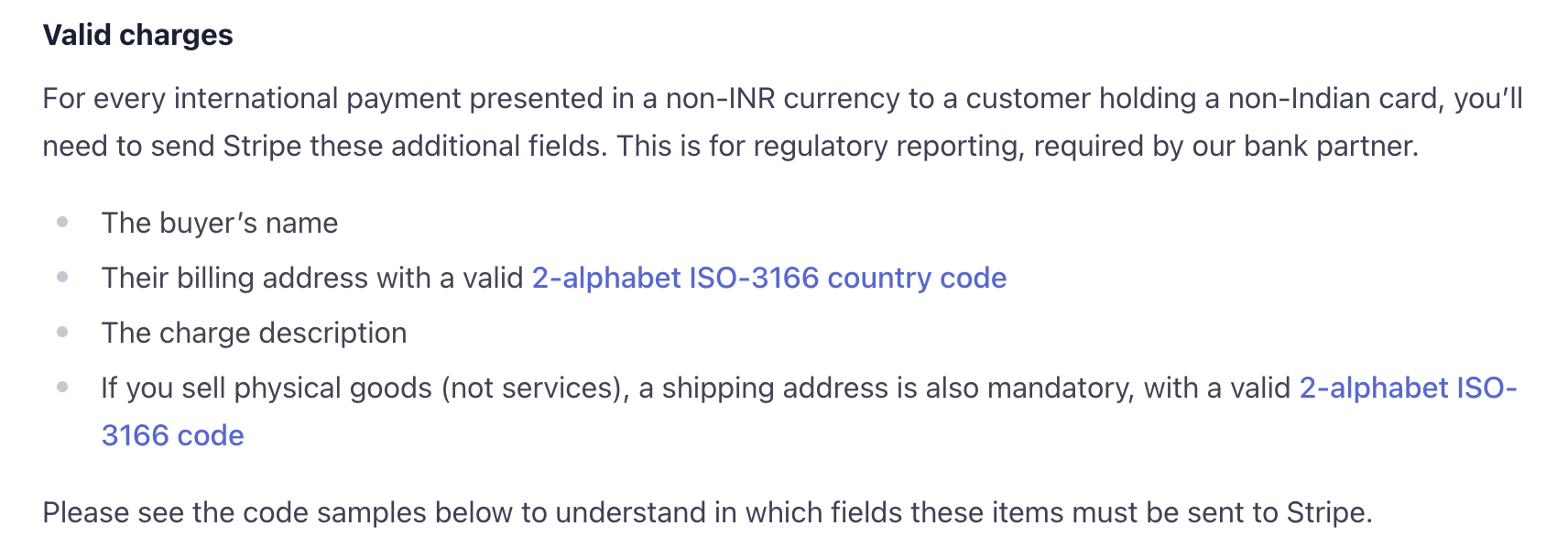
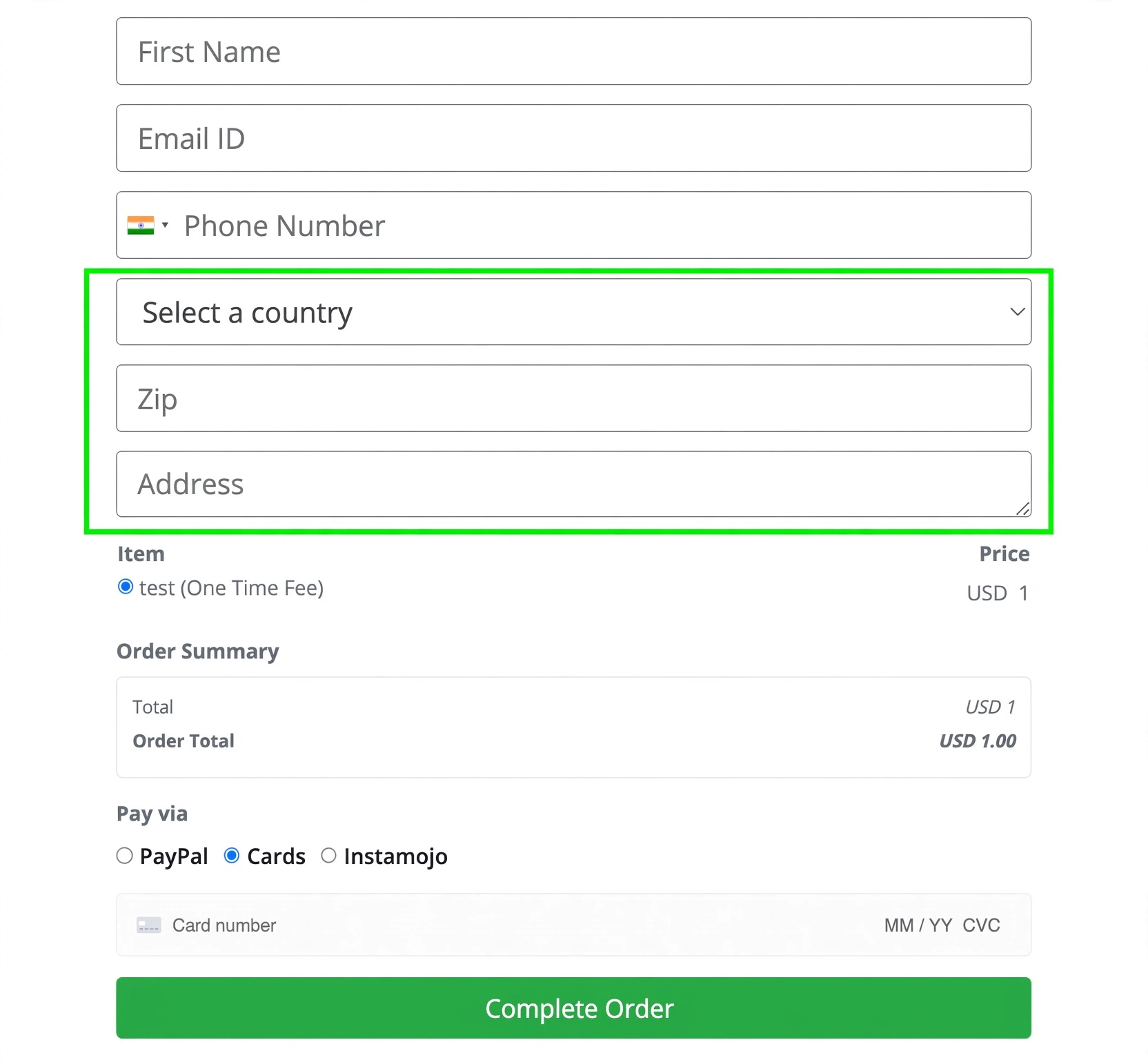
When accepting international payments, your checkout form must collect the customer's complete billing details. These fields help satisfy Stripe's compliance requirements for international transactions.
Ensure your order form includes the following mandatory fields:
- Full Address
- City
- Country
- ZIP / Postal Code
Your completed order form should look similar to the example below.
Best Practices
- Test your checkout flow before accepting live international payments.
- Verify that all required address fields are mandatory on your order form.
- Ensure customers use an eligible international card when paying in foreign currencies.
Before Contacting Support
- Confirm that international payments are enabled in your Stripe account.
- Verify that the customer is using an international card.
- Ensure your order form collects Address, City, Country, and ZIP/Postal Code.
- Capture the complete error message or payment failure screenshot, if applicable.
Expected Outcome
Once your Stripe account is configured correctly and your order form collects the required customer information, eligible international customers will be able to complete payments successfully through your FlexiFunnels checkout.
Additional Resources
For detailed information about Stripe's international payment requirements for Indian businesses, refer to the official Stripe documentation:
Was this article helpful?
That’s Great!
Thank you for your feedback
Sorry! We couldn't be helpful
Thank you for your feedback
Feedback sent
We appreciate your effort and will try to fix the article