Overview
Legal and support pages help visitors understand your business policies, contact methods, and refund process. Adding pages such as Privacy Policy, Terms & Conditions, Disclaimer, Contact Us, and Refund Policy helps build trust and supports your website's legal and operational requirements.
Before You Begin
- Sign in to your FlexiFunnels account.
- Identify the legal and support pages required for your website.
- Prepare your business contact details and policy information before publishing the pages.
Step 1: Add Privacy Policy, Terms & Conditions, or Disclaimer Pages
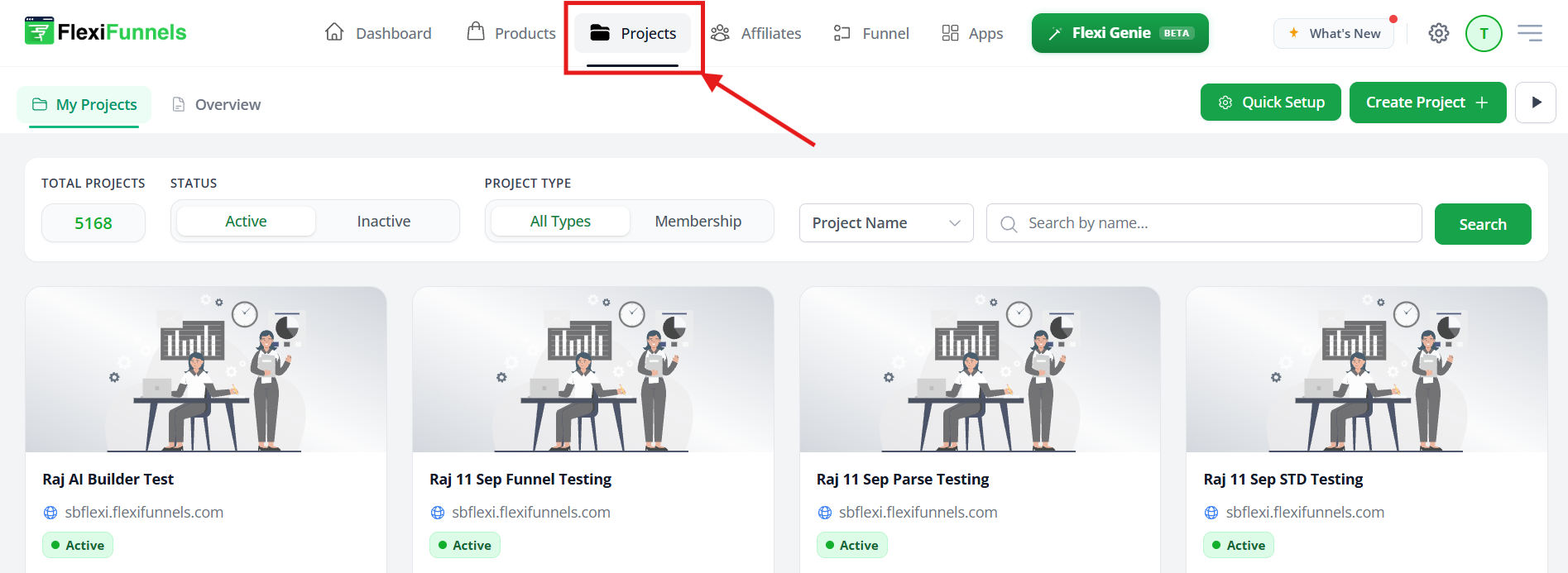
Open the Projects area in your FlexiFunnels account. This is where you can add pages to your existing website or funnel project.
Step 2: Create a New Page
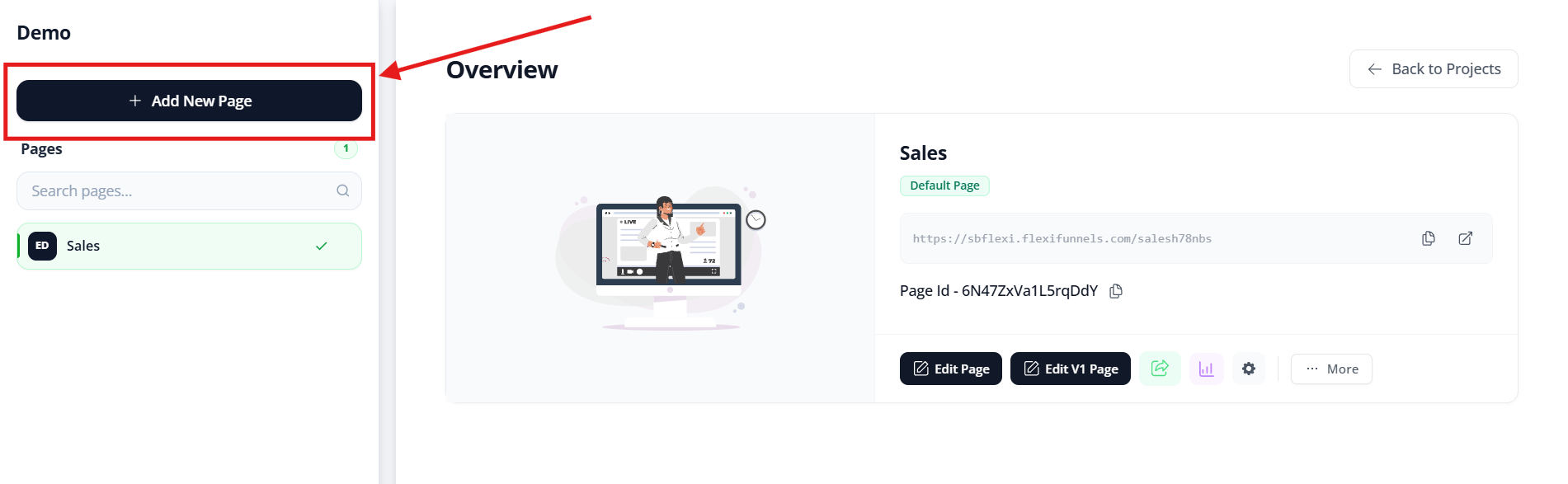
Click Add a New Page. This opens the template selection area, where you can choose a page design that fits your required policy page.
Step 3: Open the SB Templates Category
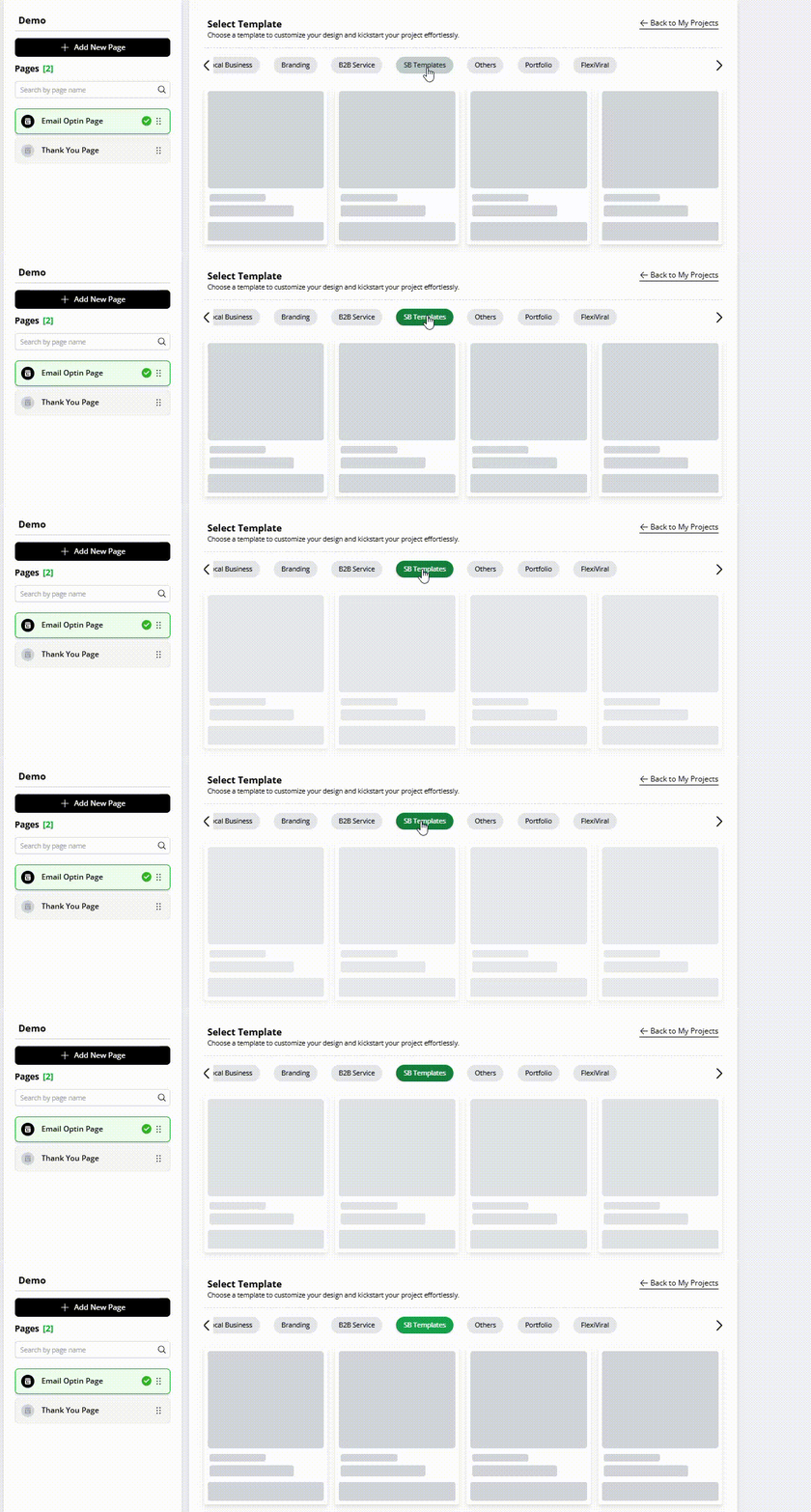
Under Template Categories, select SB Templates. This category contains ready-to-use legal-page templates.
Step 4: Select the Required Legal Template
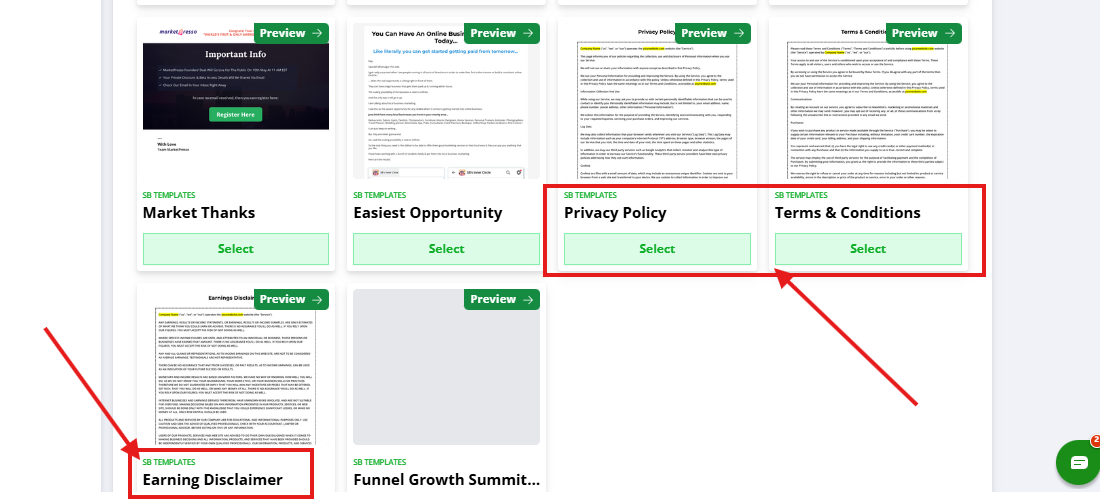
Choose the template that matches the page you want to add:
- Privacy Policy
- Terms & Conditions
- Disclaimer
After selecting a template, update the page content with information that applies to your business before publishing it.
Step 5: Add a Contact Us or Refund Policy Page
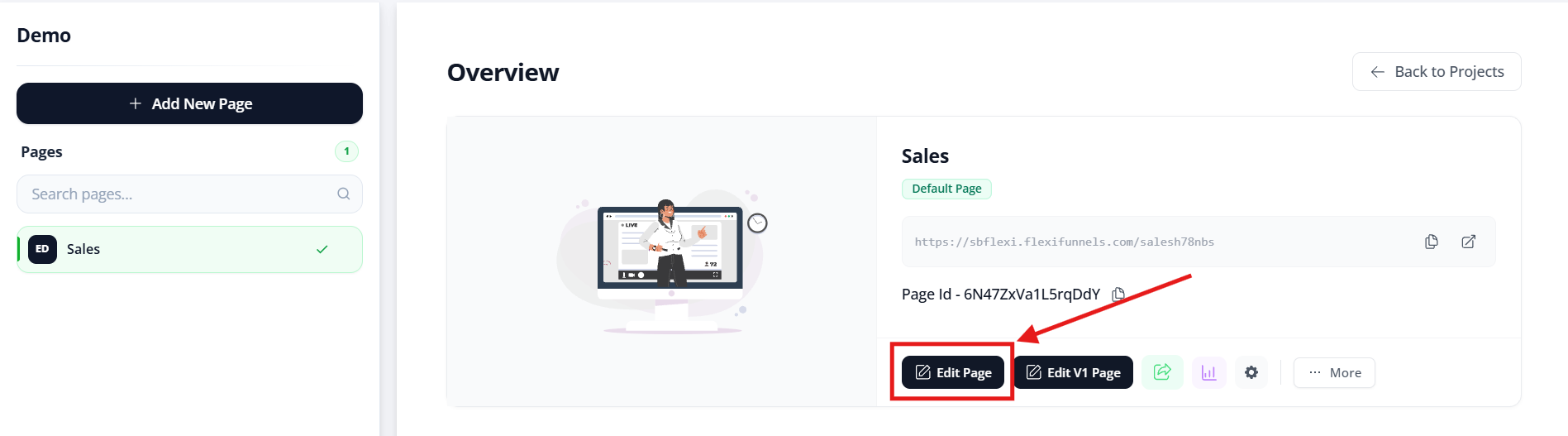
Open the Editor for your website. Use the editor when you want to add a ready-to-use support-related page within your website layout.
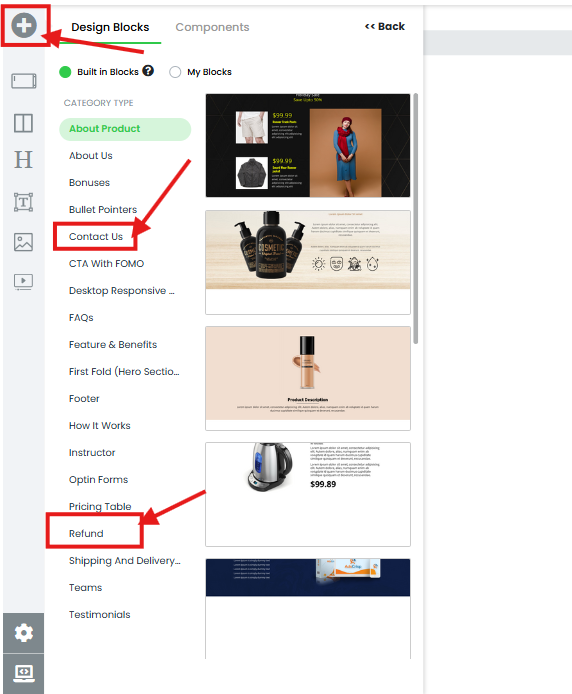
Step 6: Open Built-in Blocks
Navigate to Built-in Blocks in the website editor. This section provides ready-to-use blocks for support pages.
Select the appropriate option:
- Contact Us Page
- Refund Policy Page
Step 7: Customize and Publish the Page
Replace template content with your business information, including your company name, contact details, policy terms, and refund process. Review the content carefully, then publish the page when it is ready for visitors.
Verify the Configuration
Open each published page in a browser and confirm that the expected content, contact information, and policy details are visible. Check that each page can be accessed from your website navigation or footer links.
Common Scenarios
- Website compliance: Add a Privacy Policy, Terms & Conditions, and Disclaimer before launching a website.
- Customer support: Add a Contact Us page so visitors can contact your business.
- Payment transparency: Publish a Refund Policy before selling products or services.
- Footer navigation: Add links to legal and support pages in your website footer.
Best Practices
- Use a separate page for each legal or support policy.
- Keep business names, contact details, and policy language current.
- Make legal and support pages easy to find from your website footer.
- Review your refund policy before changing products, pricing, or payment methods.
- Test all contact methods displayed on the Contact Us page.
- Review legal templates with a qualified professional when necessary.
Before Contacting Support
- Confirm that you are editing the correct project or website.
- Verify that you selected the correct template category or Built-in Block.
- Confirm that the page content has been saved.
- Publish the page and test it in a browser.
- Check that the page is linked from your website navigation or footer.
Expected Outcome
Your website includes published Privacy Policy, Terms & Conditions, Disclaimer, Contact Us, and Refund Policy pages as required. Visitors can access clear business, policy, support, and refund information from your website.
Related Articles
- Creating Pages in FlexiFunnels Projects
- Using Built-in Blocks in the FlexiFunnels Editor
- Publishing a FlexiFunnels Website
Was this article helpful?
That’s Great!
Thank you for your feedback
Sorry! We couldn't be helpful
Thank you for your feedback
Feedback sent
We appreciate your effort and will try to fix the article