Connect ChatGPT to your FlexiMembership account. Then ask ChatGPT to build courses, set up memberships and find members, all in chat.
It works through an MCP server URL — like a phone number ?. ChatGPT uses it to reach your account.
Before You Start
- You need a FlexiMembership account. Sign in as the account owner.
- You need a ChatGPT account.
- Setup takes about a minute and is only needed once.
Steps
1Open Connect AI Assistant
- In FlexiMembership, click your profile circle at the top right.
- Click Profile.
- In the left menu, click Connect AI Assistant.
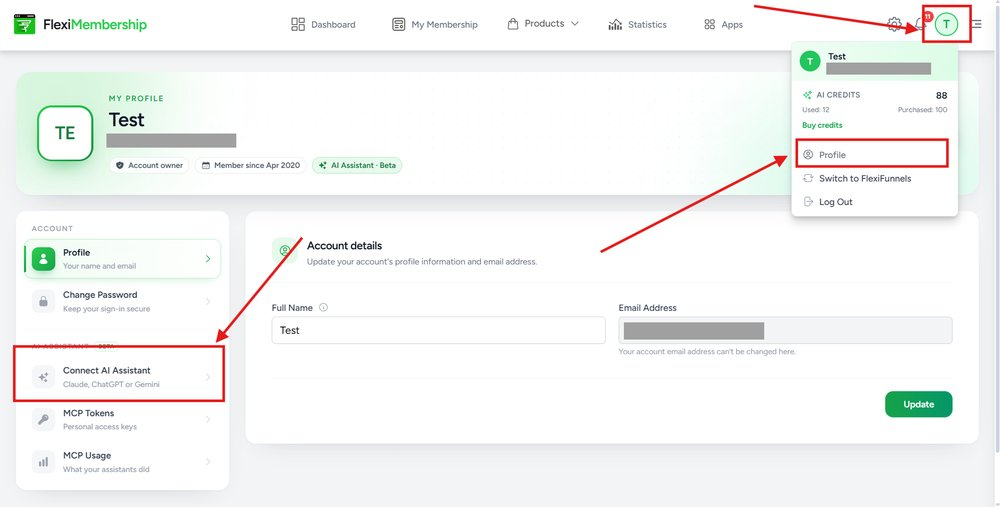
Profile, then Connect AI Assistant.
2Open the ChatGPT card
- Find the ChatGPT card.
- Click Manage if it says Connected.
- Click Set up if ChatGPT is not connected yet.
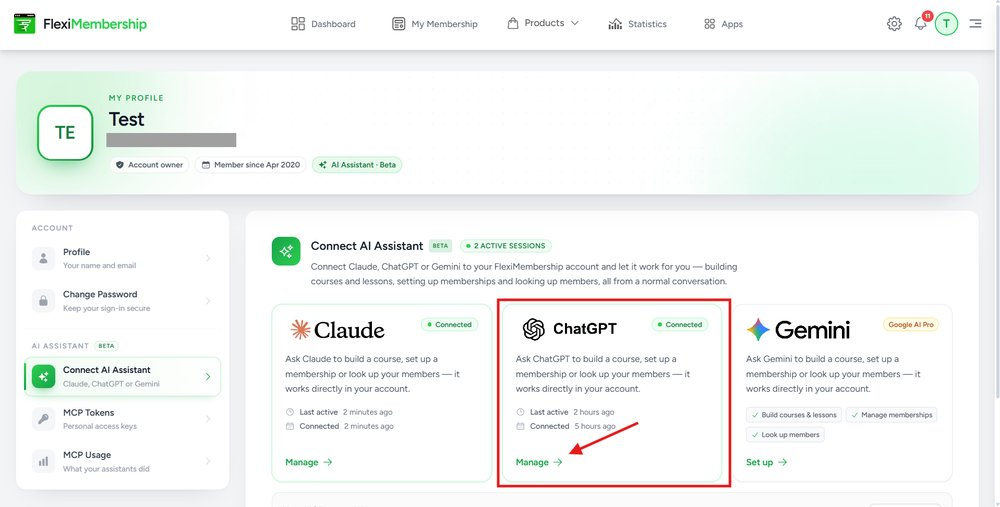
The ChatGPT card.
3Click Setup guide
- Click Setup guide at the top right of the ChatGPT box.
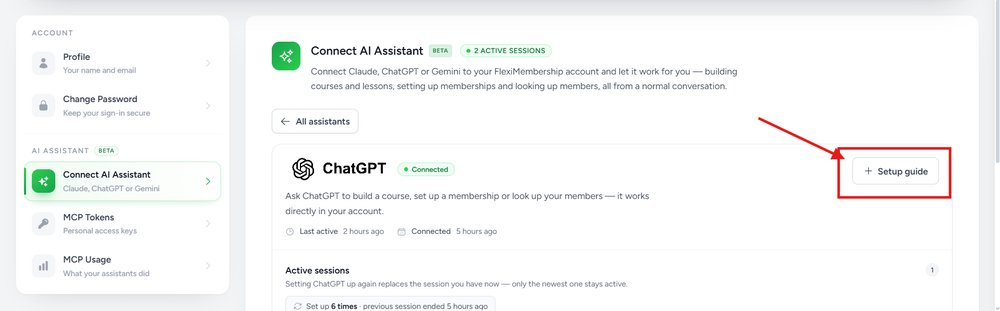
The Setup guide button.
You will see: A box called Connect to FlexiMembership with 4 steps.
4Turn on Developer mode in ChatGPT
- Open ChatGPT. Go to Settings → Security and login.
- Scroll to App security.
- Turn on Developer mode.
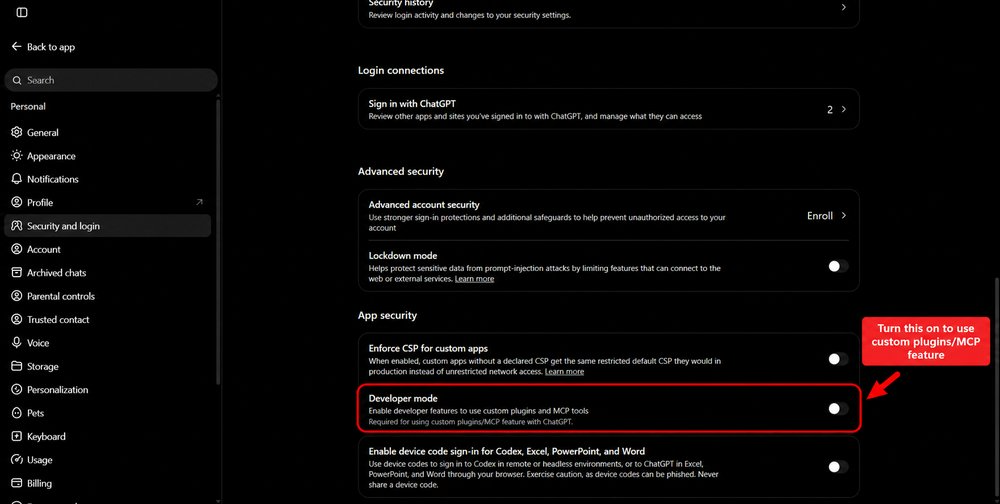
Developer mode is under App security.
Do this firstChatGPT needs Developer mode to use custom MCP servers. Do this once.
5Open Add custom MCP server
- In ChatGPT, click Plugins in the left menu.
- Click Add at the top right.
- Click Add custom MCP server.
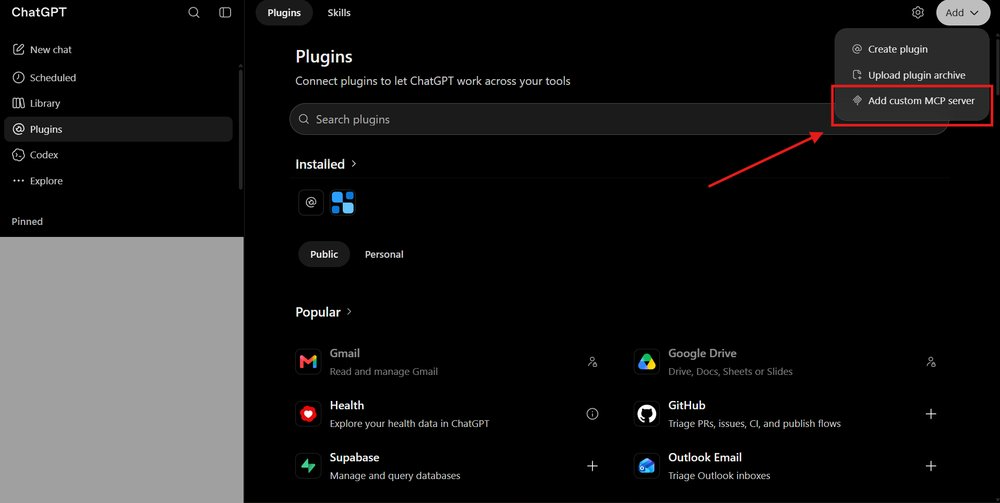
Add → Add custom MCP server.
6Copy the Name and the URL
- Find Name and MCP Server URL in the FlexiMembership guide.
- Click the copy button next to each one.
| Field | Value |
|---|---|
| Name | FlexiMembership |
| MCP Server URL | https://fleximembership.flexifunnels.com/mcp/membership |
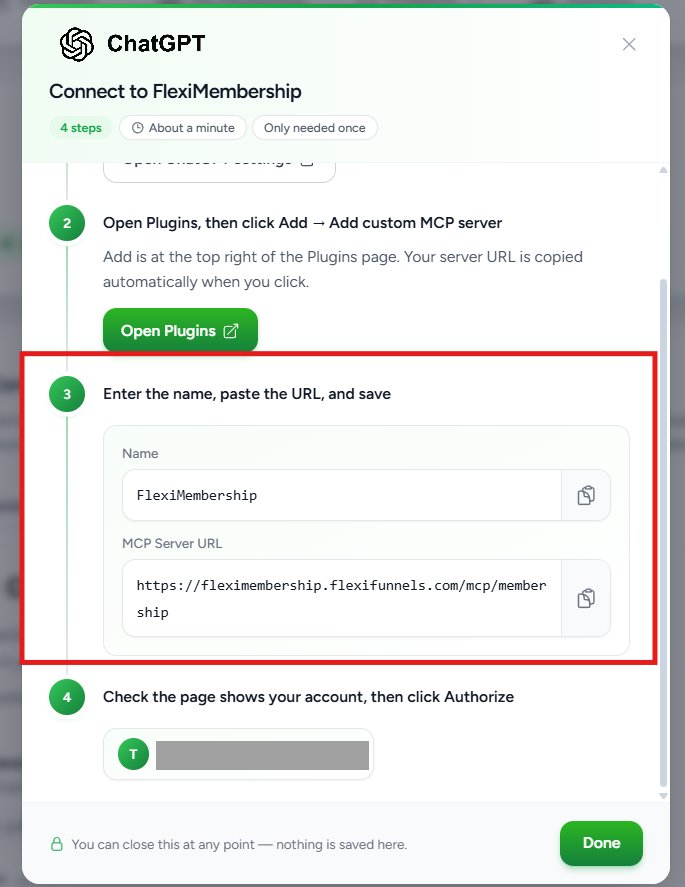
Name and MCP Server URL.
7Fill in the form
- In Name, enter
FlexiMembership. - Under Connection, choose Server URL. Paste the URL.
- Keep Authentication as OAuth.
- Tick I understand and want to continue.
- Click Create as a plugin.
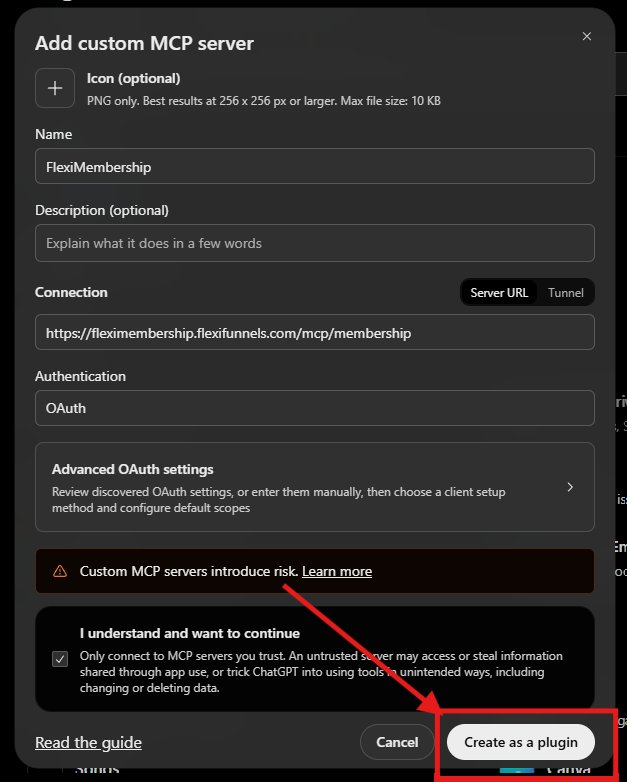
Fill the form, then click Create as a plugin.
8Click Connect FlexiMembership
- A box called Connect FlexiMembership opens.
- Click Connect FlexiMembership.
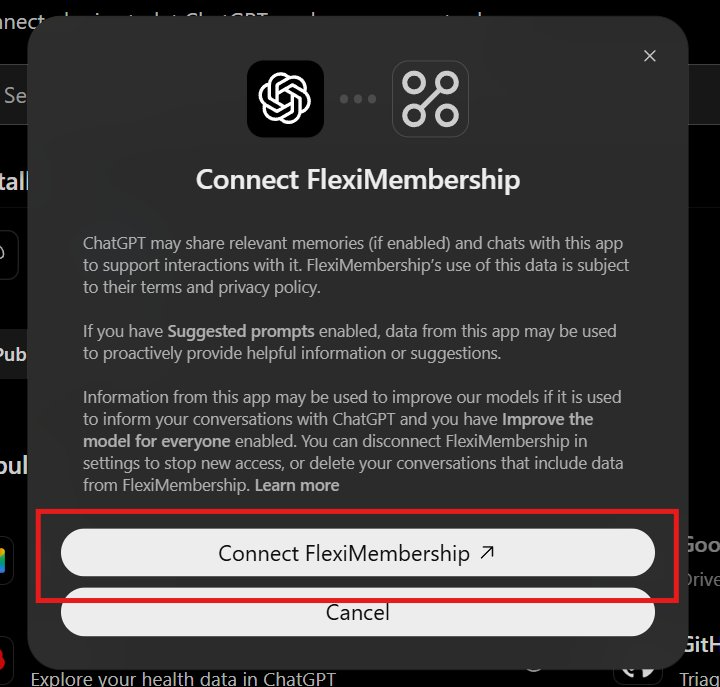
Click Connect FlexiMembership.
Good to knowSetting ChatGPT up again replaces your current session. Only the newest one stays active.
Little words, big meanings
| Word | What it means |
|---|---|
| MCP server URL | The address ChatGPT uses to reach your account |
| Developer mode | A ChatGPT switch for custom connections |
| OAuth | A safe way to say yes without sharing your password |
| Authorize | Say yes to let ChatGPT use your account |
Was this article helpful?
That’s Great!
Thank you for your feedback
Sorry! We couldn't be helpful
Thank you for your feedback
Feedback sent
We appreciate your effort and will try to fix the article