You can let the buyers of your product become affiliates. Each buyer receives a ready-made affiliate link in their member's profile, which they can share with others.
Before You Start
- Open your product and go to Affiliates.
- Select the Setup your Affiliate checkbox. For details, see How to Set Affiliate Commission for a Product.
Key Terms
| Term | Meaning |
|---|---|
| Affiliate | A person who promotes your product. |
| Past buyer | Someone who has bought this product before. |
| Member's profile | The buyer's own profile page. |
Steps
1. Open the Buyers Can Promote Tab
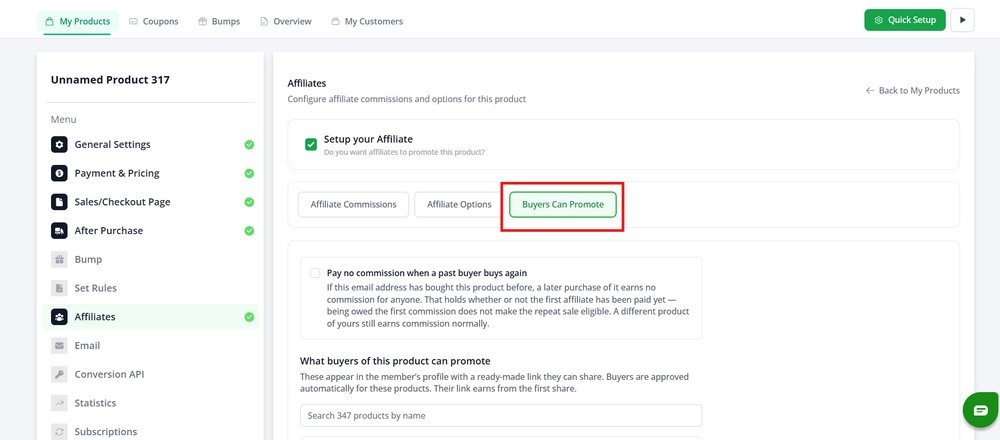
- On the Affiliates page, click the Buyers Can Promote tab.
What you will see
The Buyers Can Promote tab opens.
2. Choose the Repeat-Buyer Rule
- Find the Pay no commission when a past buyer buys again checkbox.
- Select the checkbox if you want to apply this rule.
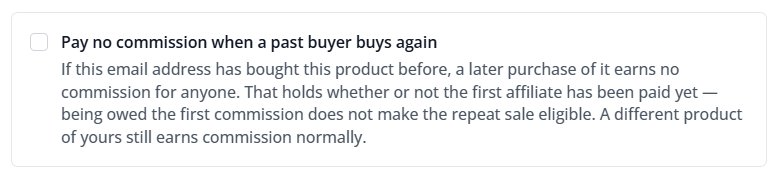
When this checkbox is selected, the rule works as follows:
| Situation | What happens |
|---|---|
| The same email address buys this product again | That later purchase earns no commission for anyone. |
| The first affiliate has not been paid yet | The later purchase still earns no commission. |
| The same email address buys a different product | That product earns commission as normal. |
3. Select the Products Buyers Can Promote
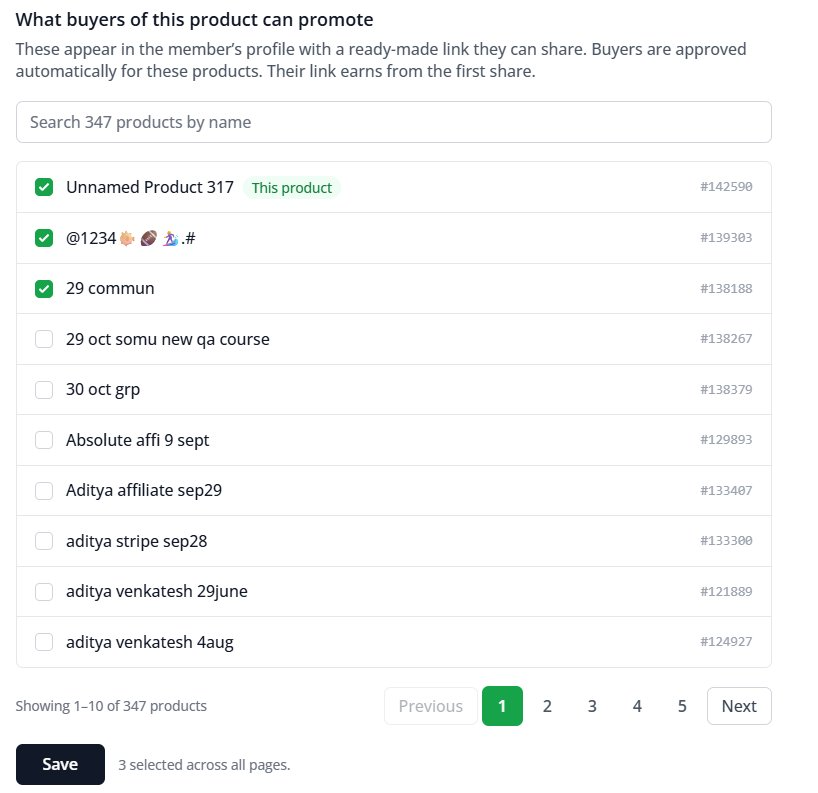
- Find the What buyers of this product can promote section.
- Type a product name in the search box to find a product.
- Select the checkbox next to each product buyers should be able to promote.
- Use Previous, Next or the page numbers to see more products.
What you will see
A counter next to the Save button shows how many products you selected across all pages.
Good to know
Buyers are approved automatically for the products you select, so their affiliate link earns commission from the very first share.
4. Save Your Settings
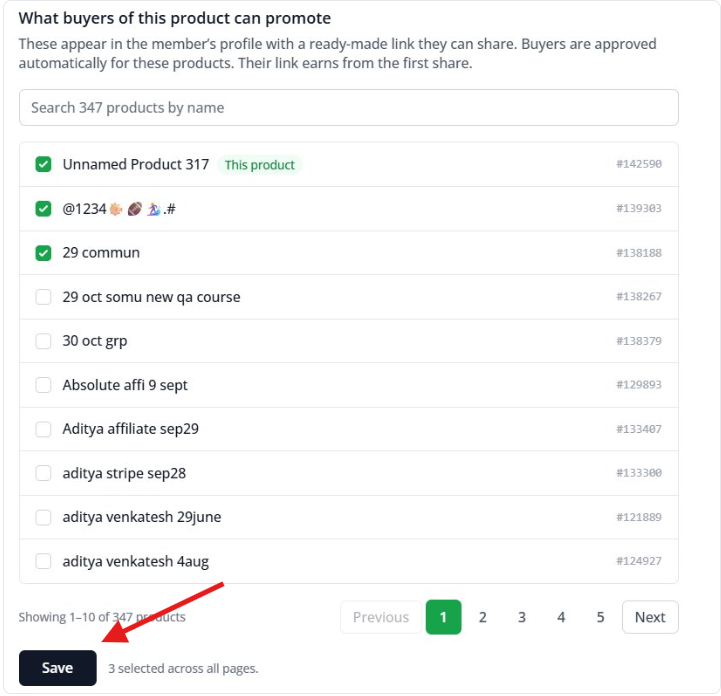
- Click the dark Save button below the product list.
Was this article helpful?
That’s Great!
Thank you for your feedback
Sorry! We couldn't be helpful
Thank you for your feedback
Feedback sent
We appreciate your effort and will try to fix the article