Payout rules control when your affiliates' commissions are released. You can create groups so that different sets of products follow different rules.
Key Terms
| Term | Meaning |
|---|---|
| Vendor | You, the owner of the product being promoted. |
| Affiliate | A person who promotes your product and earns a commission on each sale they bring in. |
| Commission | The reward the affiliate earns for a sale. It can be a fixed amount or a percentage. |
Steps
1. Open Payout Rules
- Open Manage → Payout Rules.
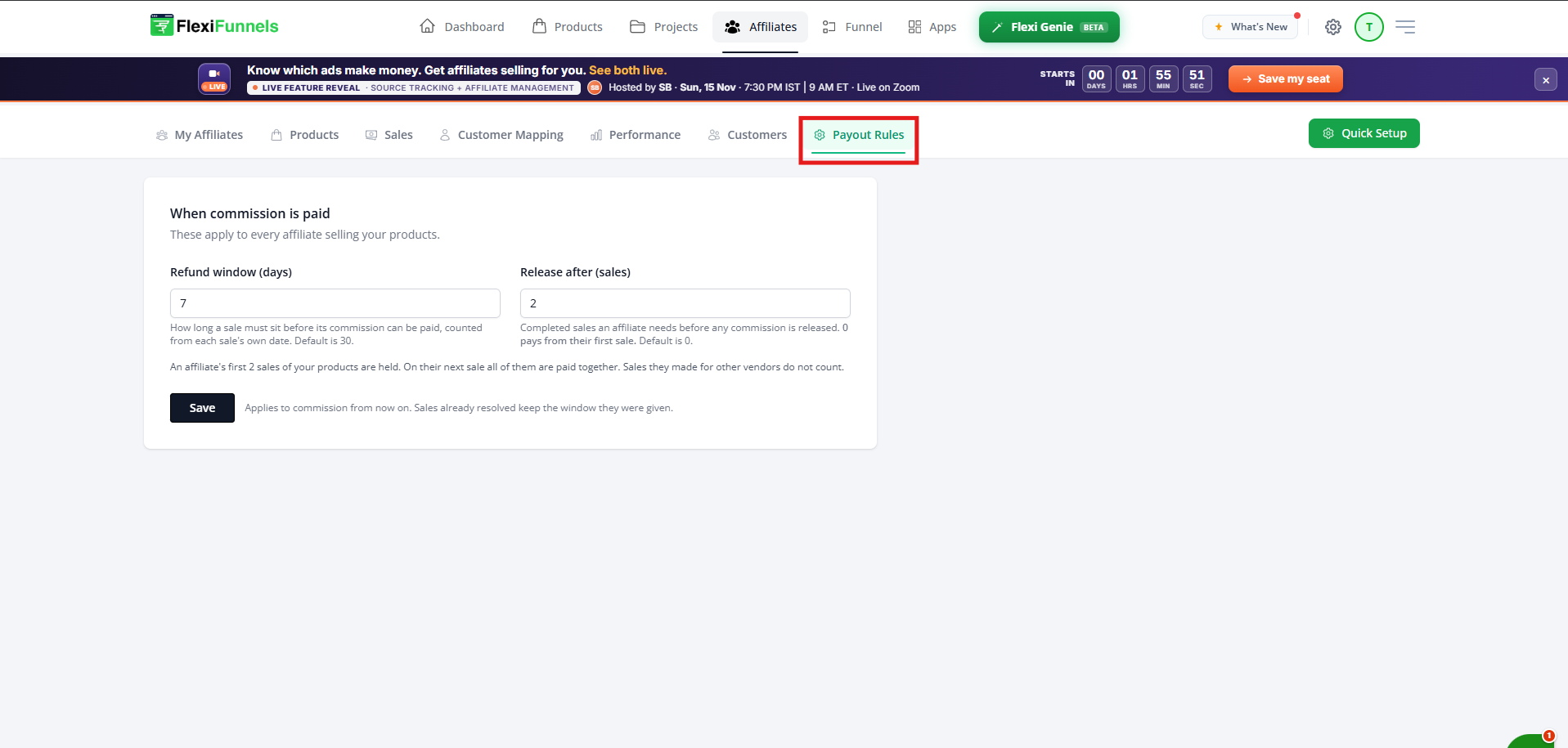
On this screen, you can create groups so that different groups of products follow different rules.
2. Set the Rules
| Setting | What it does |
|---|---|
| Refund window | If your product has a refund policy, manage the matching refund window here. |
| Release after | The number of days after a sale before the commission is released to the affiliate. For example, if your product has a refund policy, you can release the commission only after that period is over. |
| Pay no commission when a past buyer buys again | The same optional setting that is available in the product's affiliate settings (see How to Let Buyers Promote Your Product). You can also manage it here. |
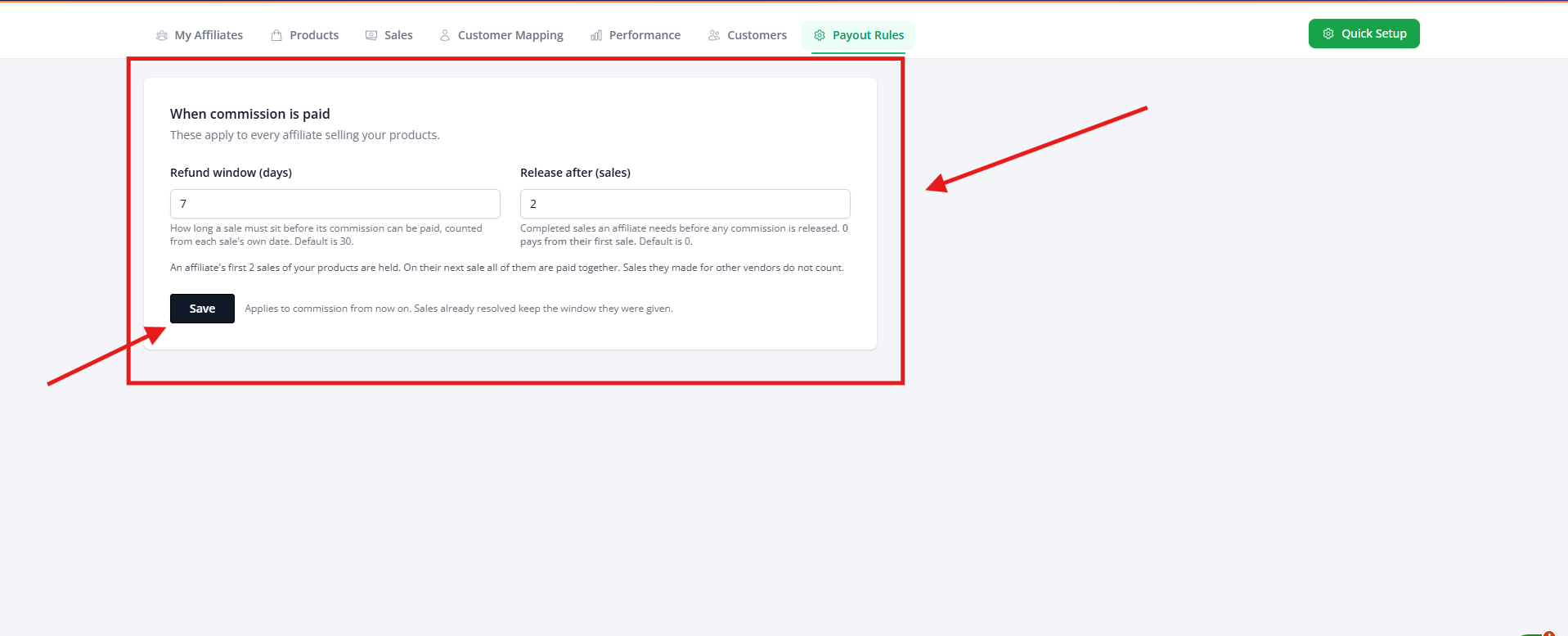
3. Save the Rules
- Click Save when you are done.
- FlexiFunnels applies the rules automatically from then on.
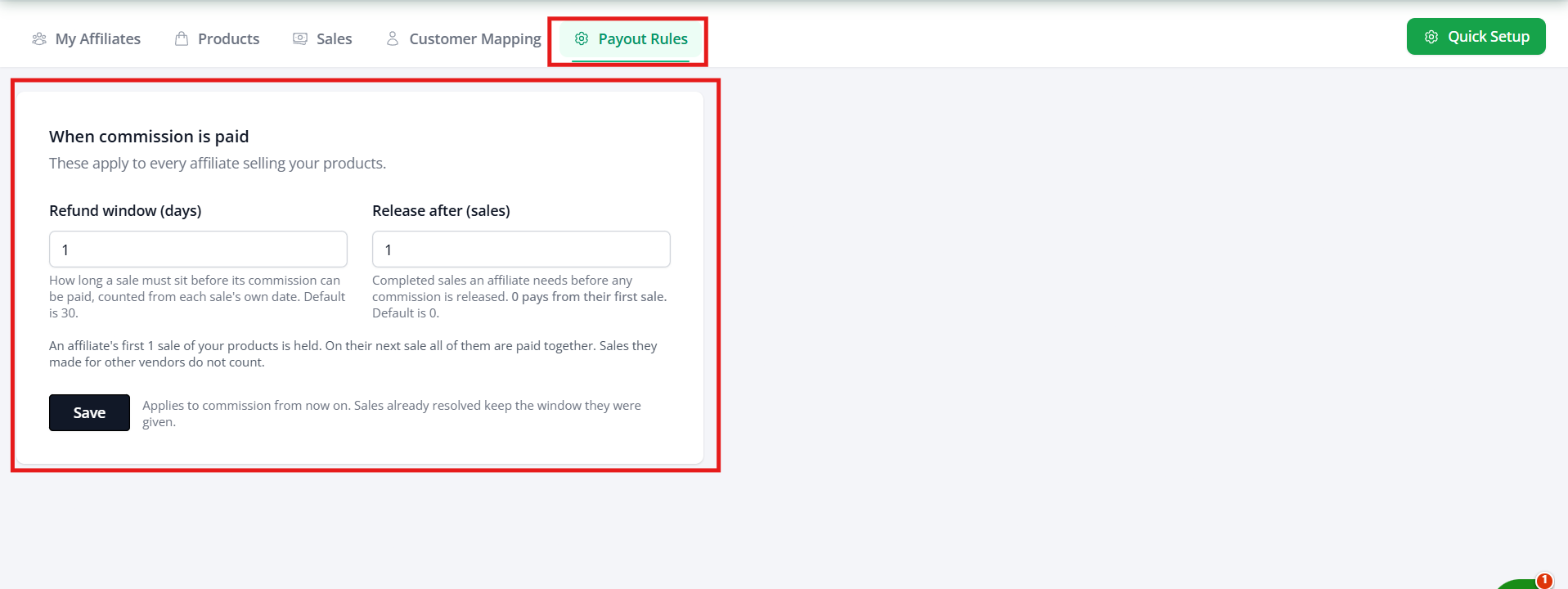
Common Use Case
Pay only after the refund period
Set Release after in Payout Rules so that commissions are released once the refund period has passed.
Troubleshooting
| Problem | Solution |
|---|---|
| A commission hasn't been released yet. | Check your Payout Rules. If Release after is set, the commission is released only after that many days. |
Was this article helpful?
That’s Great!
Thank you for your feedback
Sorry! We couldn't be helpful
Thank you for your feedback
Feedback sent
We appreciate your effort and will try to fix the article