From the Affiliate List, you can copy an affiliate's link, give that affiliate their own commission rate, or revoke their access to a product.
Before You Start
- Open Affiliates → My Affiliates. For details, see How to Find, Approve and Message Your Affiliates.
Key Terms
| Term | Meaning |
|---|---|
| Custom commission | A special commission rate for one affiliate. |
| Renewal | When a subscription charges the customer again. |
| Revoke | To take away an affiliate's access. |
Steps
1. Open the Manage Window
- Find the affiliate in the Affiliate List.
- Click the green Manage button in their row.

What you will see
The Manage Products window opens.
2. Open the Product Settings
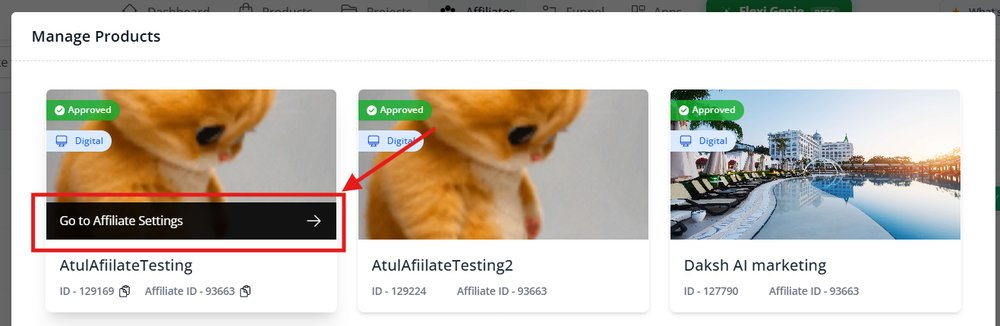
- Find the card for the product you want to manage.
- Click Go to Affiliate Settings on that card.
Each card shows the product name, its ID and the Affiliate ID.
What you will see
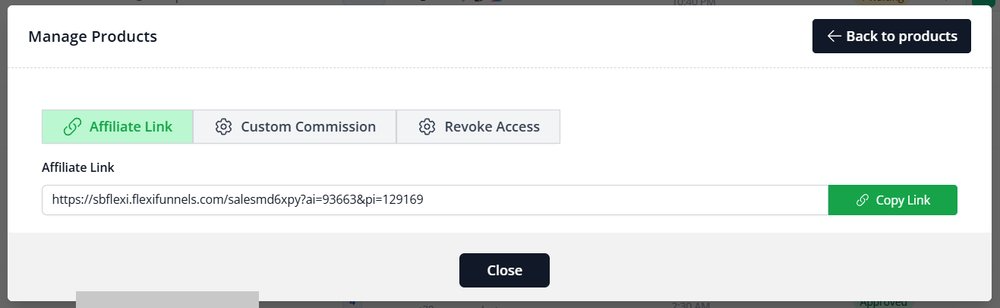
Three tabs appear: Affiliate Link, Custom Commission and Revoke Access.
Tip
To return to the product cards, click Back to products.
3. Copy the Affiliate Link
- Click the Affiliate Link tab.
- Click the green Copy Link button.
- Click Close when you are done.
4. Set a Custom Commission
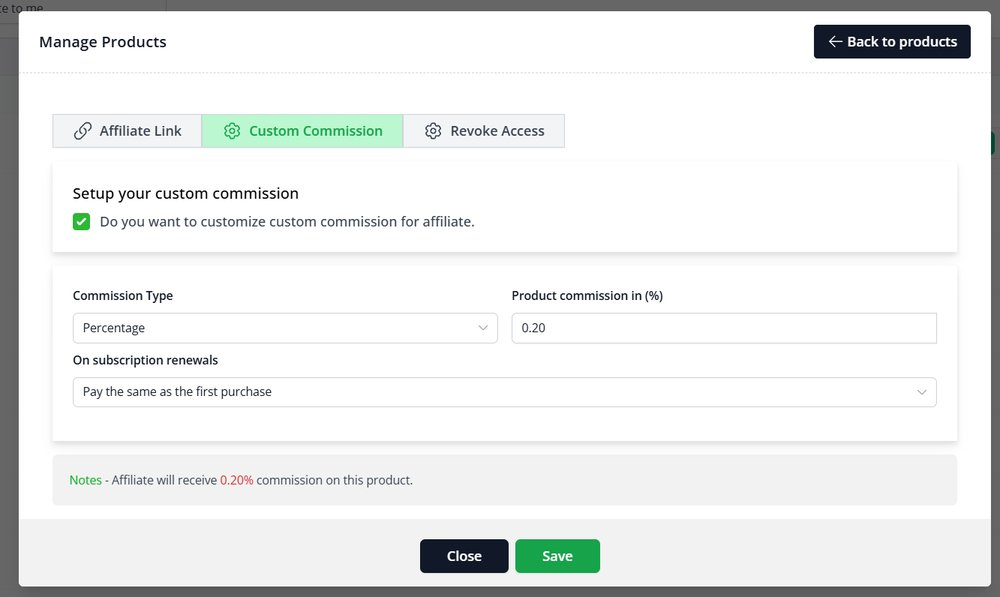
- Click the Custom Commission tab.
- Select the Do you want to customize custom commission for affiliate. checkbox.
- Select a Commission Type.
- Enter a number in the Product commission in (%) field.
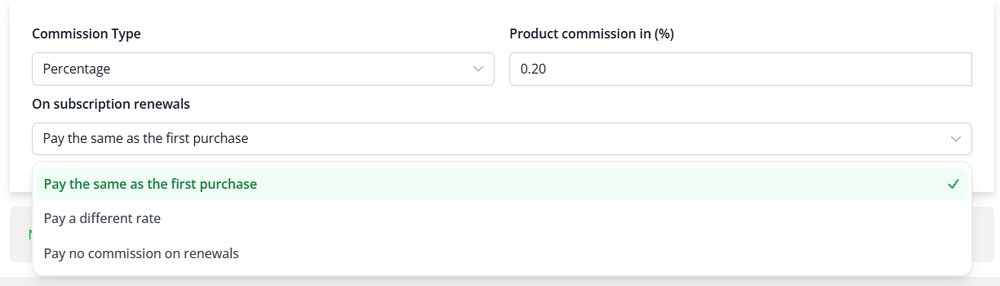
Next, open the On subscription renewals list and select one of the following options:
| Option | What it means |
|---|---|
| Pay the same as the first purchase | Renewals earn the same commission as the first sale. |
| Pay a different rate | You set a separate rate for renewals. |
| Pay no commission on renewals | Renewals earn no commission. |
Finally, click the green Save button.
Check before saving
A note below the fields summarizes what the affiliate will receive. Review it before you click Save.
5. Revoke an Affiliate's Access
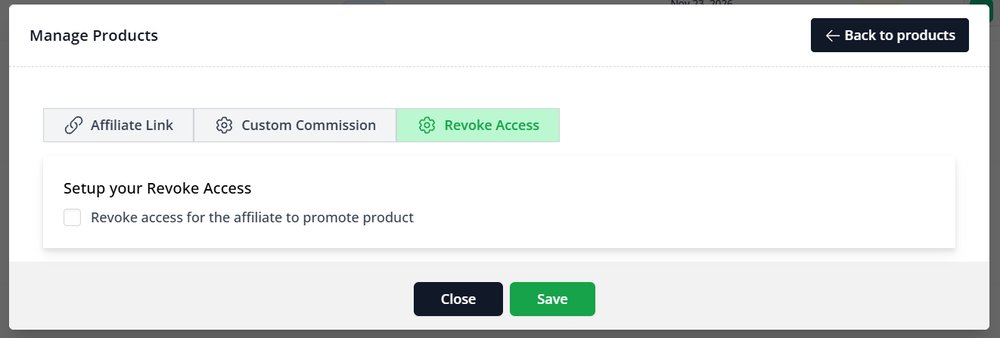
- Click the Revoke Access tab.
- Select the Revoke access for the affiliate to promote product checkbox.
- Click the green Save button.
Careful
Only select this option if you want the affiliate to stop promoting this product.
Was this article helpful?
That’s Great!
Thank you for your feedback
Sorry! We couldn't be helpful
Thank you for your feedback
Feedback sent
We appreciate your effort and will try to fix the article