You can sign up one affiliate, or many at once, yourself, instead of sending them a sign-up link.
Before You Start
- Set a commission on the product. Only products that pay a commission can be selected.
Key Terms
| Term | Meaning |
|---|---|
| Affiliate | A person who promotes your product. |
| CSV | A simple spreadsheet file. |
| Payout account | Where the affiliate's commission is paid. |
Steps
1. Open Customer Mapping
- Click Affiliates in the top menu.
- Click the Customer Mapping tab.
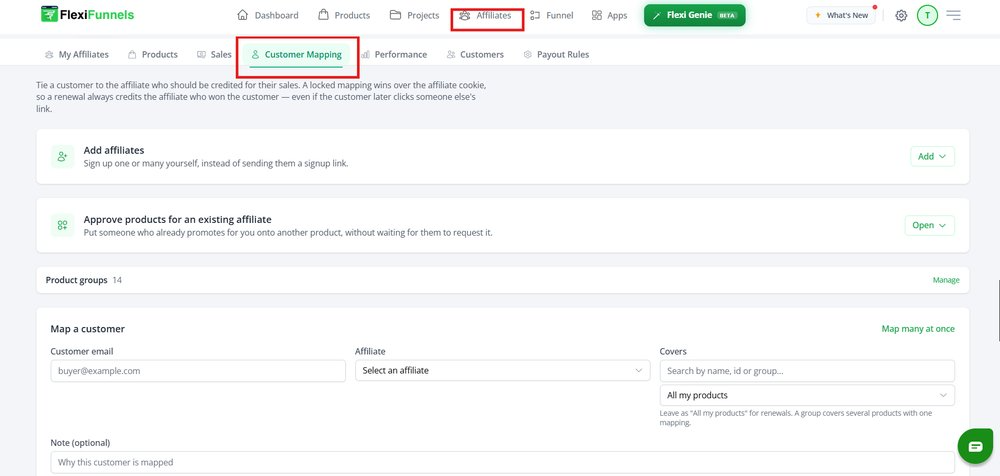
What you will see
You see cards for Add affiliates and Approve products for an existing affiliate, and a Map a customer form.
2. Open the Add Affiliates Card
- Find the Add affiliates card.
- Click Add on the right.
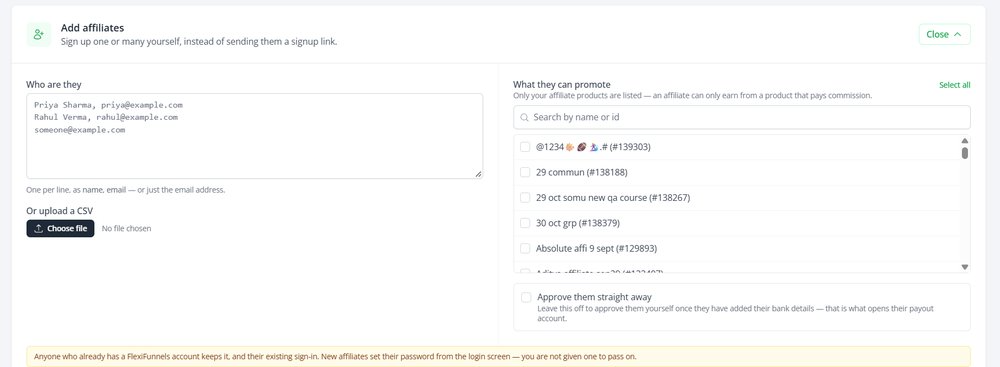
What you will see
The card opens, and the button changes to Close.
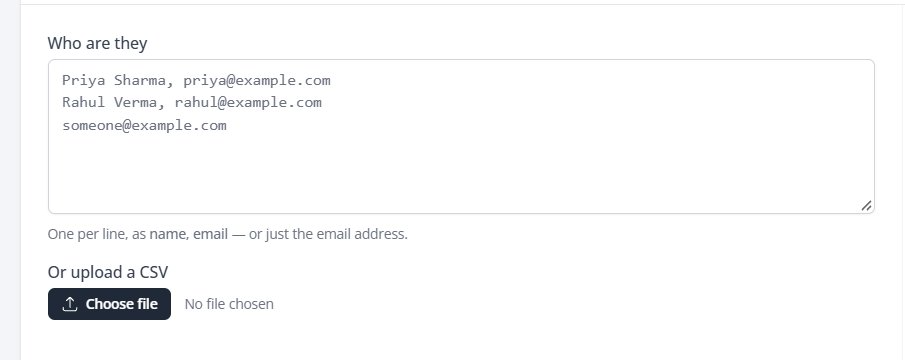
3. Enter the Affiliates' Details
- Under Who are they, enter one affiliate per line.
- Use the format name, email, or enter just the email address.
- Alternatively, click Choose file to upload a CSV file.
Good to know
Anyone who already has a FlexiFunnels account keeps that account and their existing sign-in. New affiliates set their own password from the login screen; you are not given a password to pass on.
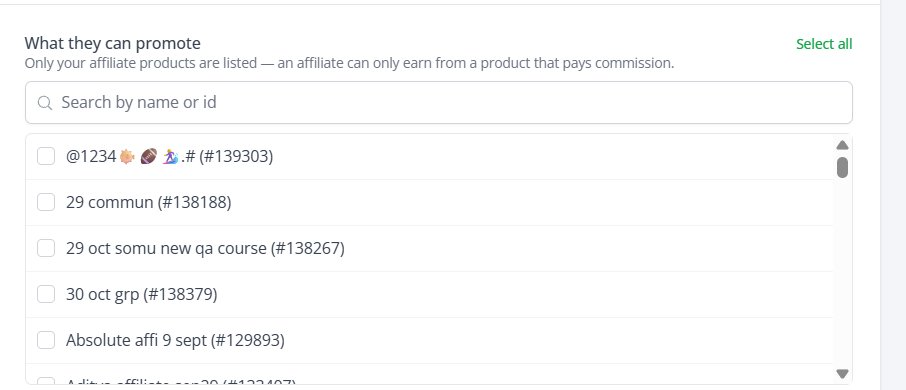
4. Select What They Can Promote
- Under What they can promote, select the checkbox next to each product.
- To find a product by name or ID, type in the search box.
- To select every product, click Select all.
5. Choose How to Approve
- Find the Approve them straight away checkbox.
- Select it, or leave it clear.
| Choice | What happens |
|---|---|
| Selected | The affiliates are approved right away. |
| Left clear | You approve them yourself once they add their bank details. Approving opens their payout account. |

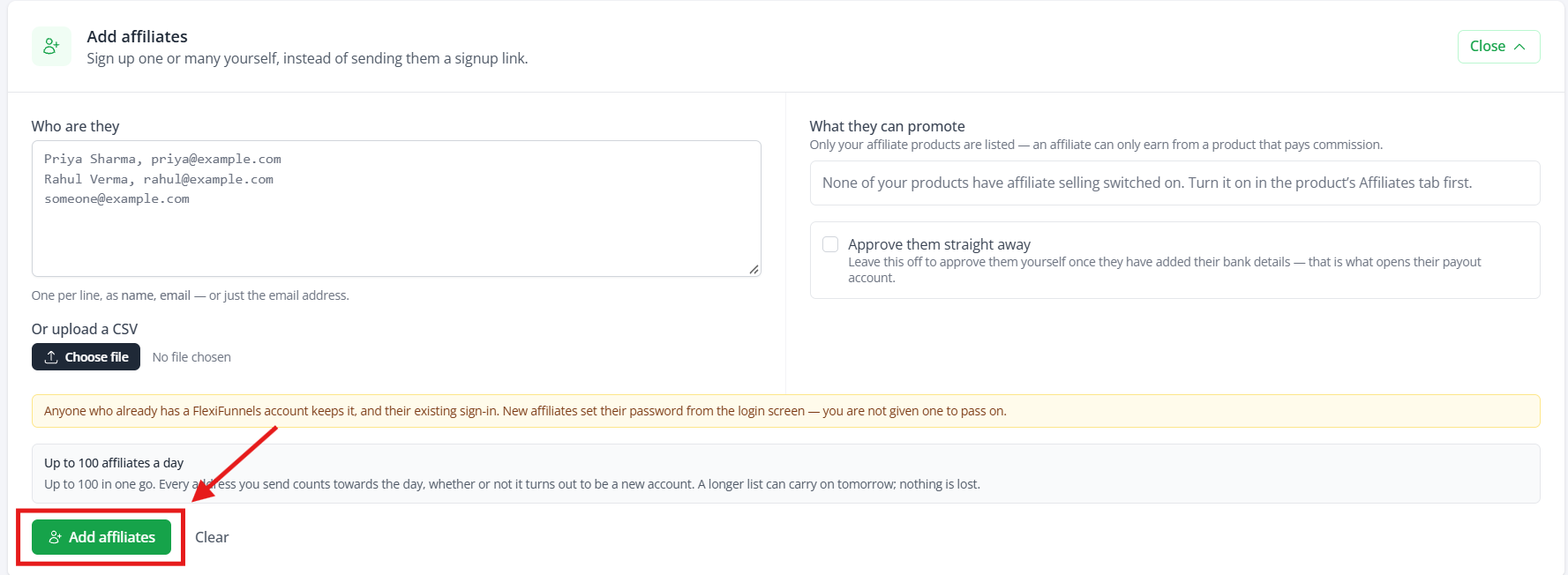
6. Add affiliates
Save the panel to add the affiliates.
Was this article helpful?
That’s Great!
Thank you for your feedback
Sorry! We couldn't be helpful
Thank you for your feedback
Feedback sent
We appreciate your effort and will try to fix the article