What This Feature Does
Lets you insert third-party scripts (chat widgets, retargeting/tracking pixels, analytics code) into your membership pages by placing them in the head, body, or body-end section — wherever the script provider specifies.
Scope: This applies only to membership pages — not your main site, checkout pages, or other funnels.
Before You Start
- Get the exact script code from your provider (e.g., Facebook Pixel, Google Analytics, Intercom, Crisp chat)
- Check the provider's documentation for where they require it — head, body, or body end. Placing it in the wrong section can cause the script to fail silently or load at the wrong time
- Back up or note your current setup before adding new scripts — if something breaks, you want to know what changed
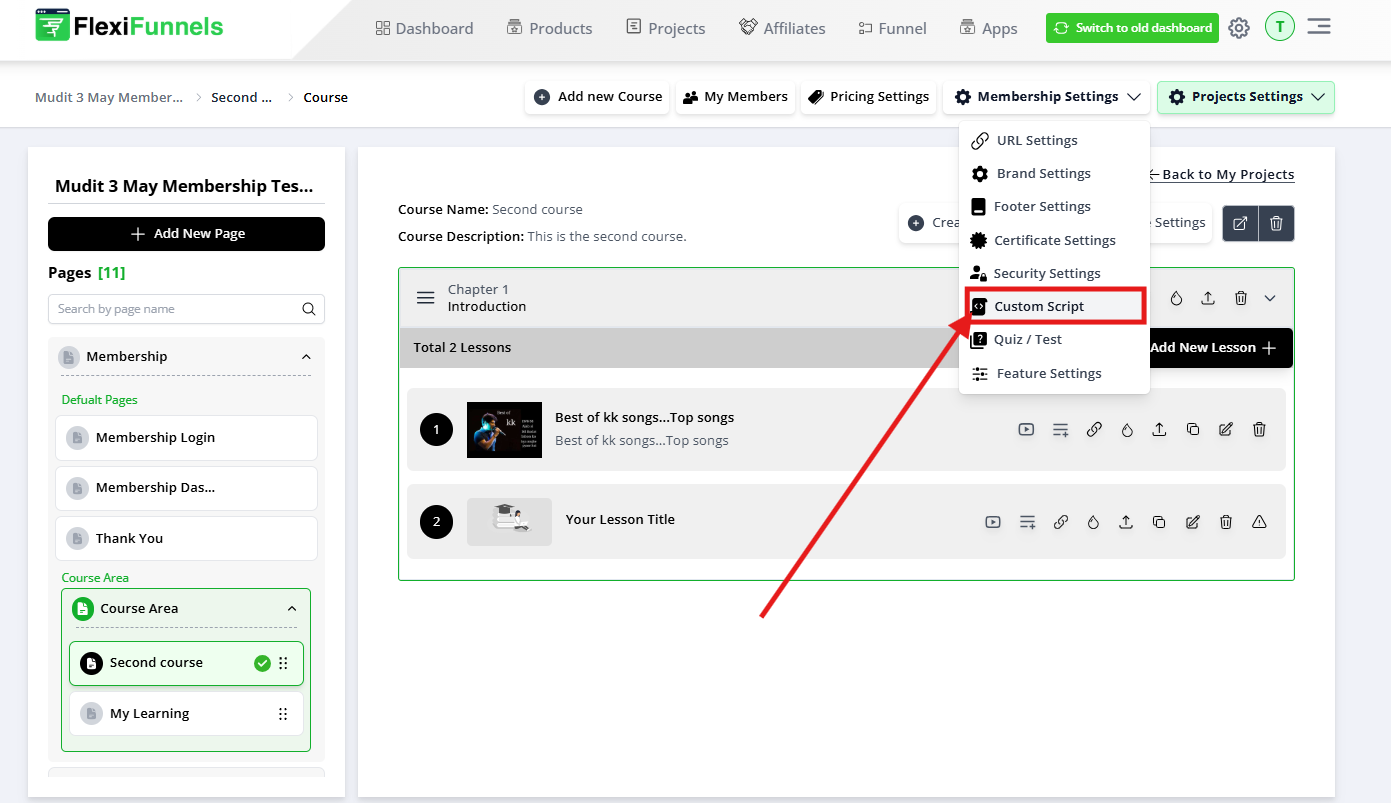
Step 1: Open Custom Script Settings
- Go to your Membership Project settings
- Find "Custom Scripts"
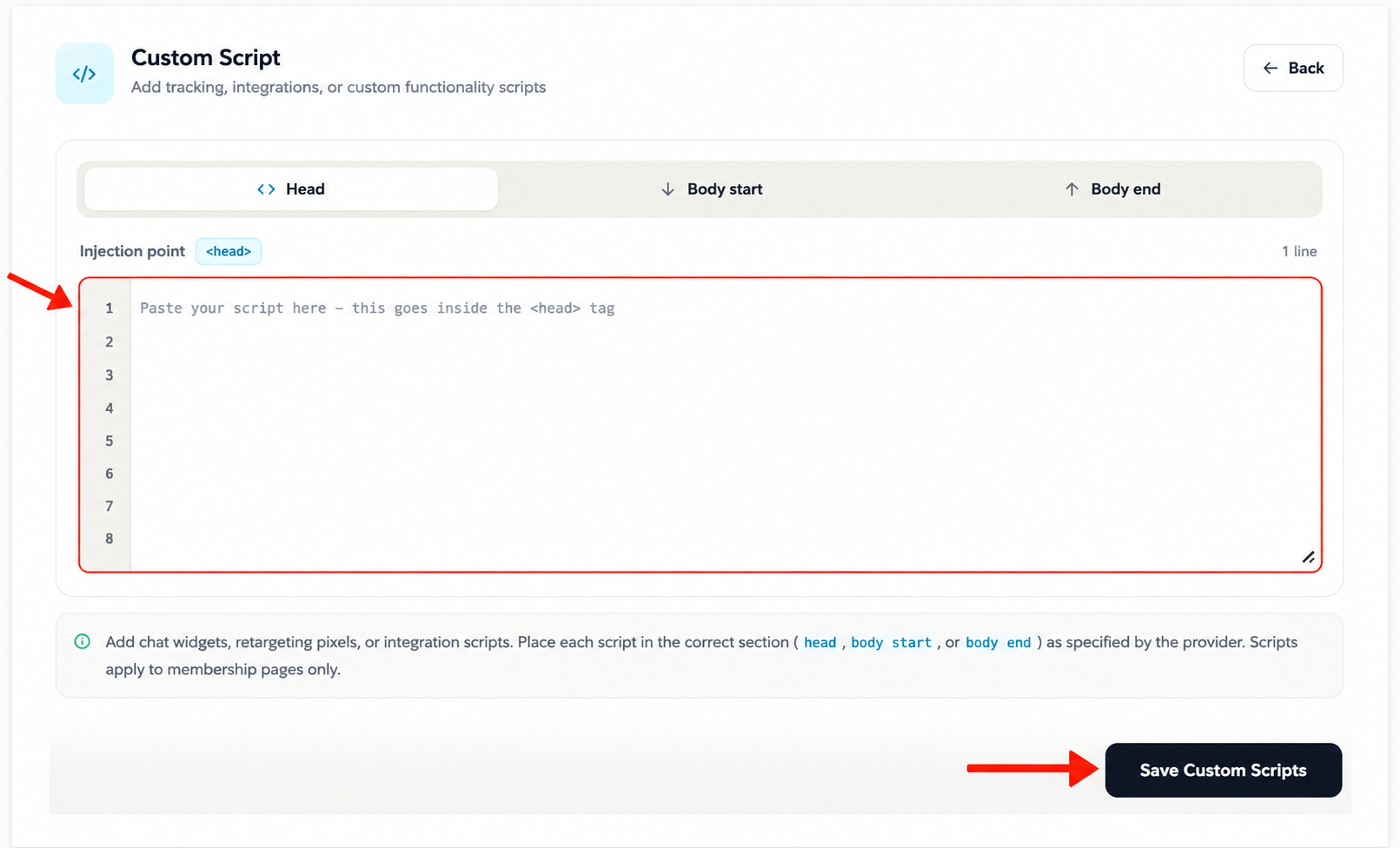
Step 2: Paste Your Script in the Correct Section
| Section | When to Use | Common Examples |
|---|---|---|
| Head | Scripts that need to load before the page content (tracking pixels, some analytics) | Google Analytics, Facebook Pixel |
| Body | Scripts tied to visible page elements | Some chat widgets, embedded forms |
| Body End | Scripts that should load after the page content, to avoid slowing down page load | Chat widgets (Intercom, Crisp), retargeting scripts |
If unsure, check the script provider's own installation instructions — they almost always specify which section to use.
Step 3: Save
- Click Save
Step 4: Test It Actually Works
- Open your membership page in a new browser tab (preferably incognito, to avoid cached scripts)
- Confirm the expected behavior:
- Chat widget: does the chat bubble appear?
- Analytics/tracking: does the event show up in your analytics dashboard (may take a few minutes)?
- If nothing happens, don't assume it's broken immediately — some tracking scripts take time to register data
Common Issues & Fixes
| Problem | Likely Cause | Fix |
|---|---|---|
| Script doesn't appear to do anything | Pasted in the wrong section (head vs body vs body end) | Check the provider's documentation for the correct placement and move it |
| Chat widget doesn't show up | Script placed in Head instead of Body End, or script itself is broken | Move to Body End; verify the script code was copied completely and correctly |
| Page loads slowly after adding a script | Heavy script placed in Head, blocking page render | Move non-essential scripts (especially chat/tracking) to Body End |
| Tracking pixel shows no data | Script only applies to membership pages — you're checking traffic to a non-membership page | Confirm you're testing on an actual membership page, not your main site or checkout |
| Script breaks page layout or functionality | Malformed/incomplete script code, or conflicting with existing scripts | Remove the script, verify it's copied in full from the provider, re-add one at a time to isolate the issue |
Was this article helpful?
That’s Great!
Thank you for your feedback
Sorry! We couldn't be helpful
Thank you for your feedback
Feedback sent
We appreciate your effort and will try to fix the article