Whenever you delete a project, page, or membership course inside your FlexiFunnels dashboard, you will now see a confirmation notification.
First, a confirmation pop-up will appear asking you to confirm the delete action.
After you confirm, a notification message will be displayed on the screen, confirming that the project, page, or course has been successfully deleted.
For example, we have deleted a page here.
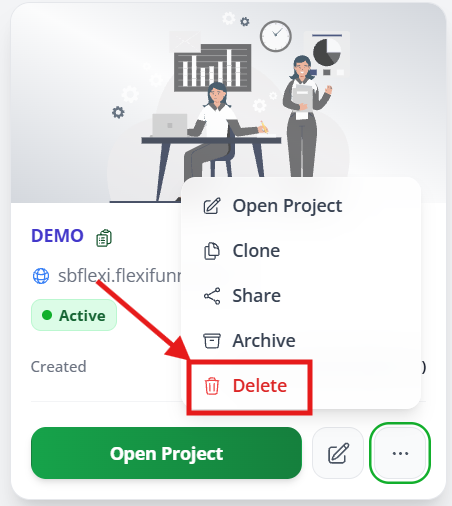
After clicking on delete, you'll get a notification at the top right of your screen like this.
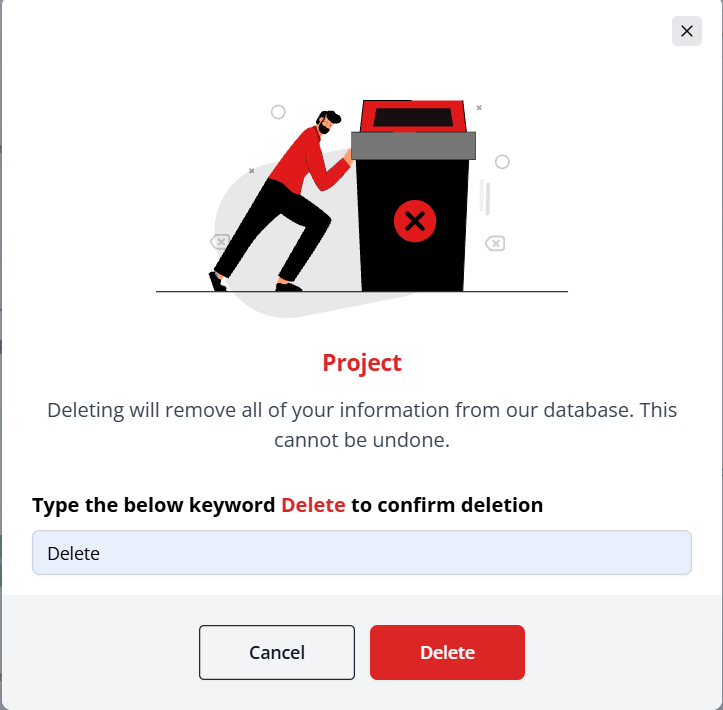
Now your page will be deleted.
Was this article helpful?
That’s Great!
Thank you for your feedback
Sorry! We couldn't be helpful
Thank you for your feedback
Feedback sent
We appreciate your effort and will try to fix the article