Overview
Configuring a webhook allows Razorpay to send real-time payment updates to FlexiFunnels. This helps keep order statuses synchronized automatically, reduces pending transactions, and improves the reliability of your payment processing.
Before You Begin
- An active Razorpay account.
- A Razorpay payment gateway already connected to FlexiFunnels.
- Administrator access to your Razorpay Dashboard.
Step 1: Open the Webhooks Settings
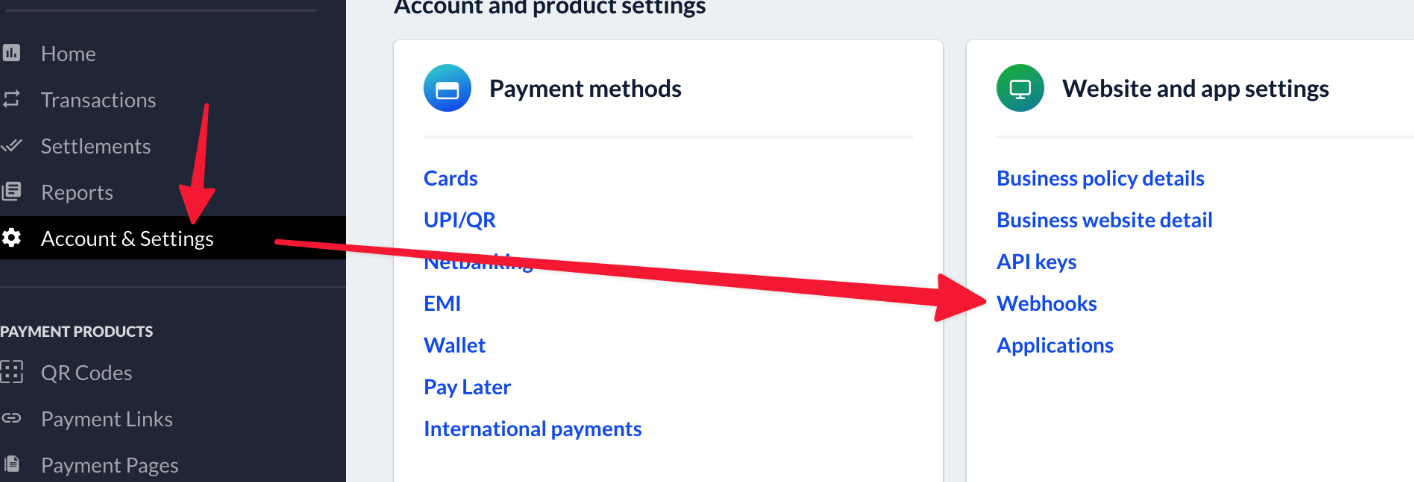
Log in to your Razorpay Dashboard and navigate to Account & Settings. Under the Website and App Settings section, click Webhooks.
Step 2: Create a New Webhook
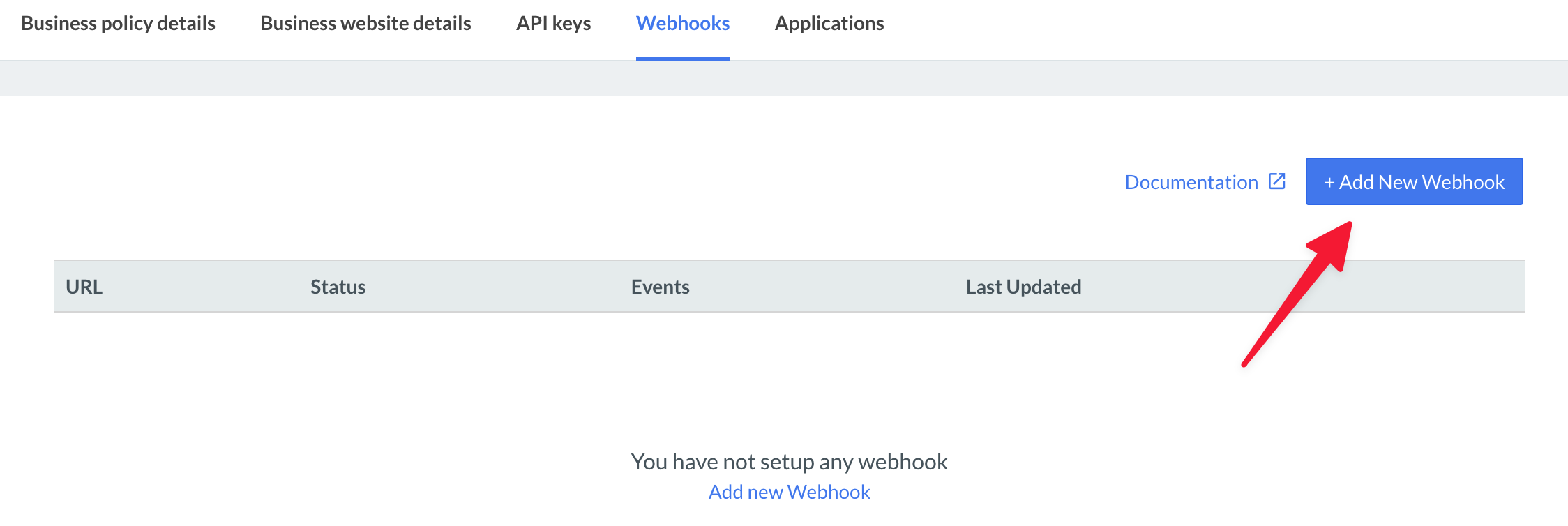
Click the + Add New Webhook button to create a new webhook configuration.
Step 3: Configure the Webhook Details
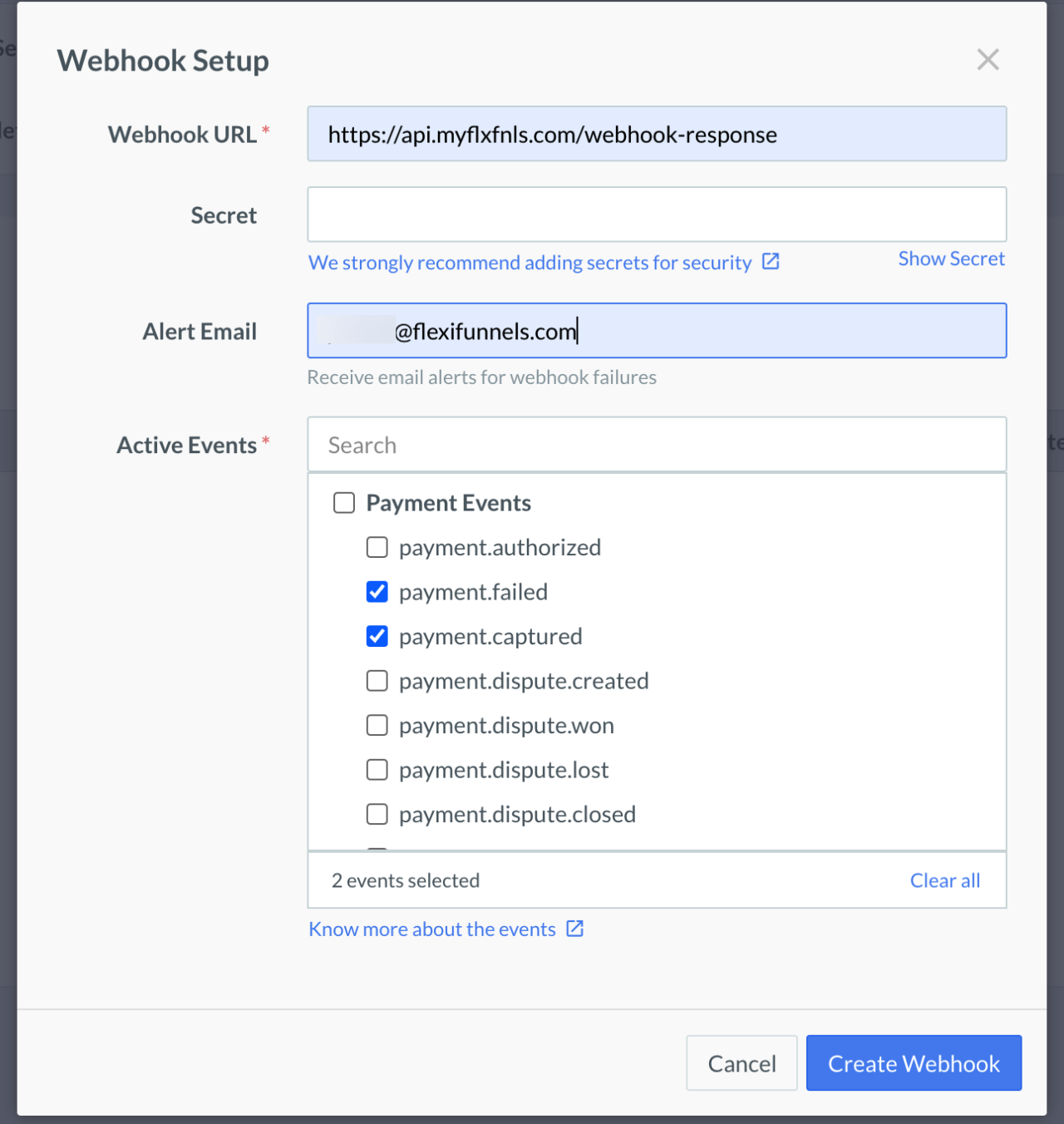
Enter the following configuration values:
- Webhook URL
https://api.myflxfnls.com/webhook-response - Secret
Leave this field blank. - Alert Email
Enter your preferred email address to receive webhook notifications. - Active Events
Select the following events:- Payment Failed
- Payment Captured
Step 4: Save the Webhook
After reviewing all the information, click Create Webhook to save the configuration.

Verify the Configuration
After creating the webhook, verify that:
- The webhook is listed as Active in your Razorpay Dashboard.
- The webhook URL matches the FlexiFunnels endpoint exactly.
- Both Payment Failed and Payment Captured events are enabled.
Common Scenarios
Payment status is not updating in FlexiFunnels
- Verify the webhook URL has been entered correctly.
- Ensure the webhook is active.
- Confirm the required events have been selected.
Webhook events are not being received
- Check whether the webhook was created successfully.
- Review the webhook delivery logs in Razorpay.
Best Practices
- Configure webhooks immediately after connecting Razorpay.
- Do not modify the FlexiFunnels webhook URL.
- Regularly review webhook delivery logs for failed notifications.
- Perform a test payment after completing the configuration.
Before Contacting Support
- Confirm the webhook URL is correct.
- Verify the webhook is active.
- Ensure the required webhook events are enabled.
- Share screenshots of the webhook configuration and any delivery errors.
Expected Outcome
Once the webhook is configured successfully, Razorpay will automatically send payment status updates to FlexiFunnels. This ensures orders are updated promptly, reduces pending transactions, and improves the overall reliability of your payment workflow.
Was this article helpful?
That’s Great!
Thank you for your feedback
Sorry! We couldn't be helpful
Thank you for your feedback
Feedback sent
We appreciate your effort and will try to fix the article