FlexiFunnels has officially launched Bio Templates, making it easy to create and share mobile-optimized bio pages that load fast and help visitors land on the right page instantly.
These templates are built specifically for Instagram bio links, WhatsApp bios, YouTube descriptions, and social profiles, where speed and clarity matter the most.
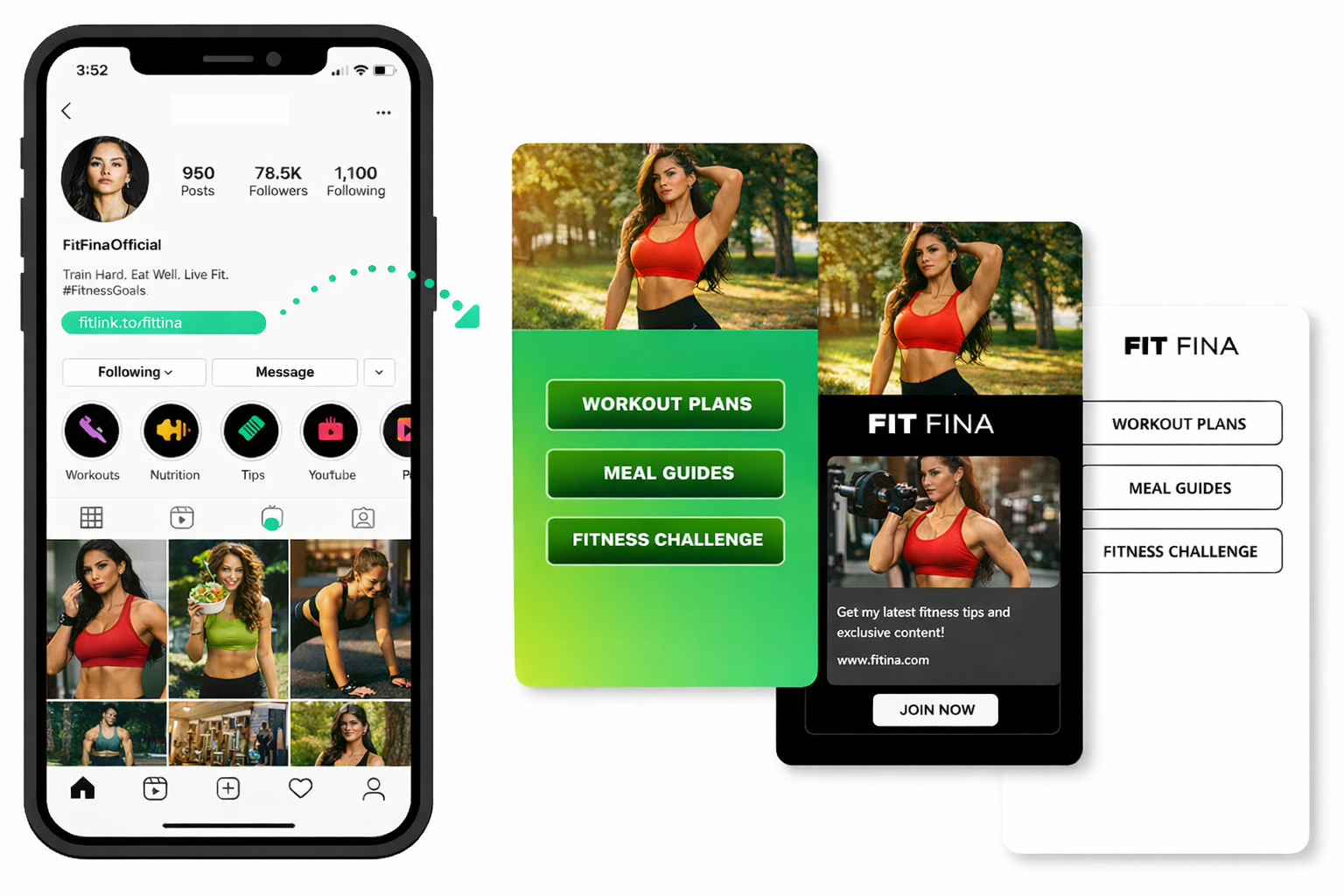
How to Create a Bio Page in FlexiFunnels
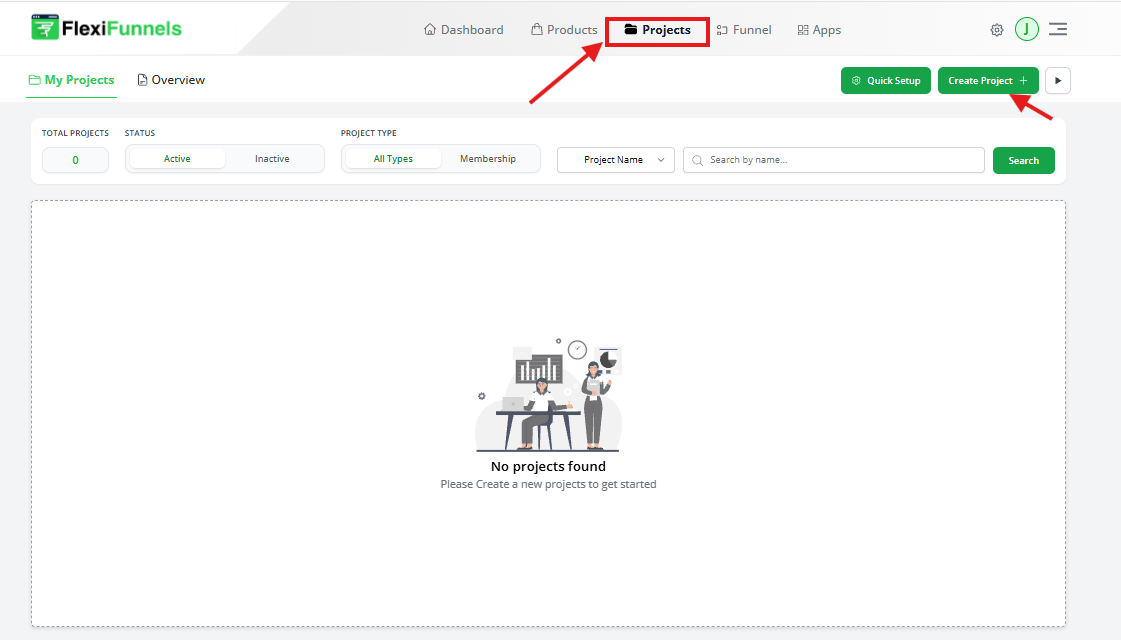
Step 1: Go to Projects
Open your FlexiFunnels dashboard
Click on Projects
Click on New Project
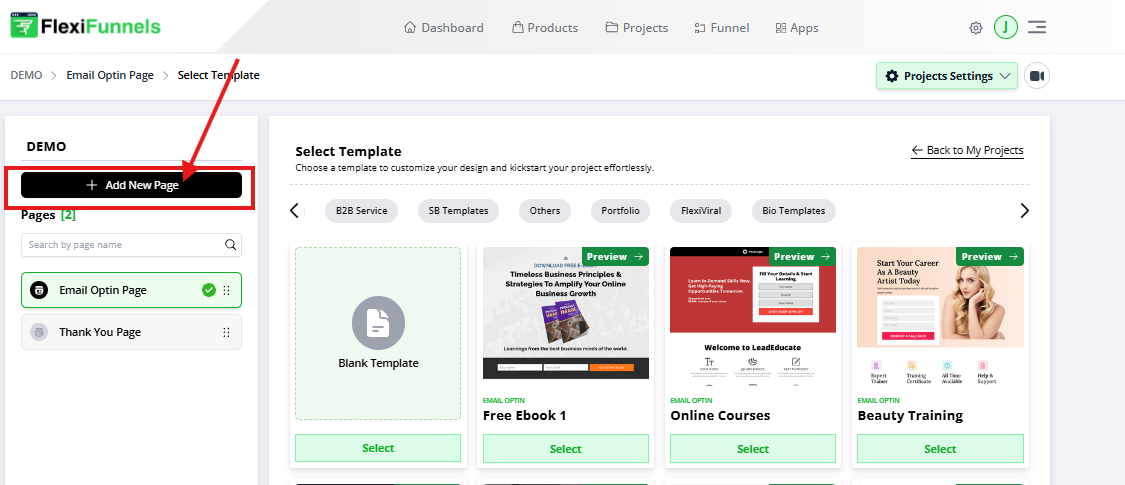
Step 3: Create a New Page
Inside the project, click Create New Page
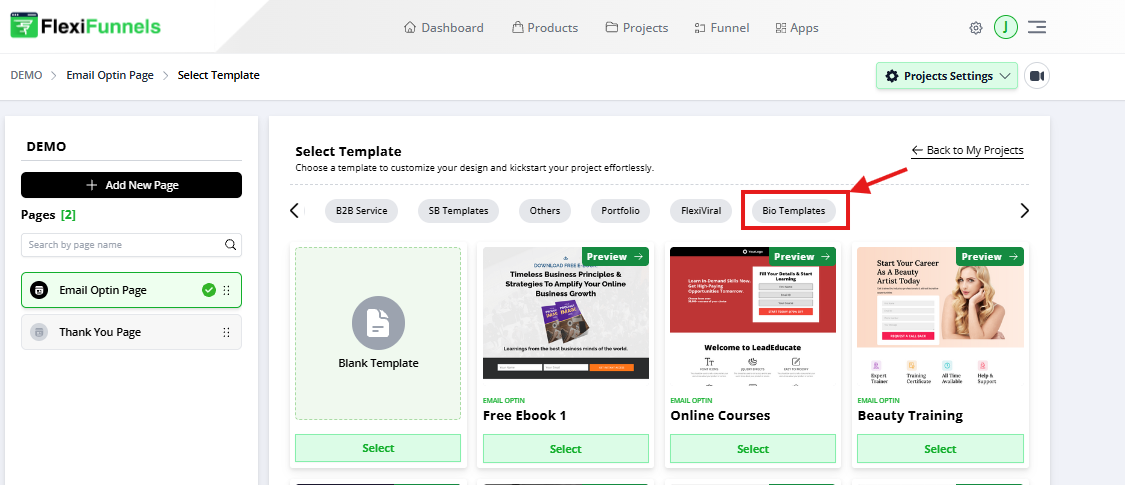
Step 4: Choose Bio Template Category
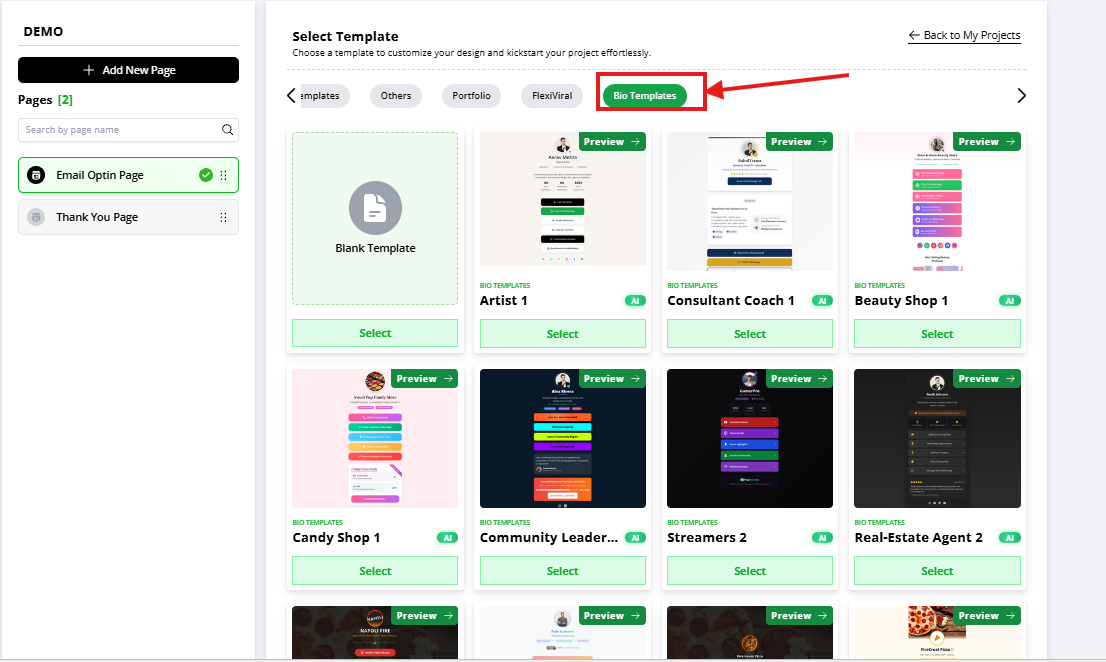
When template categories appear, select Bio Templates
Step 5: Select Your Bio Template
Choose from 90+ professionally designed bio templates
Pick a design that matches your brand and audience
These templates are pre-structured for:
Quick navigation
Clear CTAs
High mobile usability
Step 6: Mobile-Optimized by Default
All bio templates are:
Fully mobile responsive
Optimized for fast loading
Designed for thumb-friendly navigation
No additional mobile adjustments are required.
Where You Can Use Bio Pages
Instagram bio link
WhatsApp profile link
YouTube channel bio
Facebook page bio
Any social media profile
Was this article helpful?
That’s Great!
Thank you for your feedback
Sorry! We couldn't be helpful
Thank you for your feedback
Feedback sent
We appreciate your effort and will try to fix the article