The Flexi Website Cloner lets you take a web page you own — from almost any platform — and bring it into FlexiFunnels as a fully editable page. You paste in a URL, the cloner copies the layout, text, images, and styling, and you get a page you can edit and publish as your own.
It's perfect for migrating your existing pages into FlexiFunnels in minutes instead of rebuilding them from scratch.
? This feature is in Beta. It already clones most pages 90–95% accurately, and it keeps improving based on user feedback. You start with 25 free page clones to try it out.
Before you start
- You're logged in to your FlexiFunnels account.
- You have the URL of the page you want to clone.
- ✅ You own that page or have permission to clone it. The cloner asks you to confirm this, so only use it on your own pages (for example, migrating your funnel from another tool) or pages you're allowed to copy.
Walkthrough Video:
Steps to clone a website
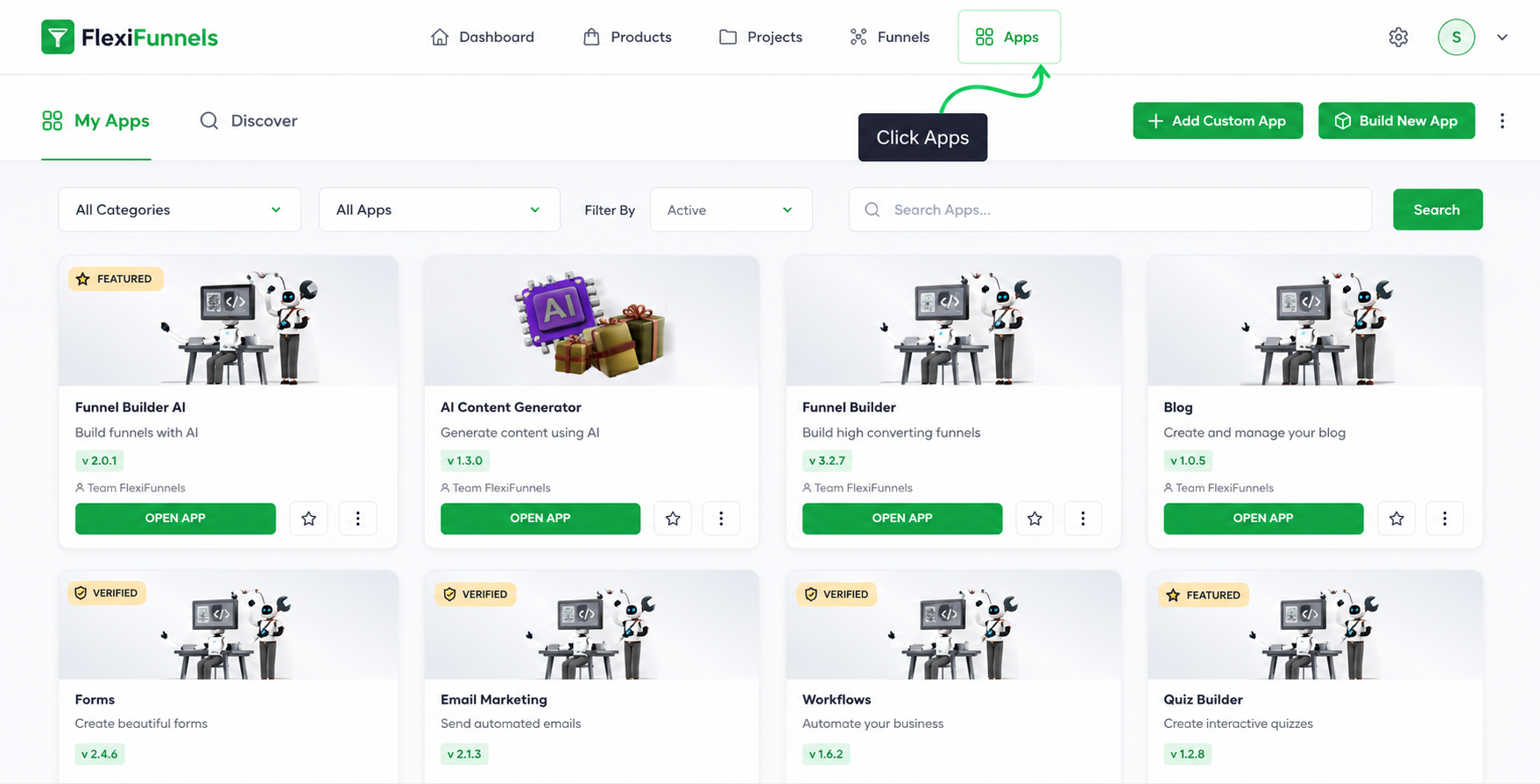
Step 1: Open the Apps section
In your FlexiFunnels dashboard, click "Apps."
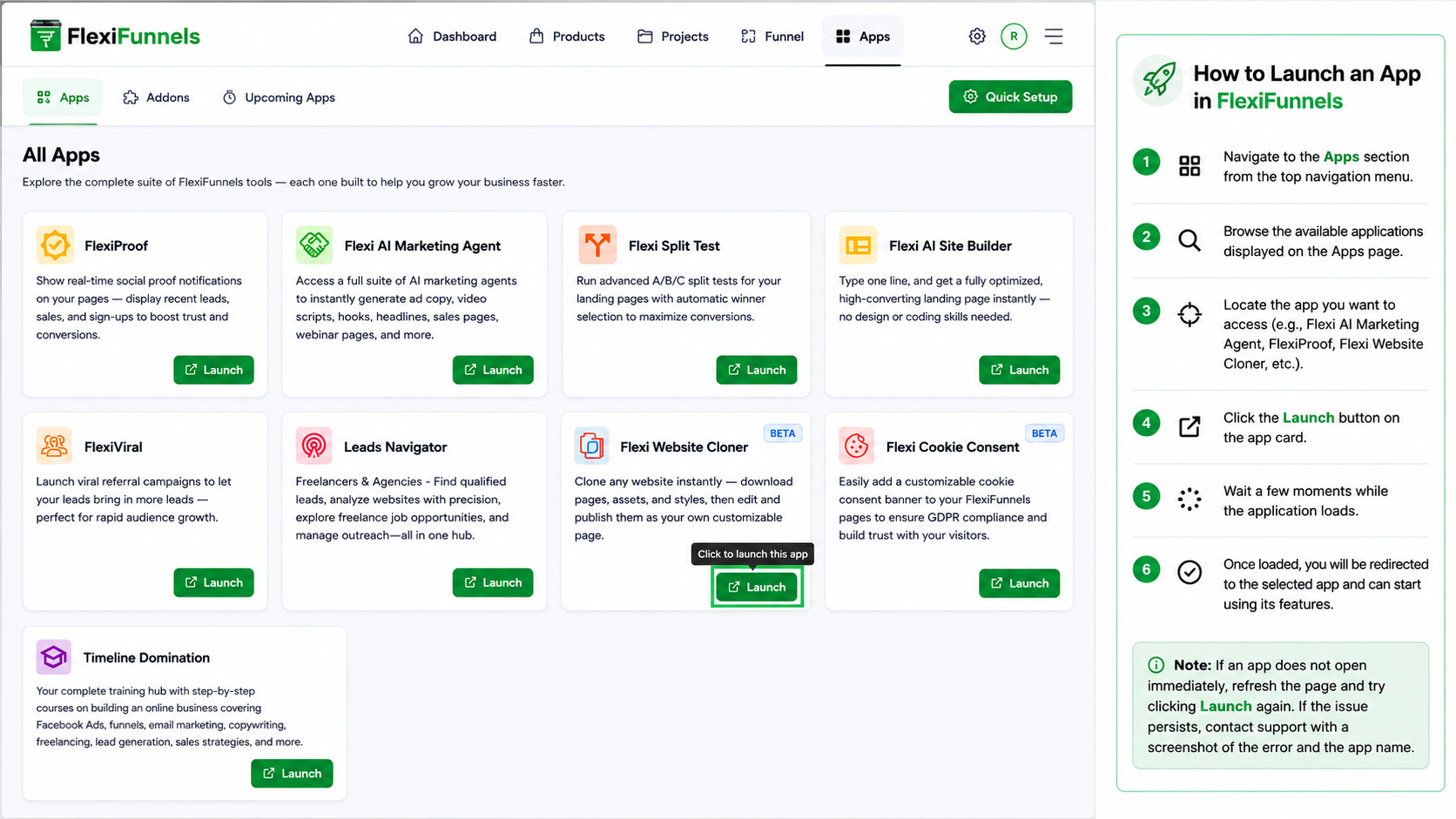
Step 2: Launch the Website Cloner
Find the Website Cloner and click "Launch."
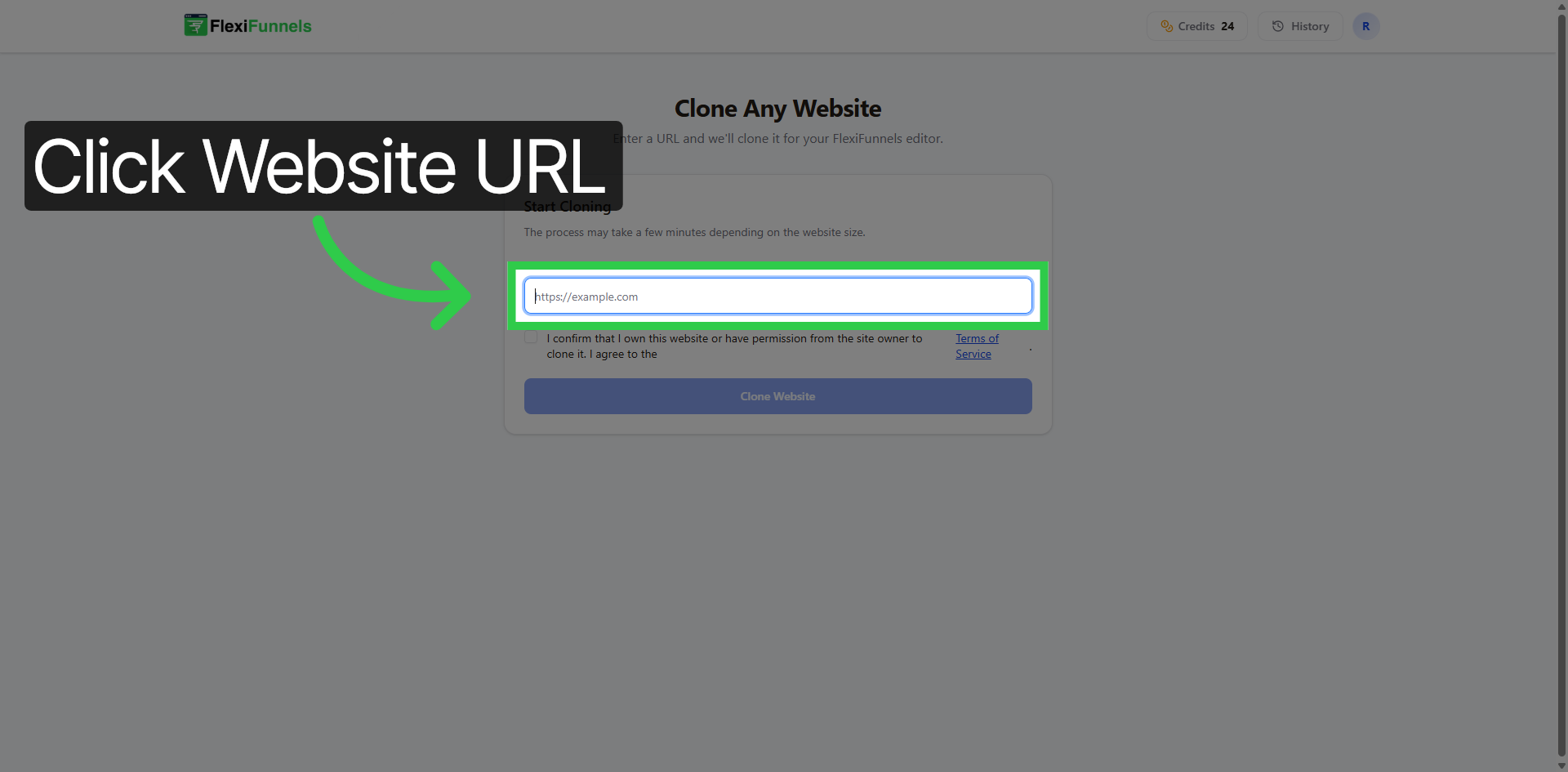
Step 3: Enter the page URL
Click the Website URL field and paste the address of the page you want to clone.
? Example: copying one of your own webinar pages from ClickFunnels into FlexiFunnels.
Step 4: Confirm ownership
Click the checkbox confirming that you own the website or have permission to clone it and agree to the Terms of Service.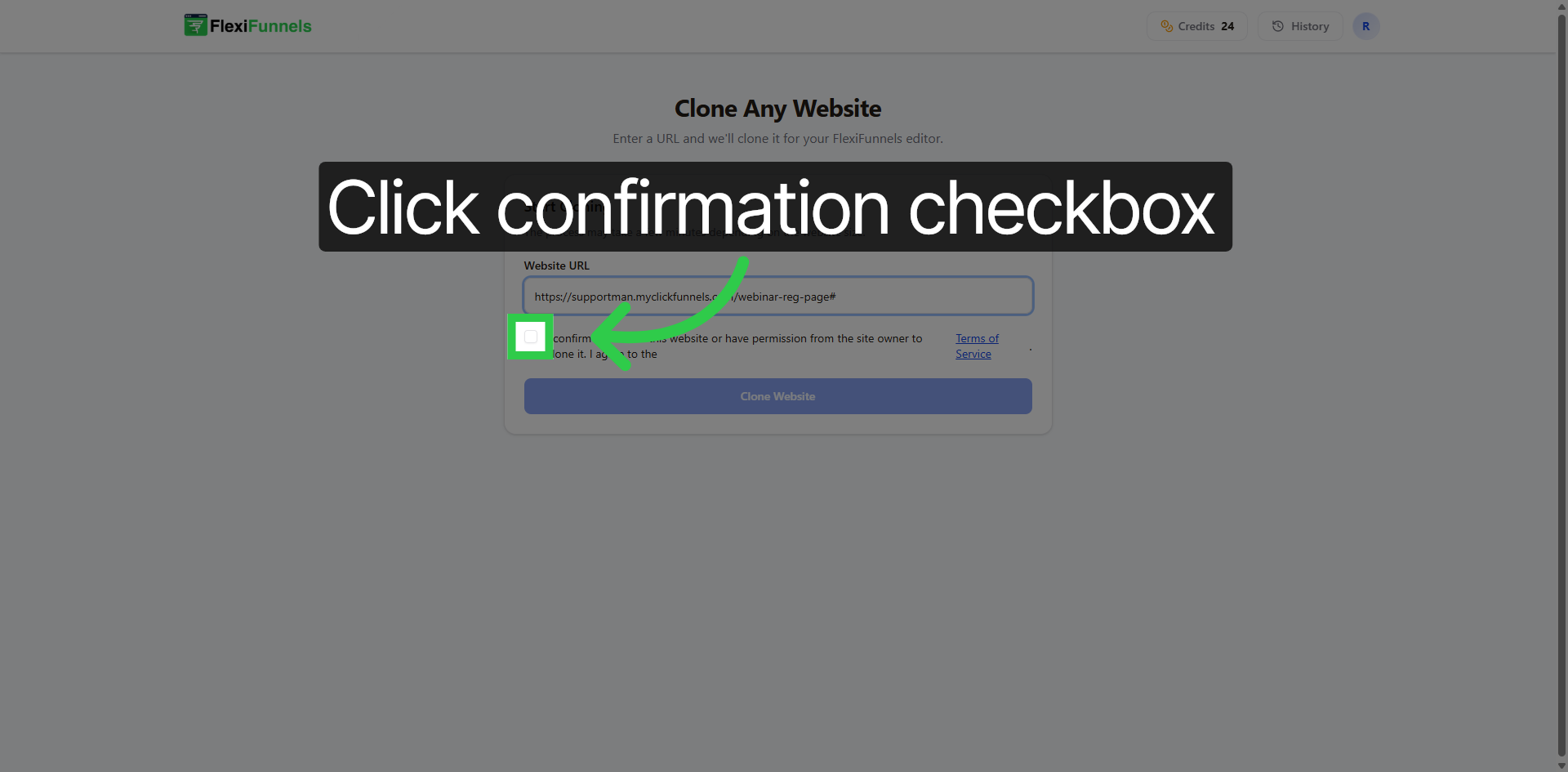
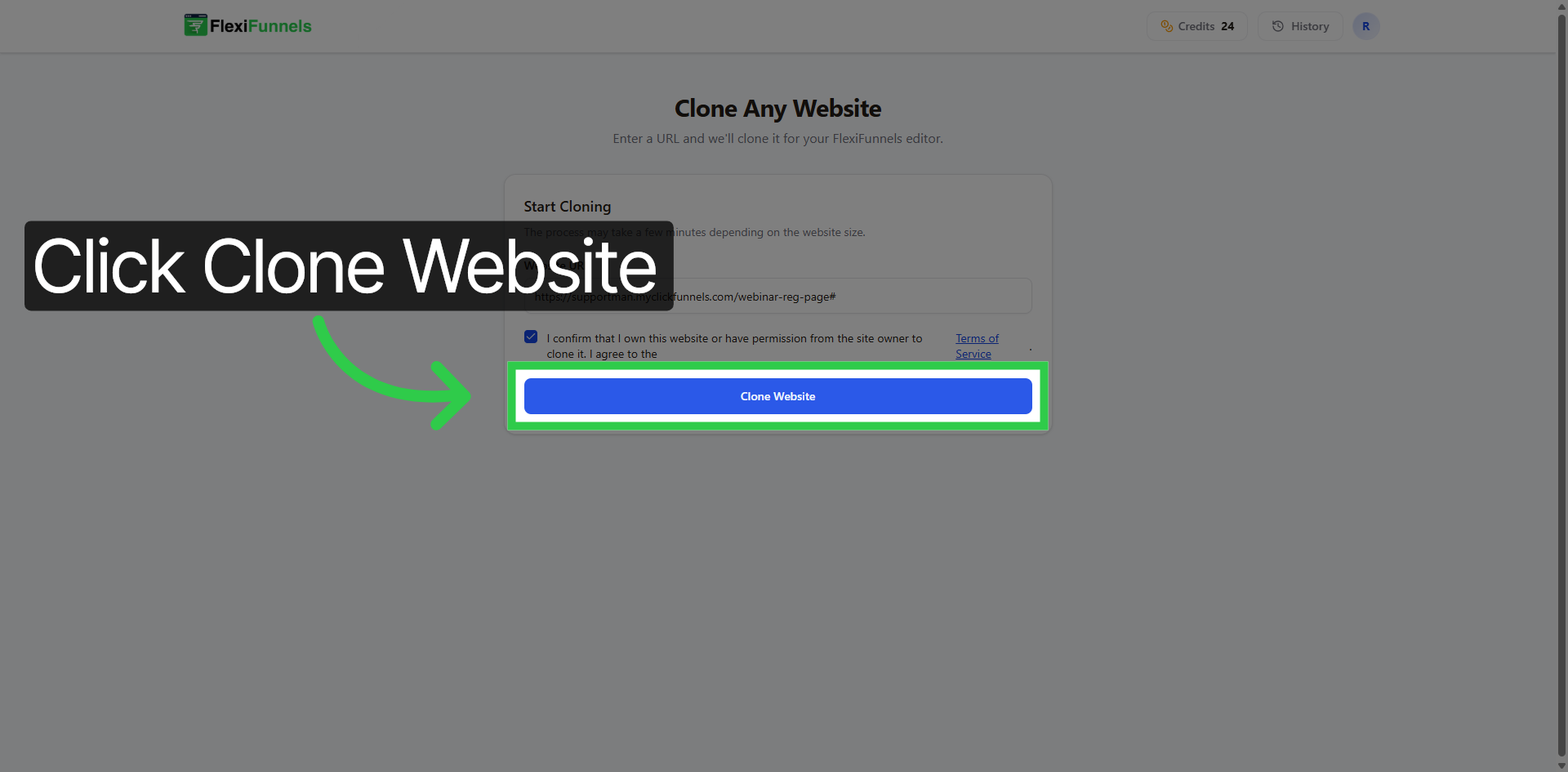
Step 5: Start cloning
Click "Clone Website." The cloner will copy the page's structure, content, and styling.
Step 6: View your cloned page
Click “Cloned Only” to filter and view only the cloned website content.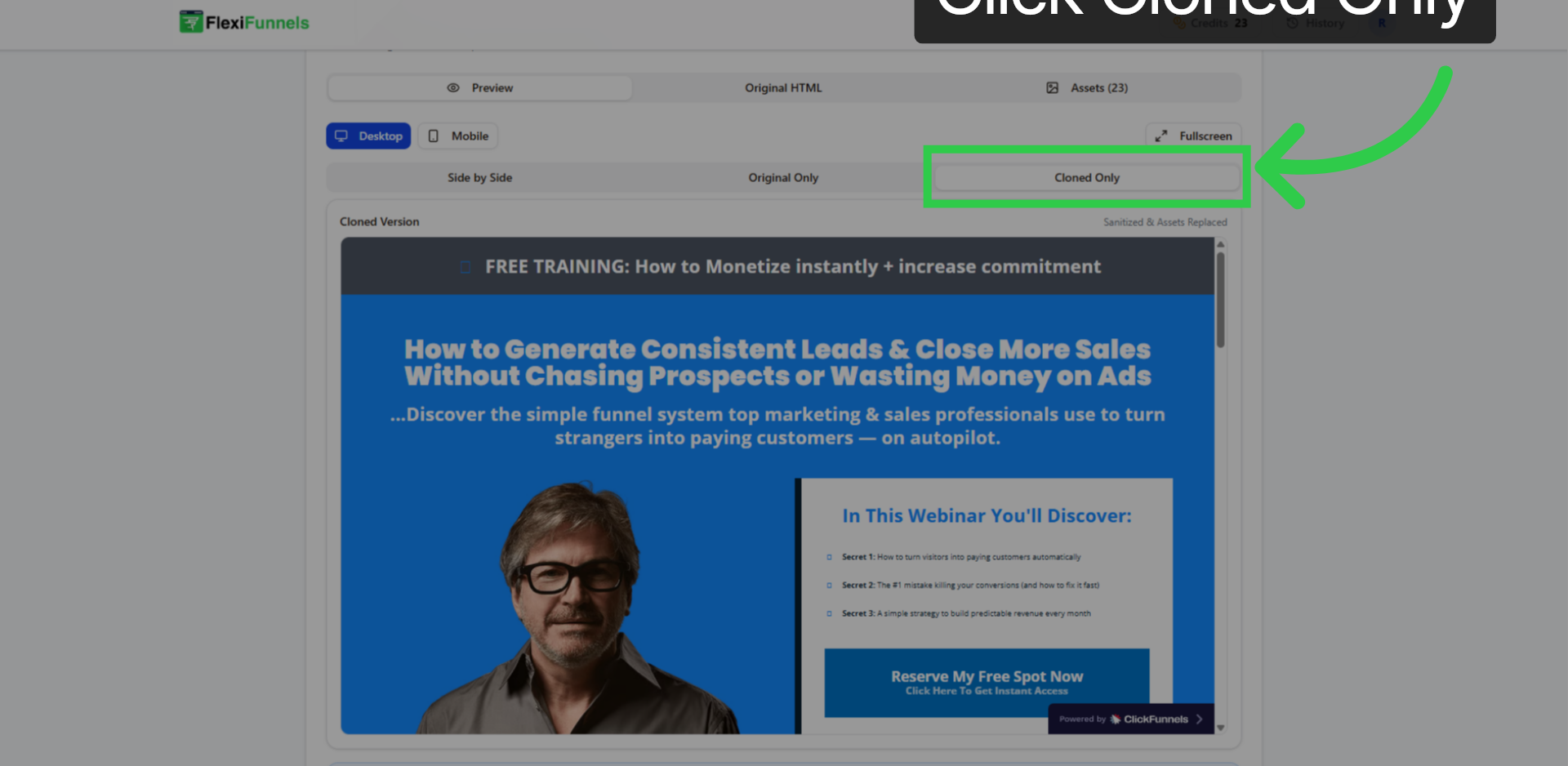
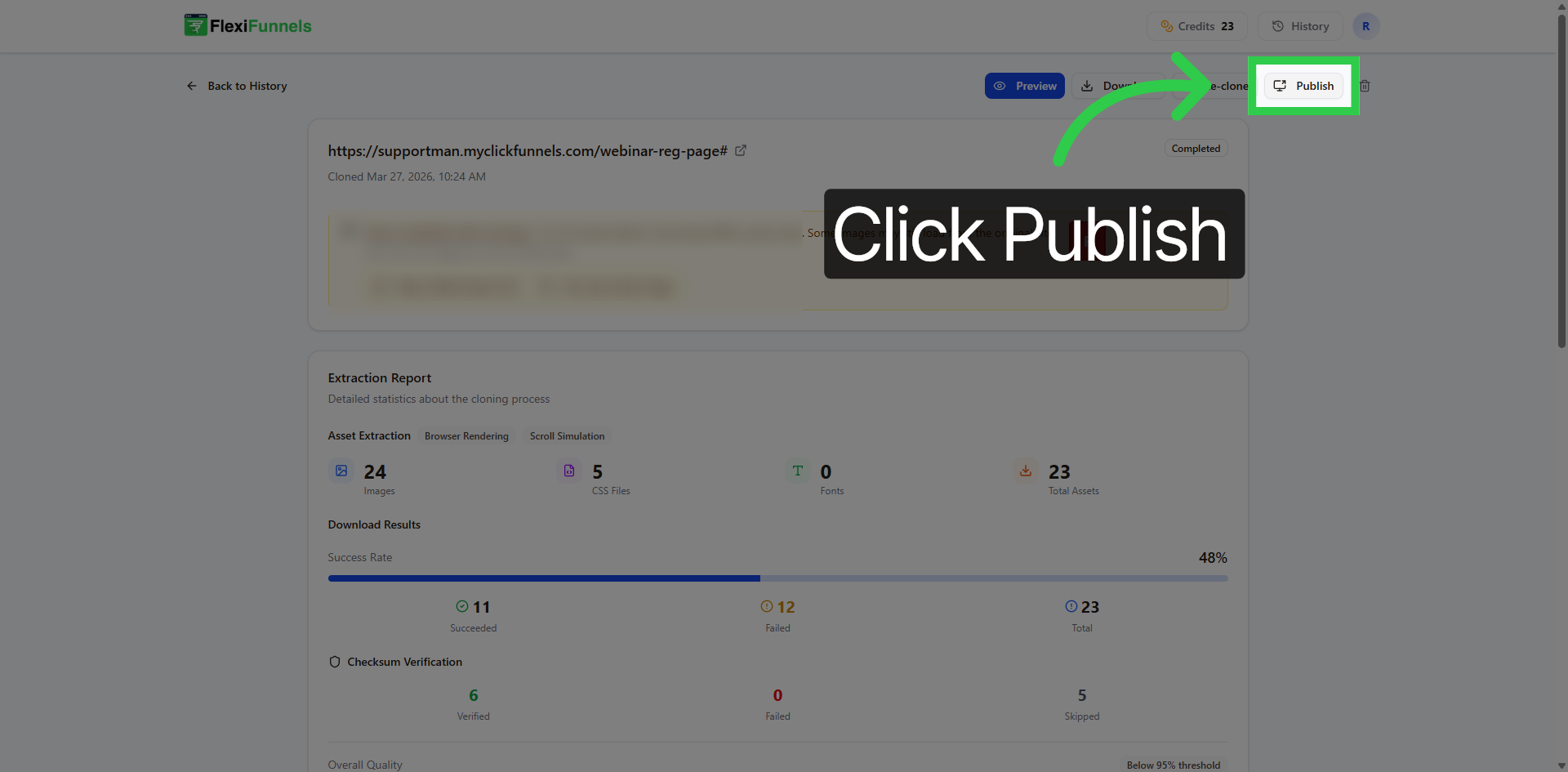
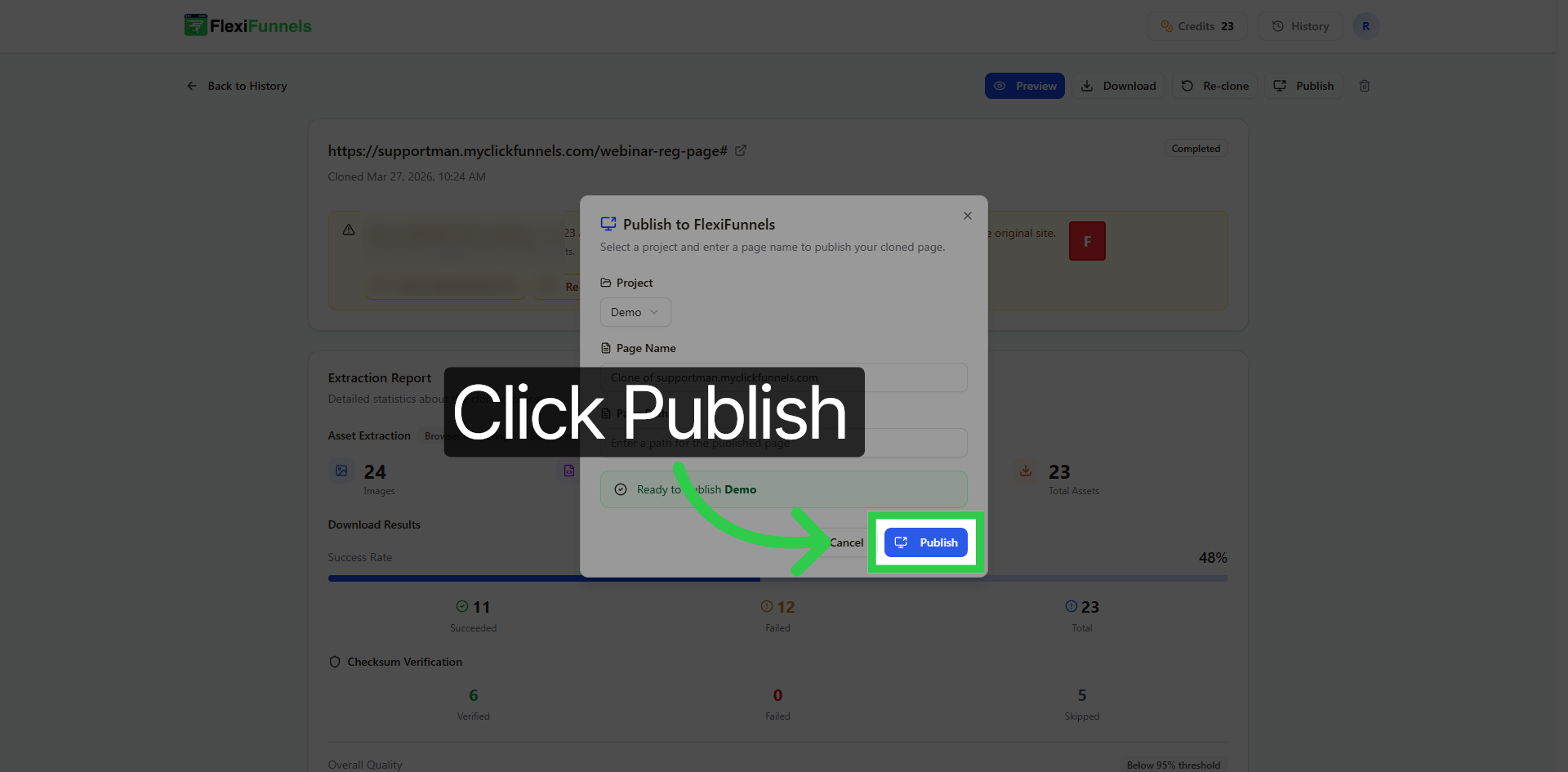
Step 7: Publish into a project
- Click "Publish."
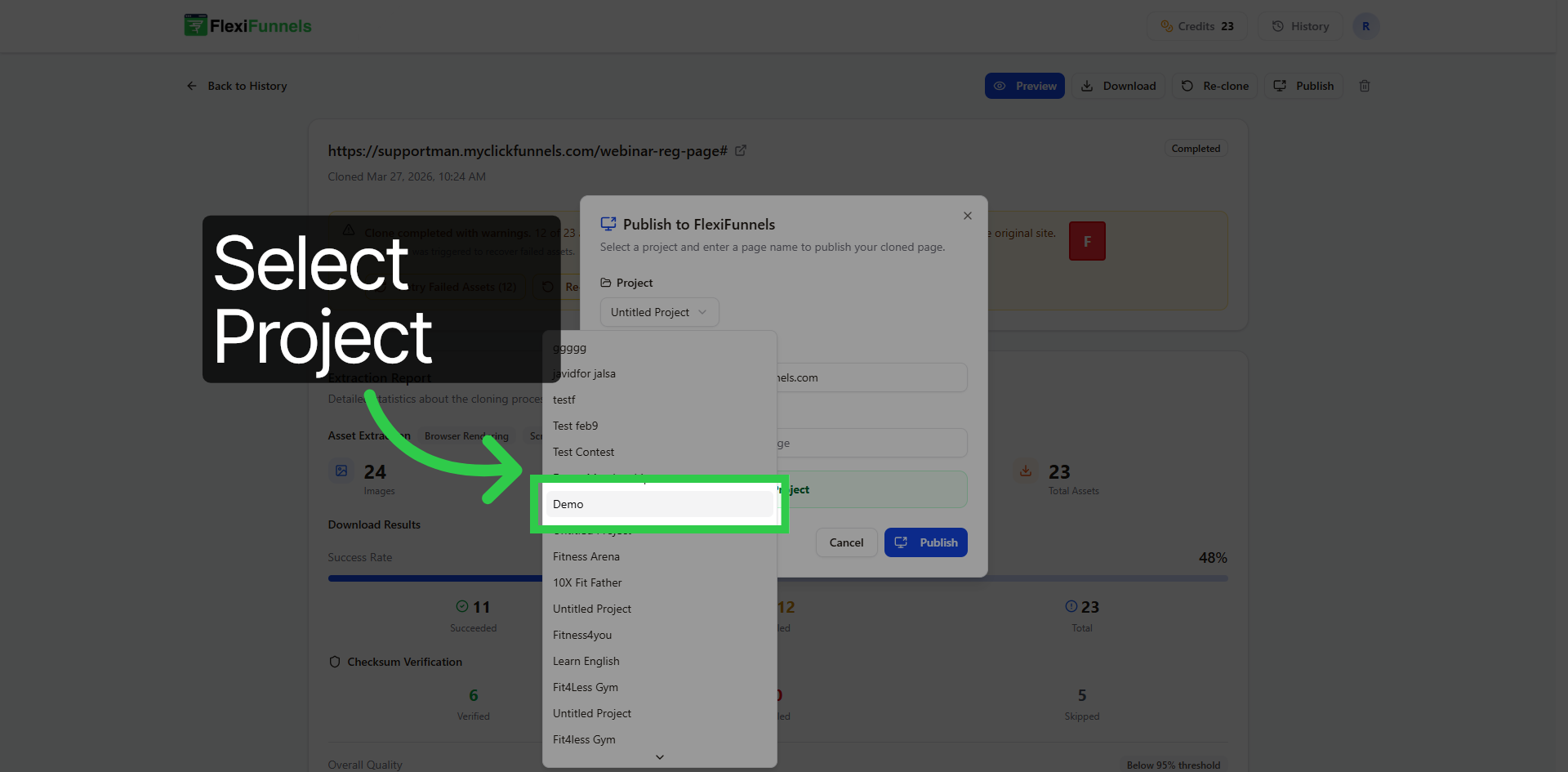
- Select the project where you want the cloned page to live.
- Click "Publish" again to confirm.
Step 8: Open it in the editor
Click “Open in Editor” to start editing your cloned website within FlexiFunnels.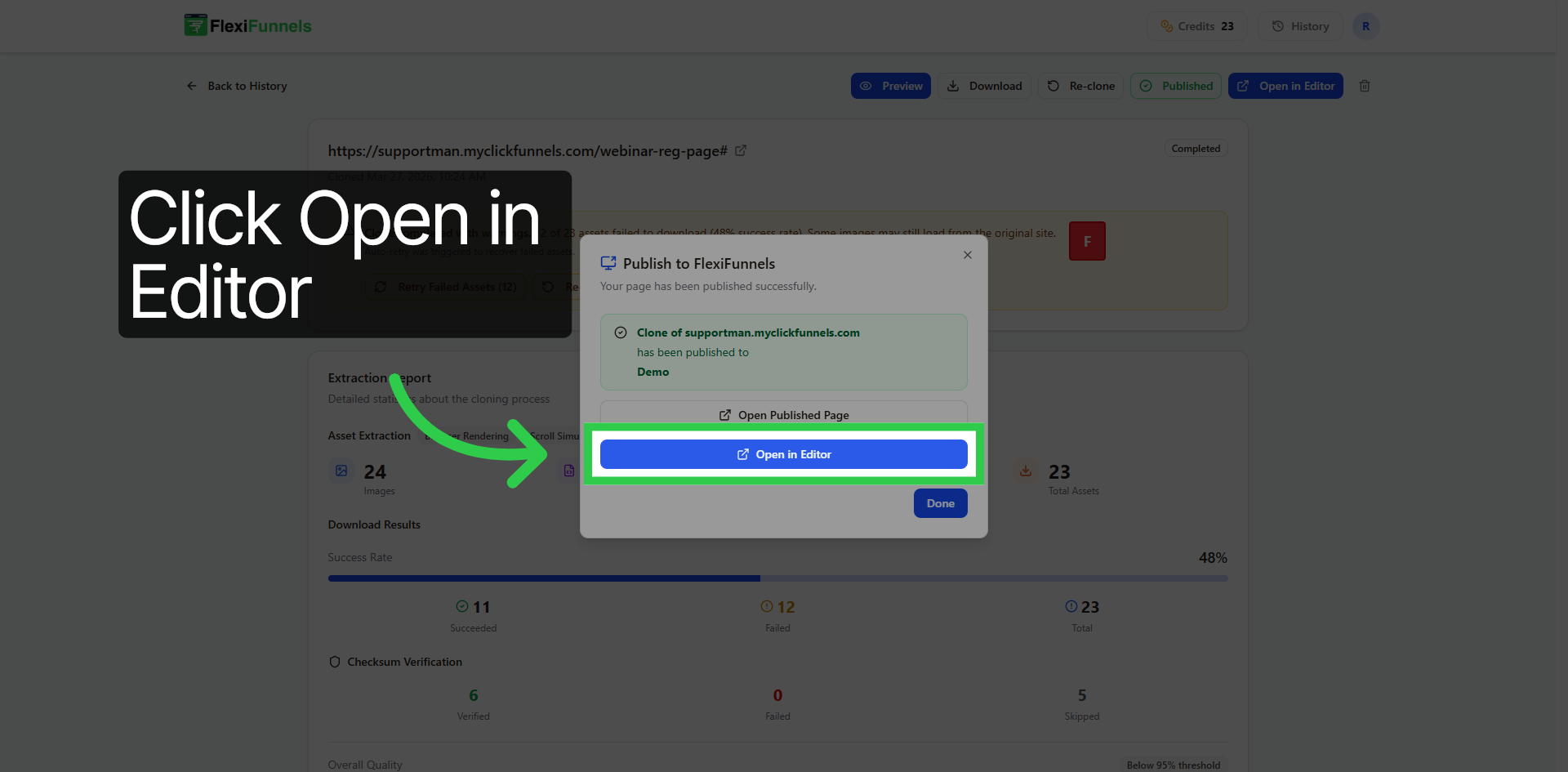
Step 9: Customize the page
Once cloning finishes, your page is ready to edit.
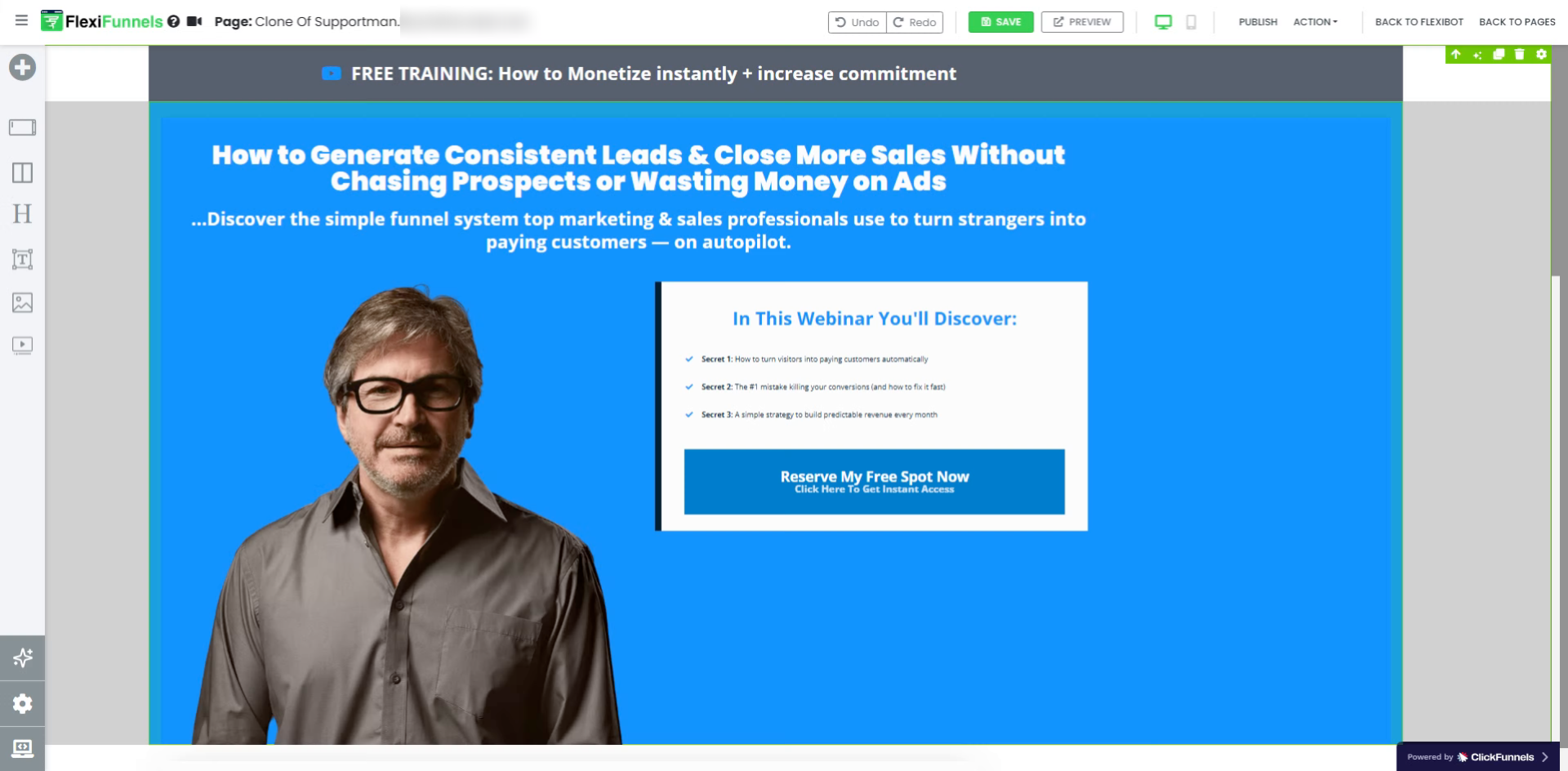
In most cases, 90–95% of the page is cloned perfectly.
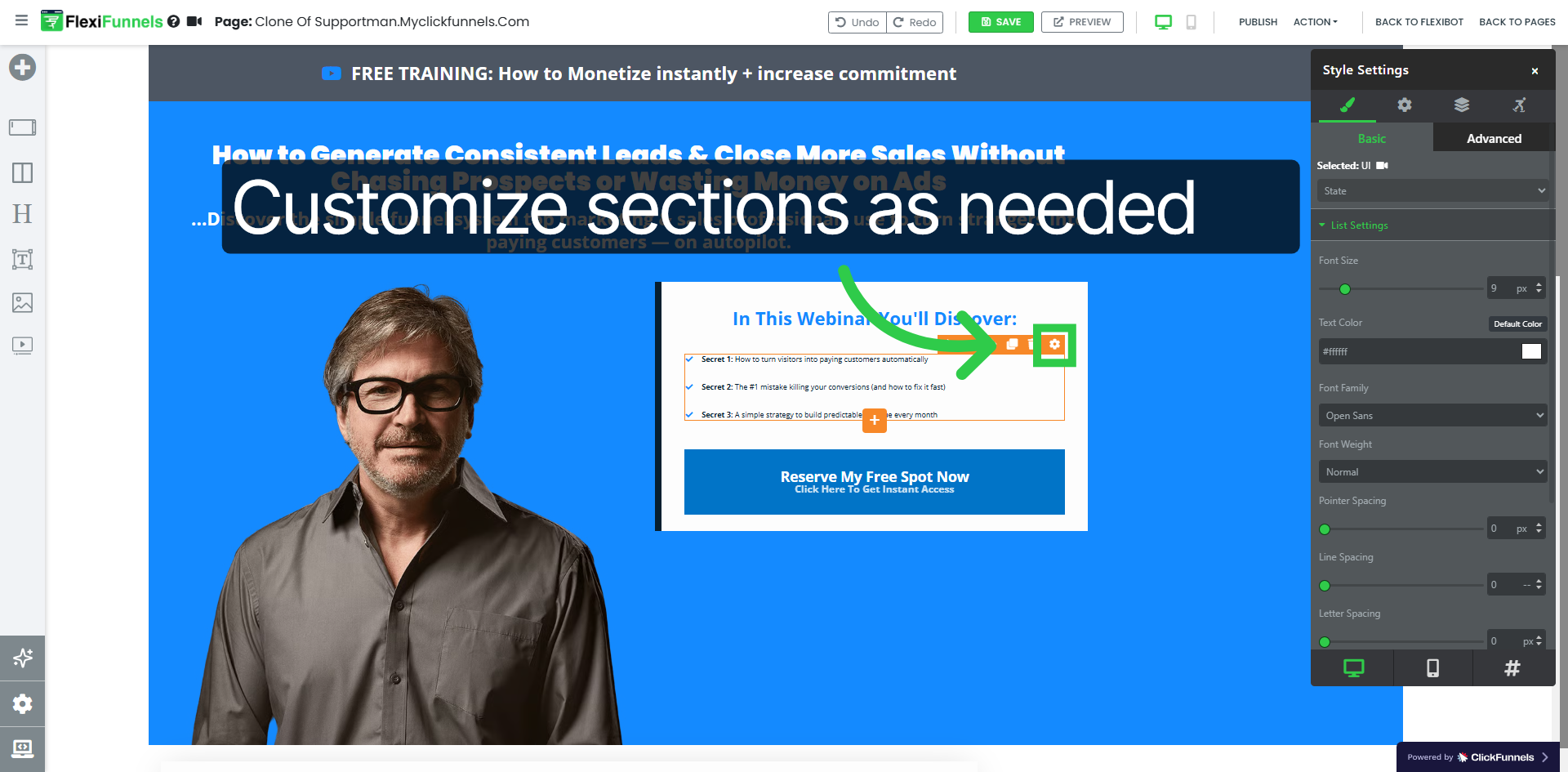
For the remaining small tweaks, you can:
- Edit text and images
- Update branding
- Add your own links
- Customize sections as needed
Step 10: Publish your changes
Click “Publish” to save all changes and make your page live.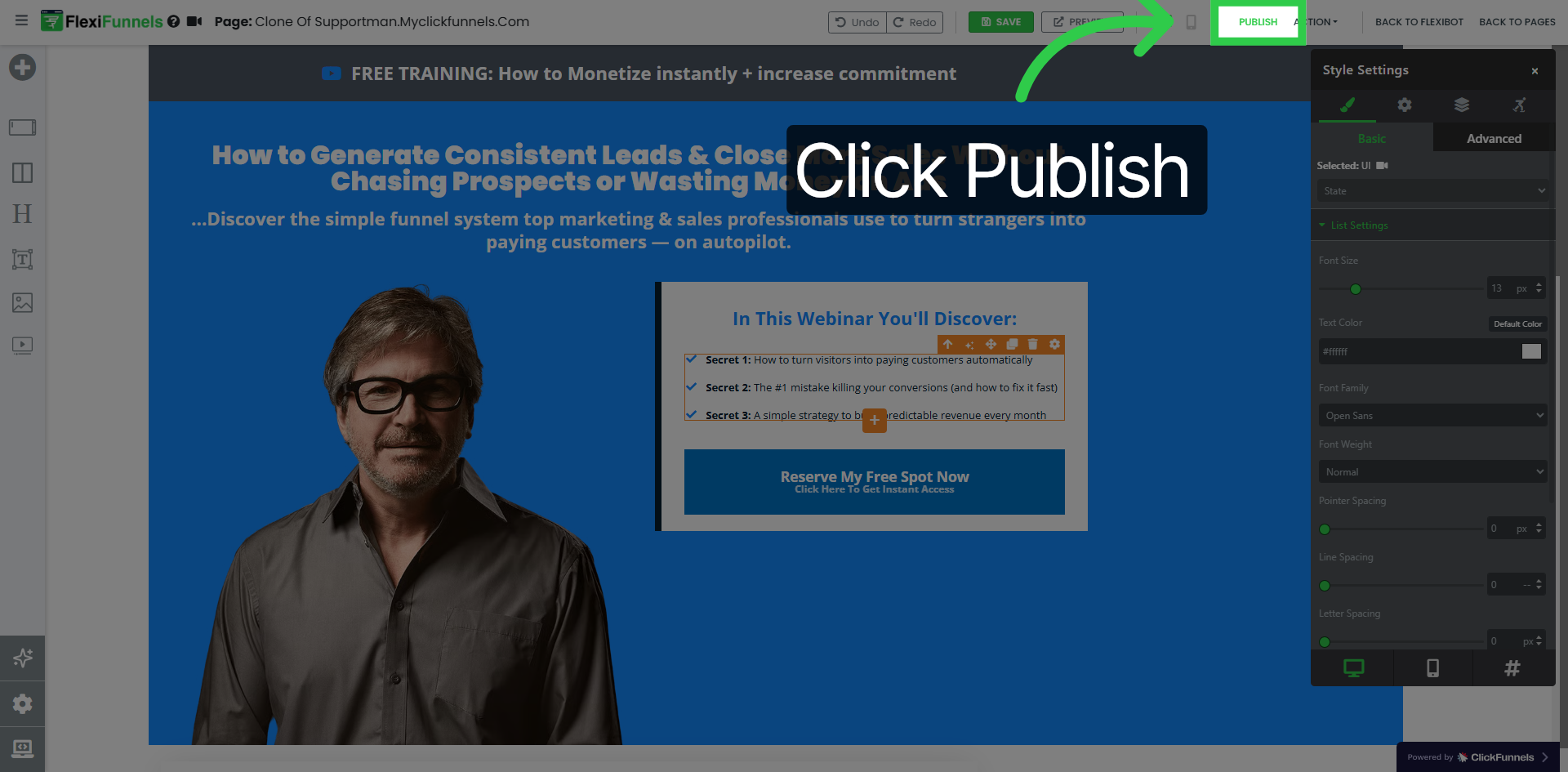
? That's it! You've cloned and published a page with the Flexi Website Cloner. You can edit it or change its settings anytime.
How well does it clone each platform?
We’ve tested the Website Cloner across the most widely used funnel builders, and here’s how it performs:
→ Webflow pages — 10/10 Entire section clones perfectly. Everything clones properly with no issues — best cloning experience across all tested platforms.
→ ClickFunnels pages — 9.5/10
Almost everything clones perfectly. Only minor adjustment needed for some animated buttons.
Quick fix video: https://www.loom.com/share/15b83193762d49e19f61476c871300e9
→ GoHighLevel pages — 9/10
Cloning works smoothly across all elements. FAQ/accordion sections may require a quick manual tweak.
Video guide: https://www.loom.com/share/76916b12a1db4f3a80ba43380c20d0ac
→ Systeme pages — 9/10
Most elements are cloned accurately. Form elements need to be added manually.
Video guide: https://www.loom.com/share/e0d5718880634dc08c54078327cd1398
→ Kajabi pages — 9/10
Cloning is highly accurate. Animated section may require manual setup.
Part 1: https://www.loom.com/share/d9ffafb6bd304a64ba4e878ca37cea93
Part 2: https://www.loom.com/share/e26f40dfb9d94533ba01171cde0bbdfa
→ Teachable pages — 8/10 Most content clones well. Navigation links not working, social icons not cloned, footer section is visible after 1st section in the clone.
Quick fix video: https://jam.dev/c/f72e1f19-a7dd-4756-aa40-d6f5c52e3532
→ Elementor pages — 7/10 Animated content does not clone. Only the 1st section is cloned — if the page has animation, only the non-animated content comes through.
Awareness video:https://share.zight.com/7KuGPAeG
What this means for you: across all major builders, 90–95% of the page clones automatically. The remaining 5–10% usually takes just a few minutes to fix using the guides above — far faster than rebuilding from scratch.
Getting Started:
You currently have 25 free page clones to test the feature.
Since this is still in beta, we’ll continue improving performance based on your feedback. More updates will be shared as we move towards the final rollout.
Common situations & quick fixes
Before contacting support, check these — they cover the most common beta-stage situations.
Parts of my page are missing or look off after cloning. This is normal for the last 5–10%. Check the table above for your platform — many builders have a known item (animated buttons, FAQ sections, forms) plus a short fix video. Most fixes take a couple of minutes in the editor.
Animations didn't come through. Animated content is the hardest to clone (especially on Elementor and Kajabi). Clone the page, then re-add the animation in the FlexiFunnels editor. See your platform's fix guide above.
Only the first section of my page cloned. This usually happens on pages built with heavy animation (common with Elementor). The non-animated content clones; the animated parts need to be rebuilt manually in the editor.
The site won't clone at all. Some websites deliberately block copying/scraping, so they can't be cloned automatically. Double-check the URL is correct and points to the exact page (not a login-protected or members-only page).
Images or icons didn't clone. Re-upload the missing images directly in the editor, or replace social icons using FlexiFunnels' own icon elements. This is a quick manual step on a few platforms.
I can't find my cloned page. Use the "Cloned Only" filter to show just your cloned pages, and make sure you completed Step 7 (selecting a project and publishing). The page lives inside the project you chose.
I've run out of clones. You get 25 free clones to start. You can purchase more you'll get an option on the top right hand side of the website cloner dashboard.
Navigation links aren't working on my clone. On some platforms (like Teachable) menu links don't carry over. Open the editor and point each link to the correct page or URL yourself.
This is a beta feature, so your feedback genuinely shapes it. Still stuck after trying the steps and fix guides above? Submit a ticket with the original page URL, the platform it was built on, and a screenshot of what didn't clone correctly — that helps us both fix your page and improve the cloner.
Was this article helpful?
That’s Great!
Thank you for your feedback
Sorry! We couldn't be helpful
Thank you for your feedback
Feedback sent
We appreciate your effort and will try to fix the article