Overview
Paystack integration allows you to securely accept online payments through your FlexiFunnels checkout pages. This guide walks you through connecting your Paystack account, retrieving your API credentials, completing the integration, and verifying that your payment gateway is ready to process transactions.
Before You Begin
- An active FlexiFunnels account.
- An active Paystack merchant account.
- Administrator access to your Paystack Dashboard.
- Your Paystack Public Key and Secret Key.
Step 1: Open Payment Integrations
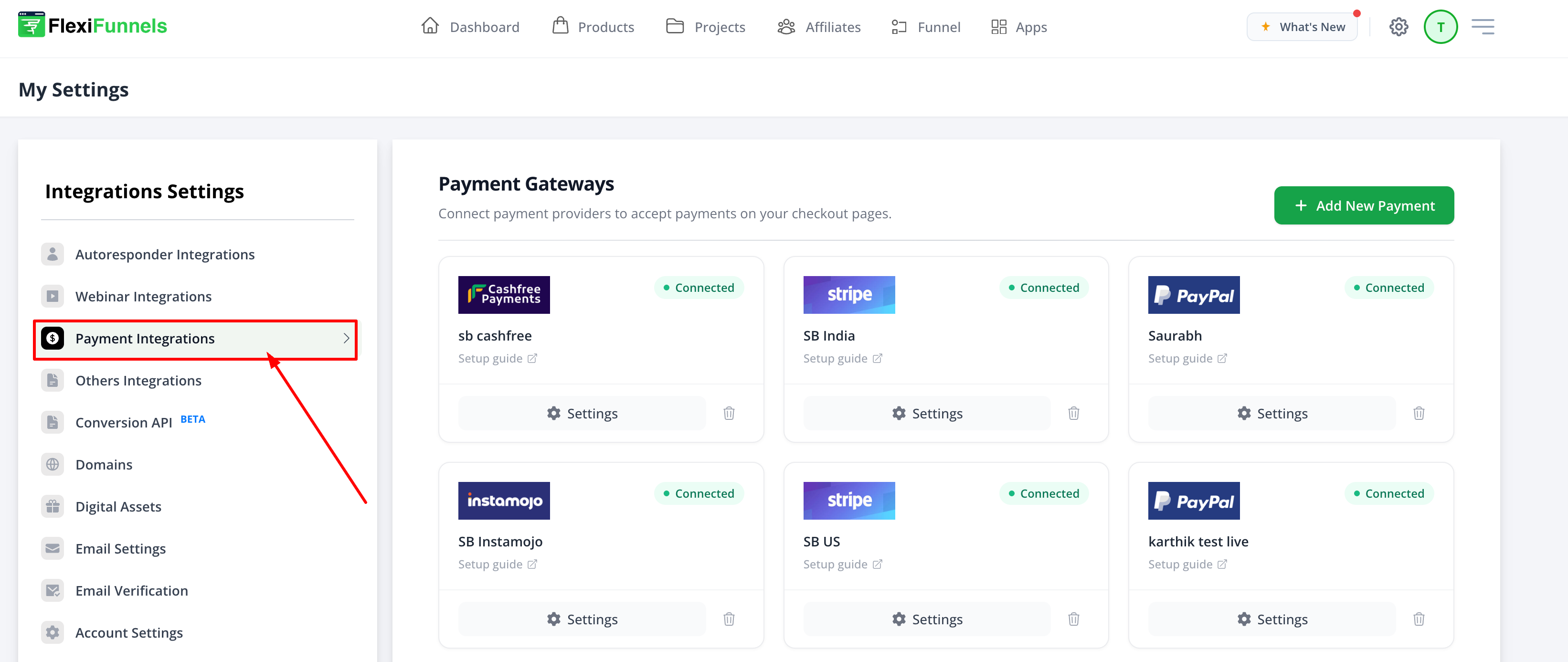
Log in to your FlexiFunnels Dashboard, then navigate to Settings.

From the Settings page, select Payment Integrations.
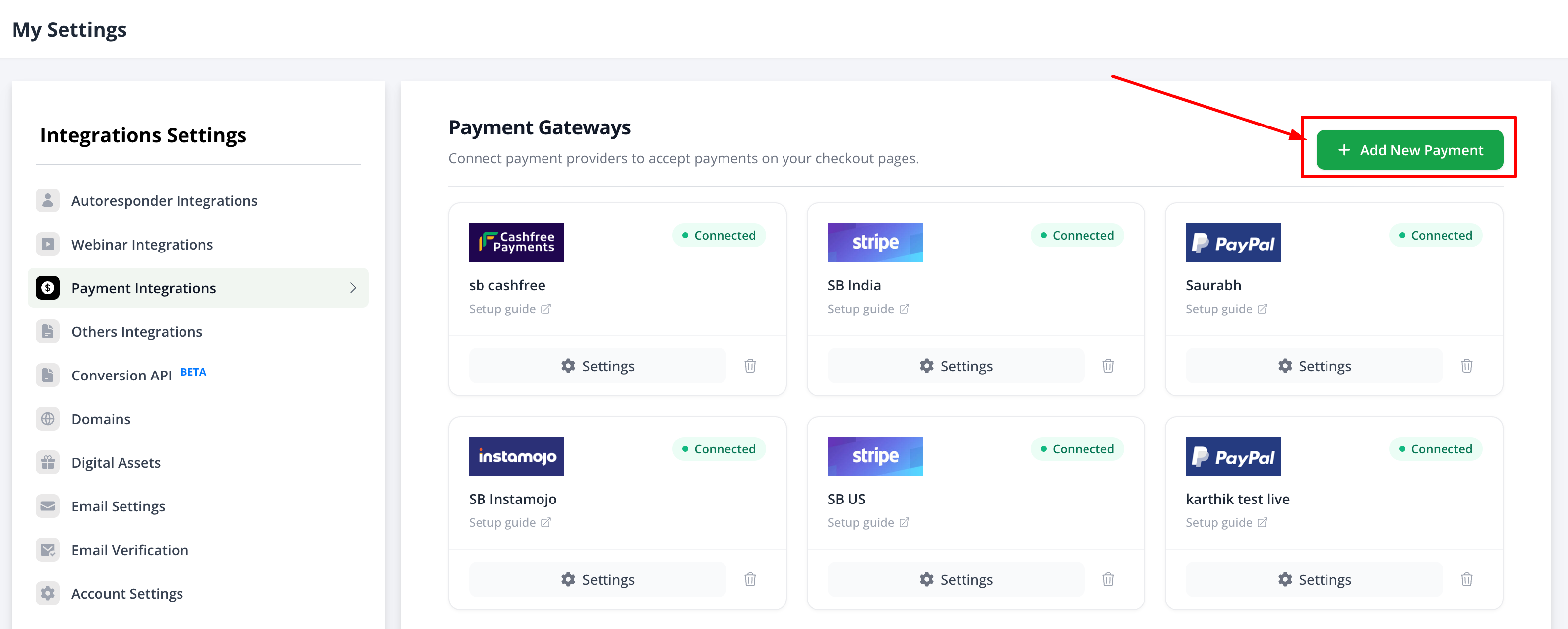
Click Add New Payment Gateway to view the list of supported payment gateways.
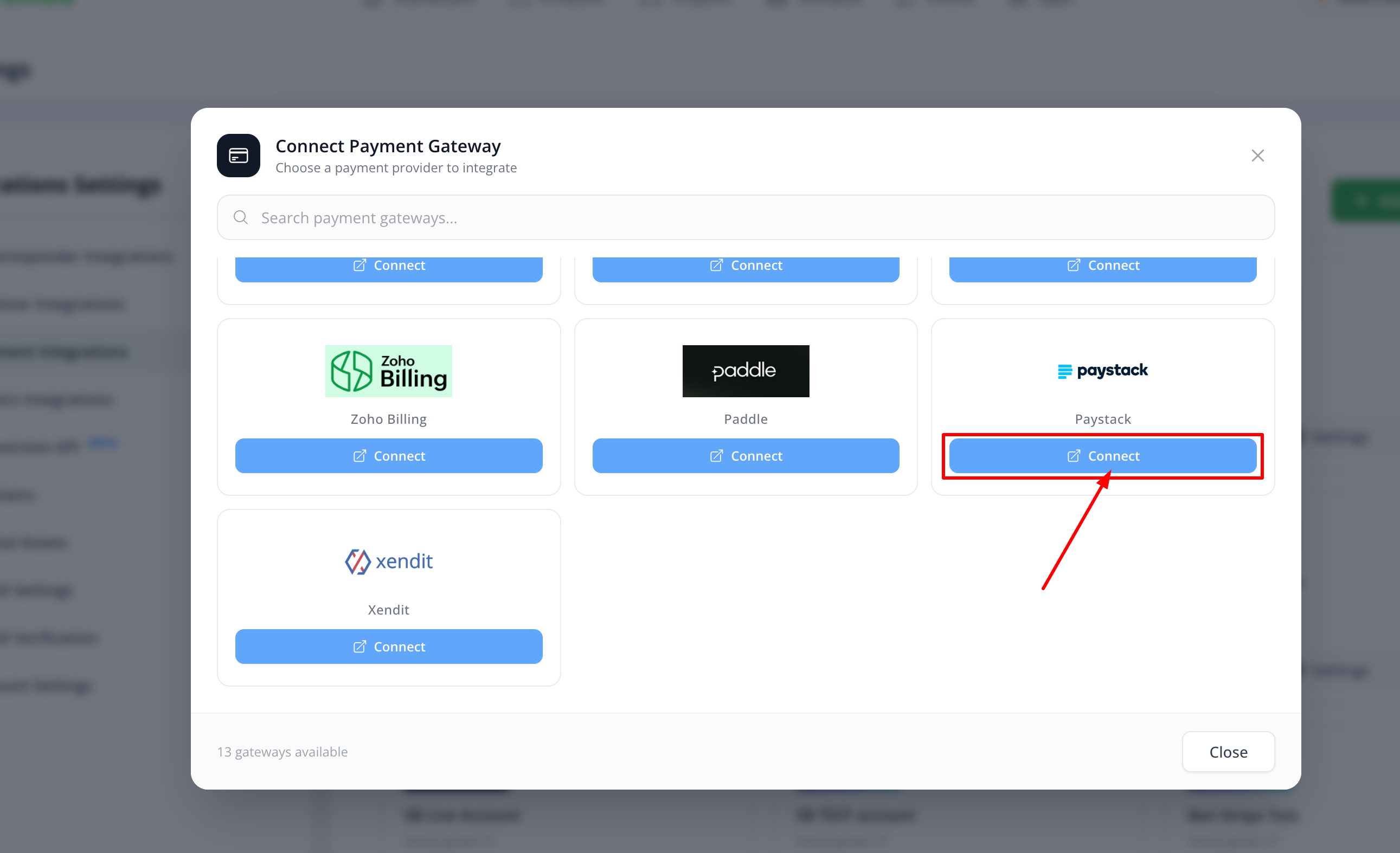
Locate Paystack and click Connect.
Step 2: Retrieve Your Paystack API Keys
To connect Paystack with FlexiFunnels, you'll need your API credentials.
- Log in to your Paystack Dashboard.
- Navigate to Settings → API & Webhooks.
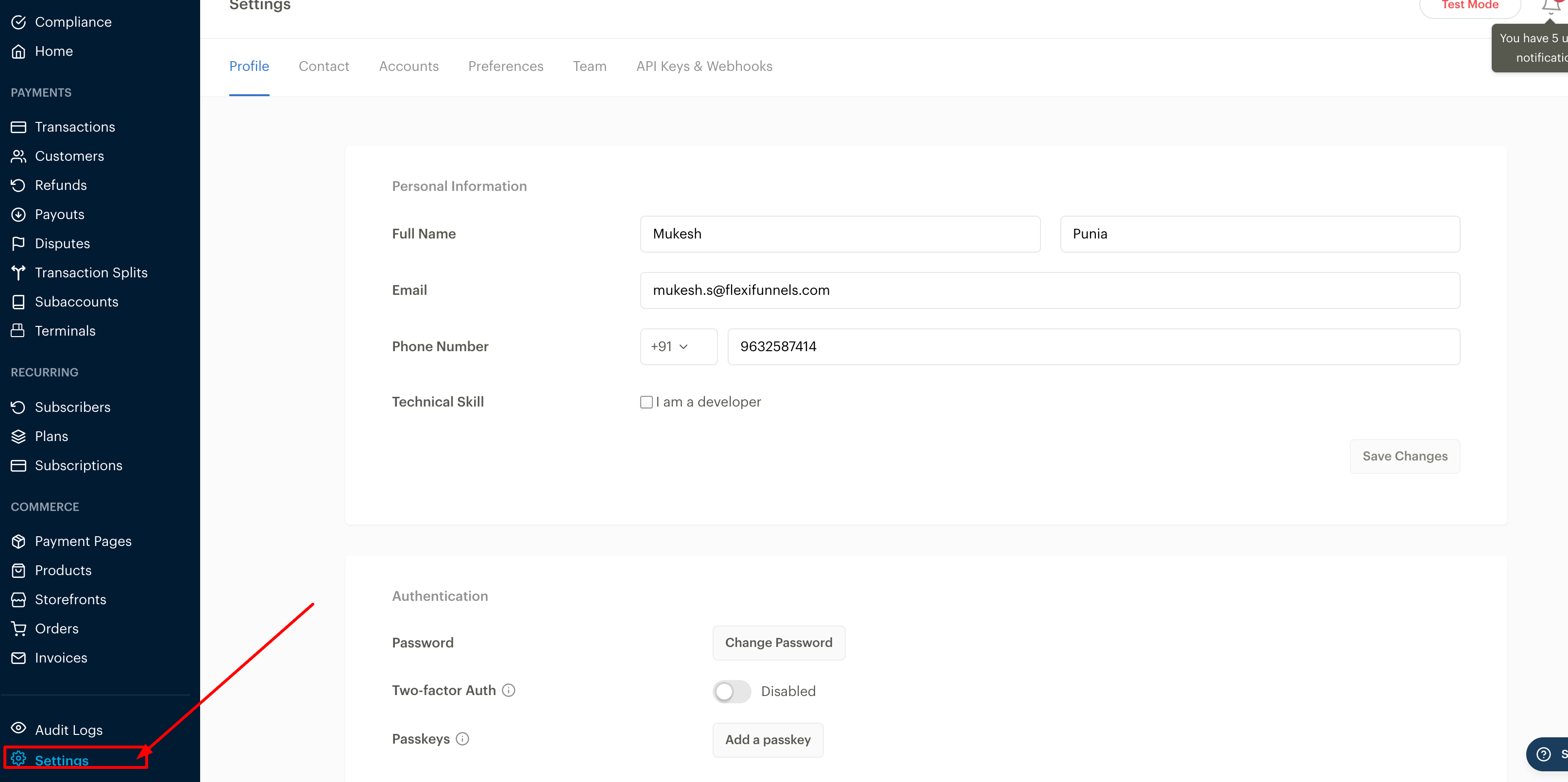
Copy the following credentials:
- Public Key
- Secret Key

Step 3: Complete the Integration
Return to FlexiFunnels and paste your Paystack credentials into the corresponding fields.
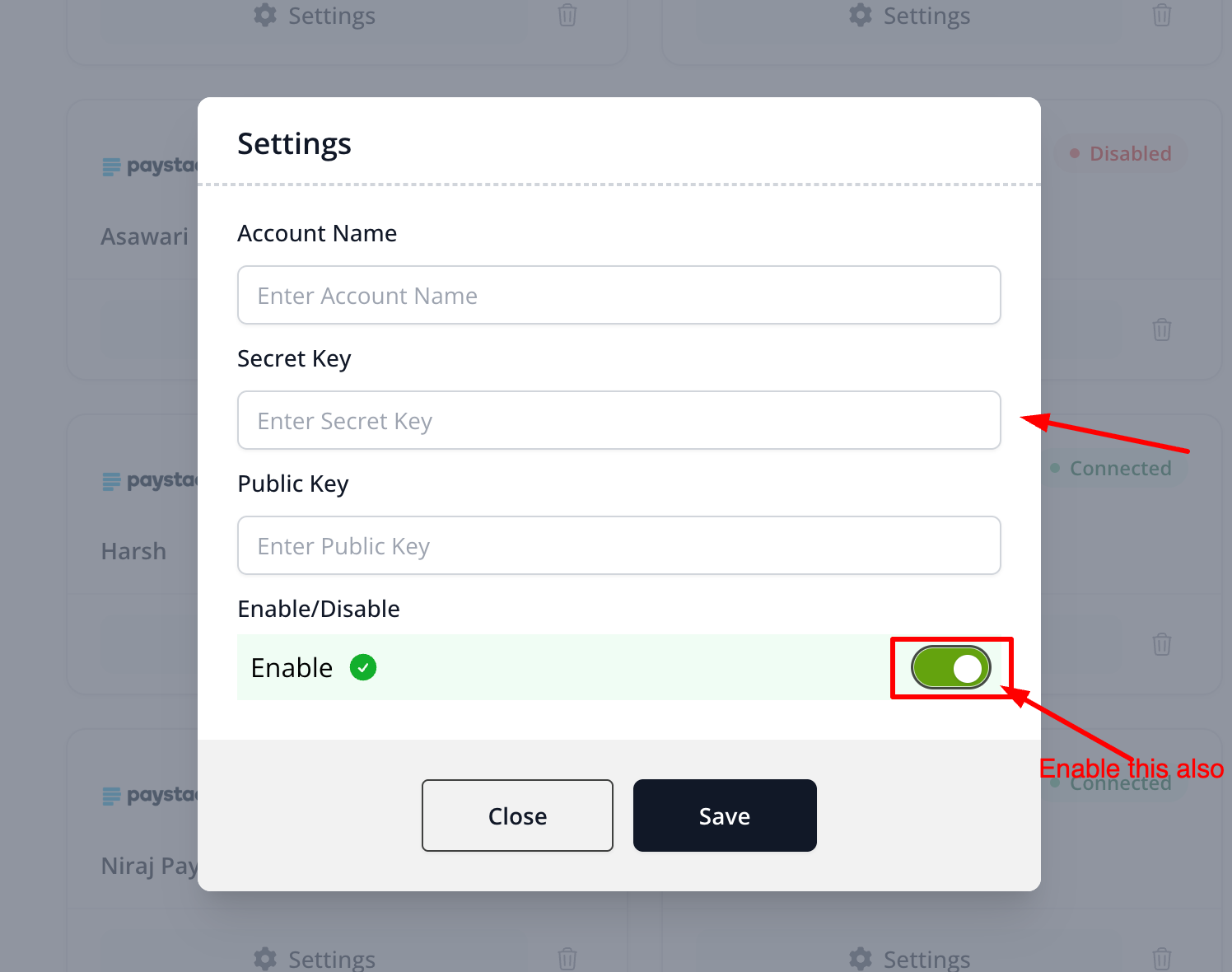
Click Save or Connect to finish the integration.
Verify the Integration
After saving the integration, verify that:
- Paystack displays as Connected in your Payment Integrations.
- A test transaction completes successfully.
- The payment appears in your Paystack Dashboard.
- The corresponding order is created in FlexiFunnels.
Currency & Payment Support
Before accepting live payments, ensure that your account and product currencies are configured correctly.
Supported Currencies
Paystack supports a limited number of currencies. Refer to the official Paystack documentation for the latest list of supported currencies.
https://support.paystack.com/en/articles/2130690
Successful transactions require:
- The Paystack account currency and FlexiFunnels product currency to be identical.
- The selected currency to be supported by Paystack.
Common Scenarios
Invalid API Credentials
Verify that you've copied the correct Public Key and Secret Key from the appropriate Test or Live environment.
Payments are Failing
Ensure the product currency matches your Paystack account currency and is supported by Paystack.
Paystack is Not Connecting
Double-check your API credentials, save the integration again, and refresh your Payment Integrations page.
Best Practices
- Test your integration before accepting live payments.
- Store your Secret Key securely.
- Verify your product currency before publishing your checkout page.
- Run a test payment after updating your API credentials.
Before Contacting Support
- Confirm your API credentials are correct.
- Verify your Paystack account currency.
- Ensure your product currency matches your Paystack account.
- Capture screenshots of any payment or integration errors.
- Share your checkout page URL with the Support Team.
Expected Outcome
After completing the setup, Paystack will be successfully connected to FlexiFunnels. Your customers will be able to complete payments through your checkout pages using supported currencies, and successful transactions will be reflected in both Paystack and FlexiFunnels.
Was this article helpful?
That’s Great!
Thank you for your feedback
Sorry! We couldn't be helpful
Thank you for your feedback
Feedback sent
We appreciate your effort and will try to fix the article