The Custom Scripts section allows you to integrate third-party services such as analytics platforms, advertising pixels, live chat widgets, and other JavaScript-based tools into your Group Landing Page.
Accessing Custom Scripts
Open your Project.
Click on Groups from the Navigation Menu.
Click on Three Dots on a created Group.
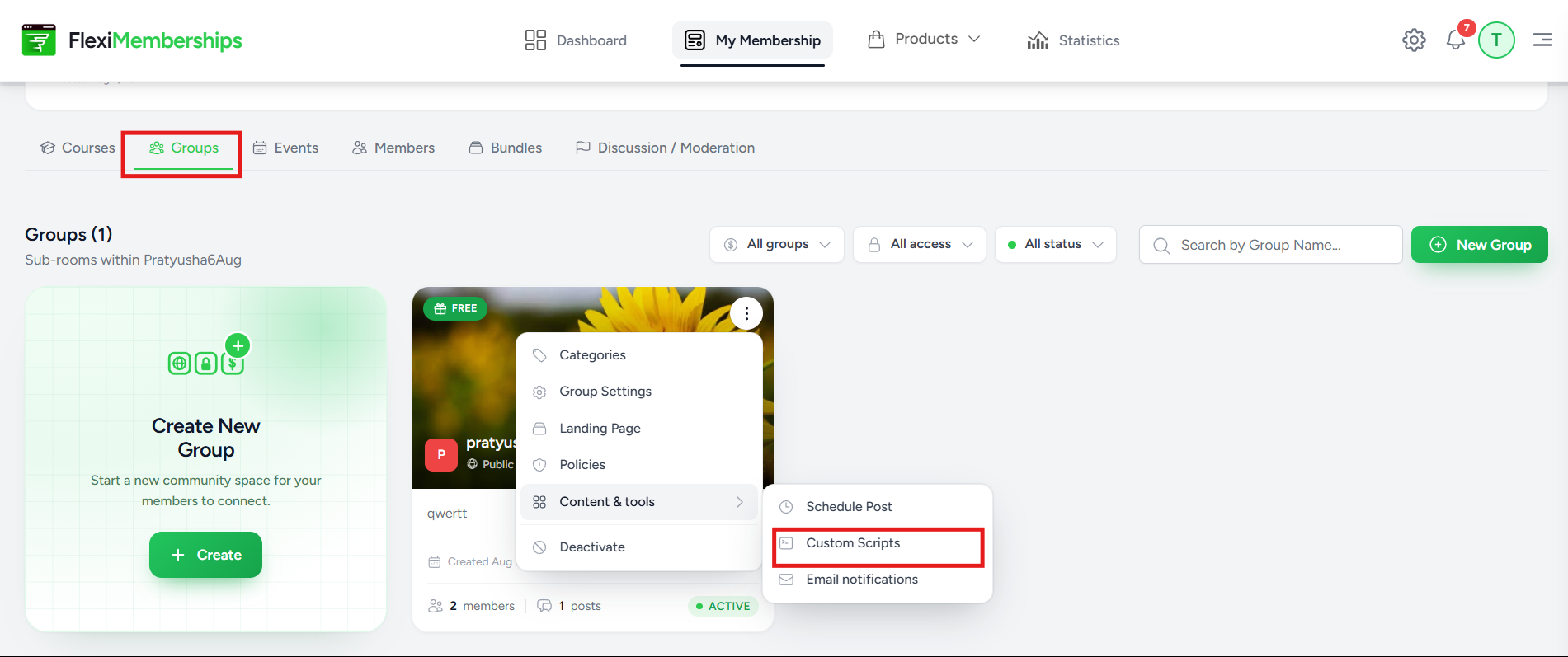
From the Content & Tools menu, select Custom Scripts.
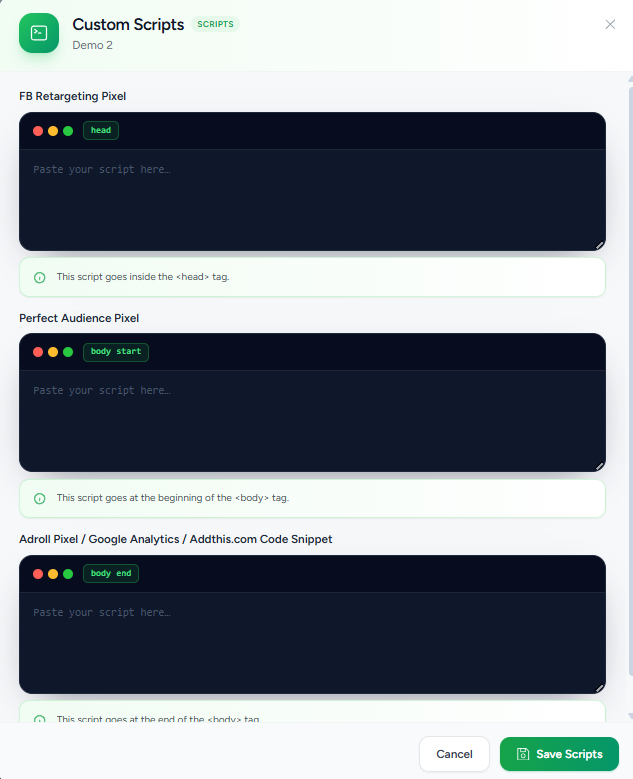
Head Scripts
The Head section inserts scripts inside the HTML <head> element.
This location is commonly used for:
- Meta Pixel
- Google Site Verification
- Facebook Domain Verification
- Custom CSS
- Analytics initialization scripts
Paste the required script into the editor and save your changes.
Body Start Scripts
Scripts added to the Body Start section are inserted immediately after the opening <body> tag.
Common use cases include:
- Google Tag Manager
- Live Chat Widgets
- Session Recording Tools
- Heatmap Software
Body End Scripts
Scripts added to the Body End section are inserted immediately before the closing </body> tag.
Typical uses include:
- Google Analytics
- Conversion Tracking
- Marketing Scripts
- Third-party JavaScript libraries
Saving Scripts
After adding or updating your scripts:
- Review each code snippet.
- Verify that it has been placed in the correct location.
- Click Save Scripts.
The scripts are then applied to your Group Landing Page.
Tip: Always validate third-party scripts before publishing them to your live community.
Was this article helpful?
That’s Great!
Thank you for your feedback
Sorry! We couldn't be helpful
Thank you for your feedback
Feedback sent
We appreciate your effort and will try to fix the article