Membership Products define how customers purchase access to your membership content. They act as the commercial layer of your membership, allowing you to configure pricing, payment methods, access rules, checkout pages, sales pages, subscriptions, cart recovery, analytics, and more.
Every membership offer requires a product before it can be sold.
FlexiMemberships supports two product types:
| Product Type | Best For |
|---|---|
| Course Product | Selling access to course bundles and learning content. |
| Group Product | Selling access to community groups. |
Note
Both product types share the same configuration process. The only difference is the After Purchase step:
- Course Products grant access to one or more Bundles.
- Group Products grant access to a Group.
Product Workflow
A typical product configuration follows this order:
- Create a Product
- Configure General Details
- Configure Payment & Pricing
- Configure After Purchase Access
- Generate Landing Pages
- Connect Sales & Checkout Pages
- Configure Order Bumps (Optional)
- Configure Conversion Tracking (Optional)
- Configure Cart Abandonment Recovery
- Monitor Subscriptions
- View Product Statistics
Creating a Product
To create a new membership product:
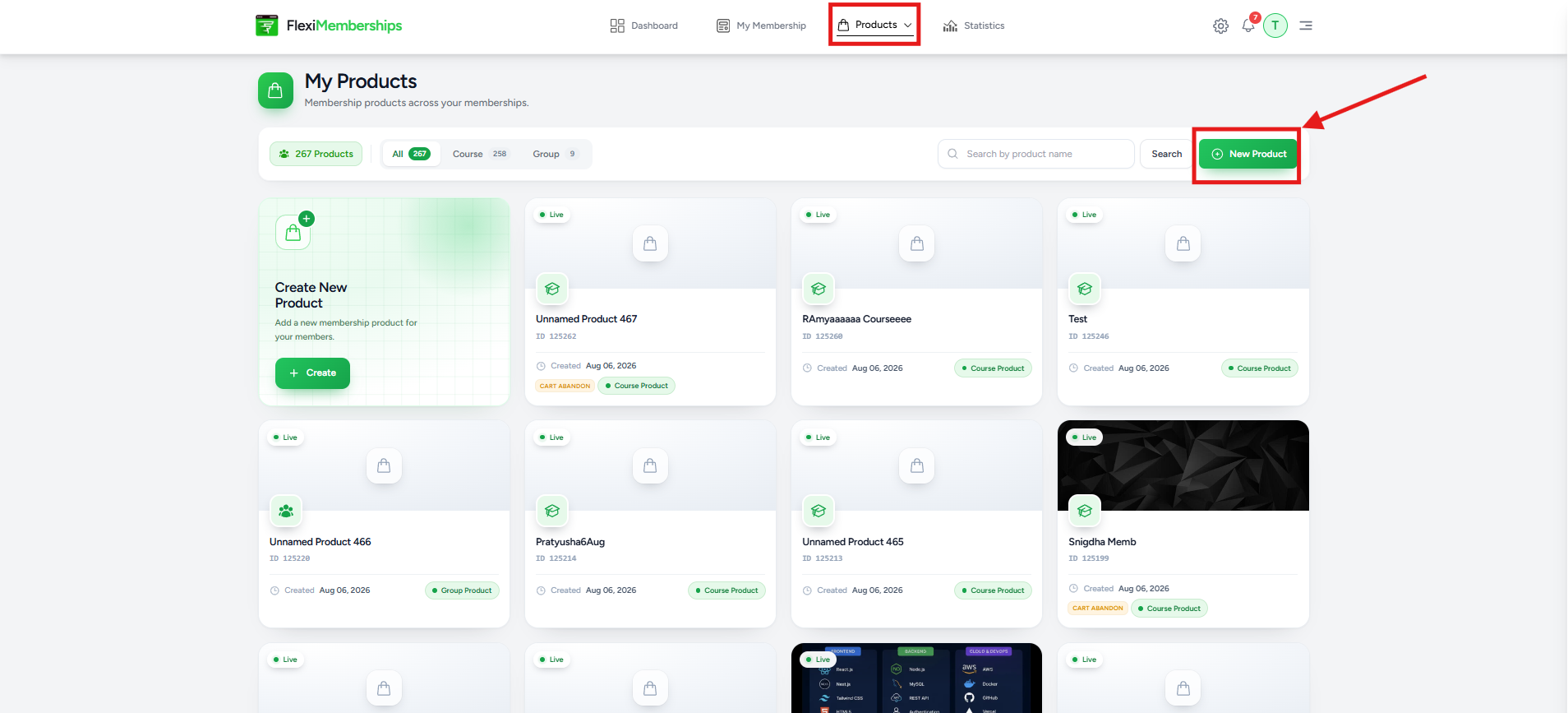
- Navigate to Products.
- Click New Product.
- Select the desired product type.
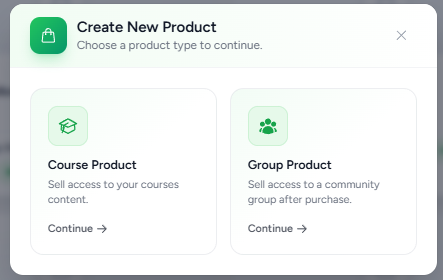
Available options include:
- Course Product – Sell access to course content.
- Group Product – Sell access to community groups.
After selecting a product type, you'll be taken to the Product Configuration page.
General Settings
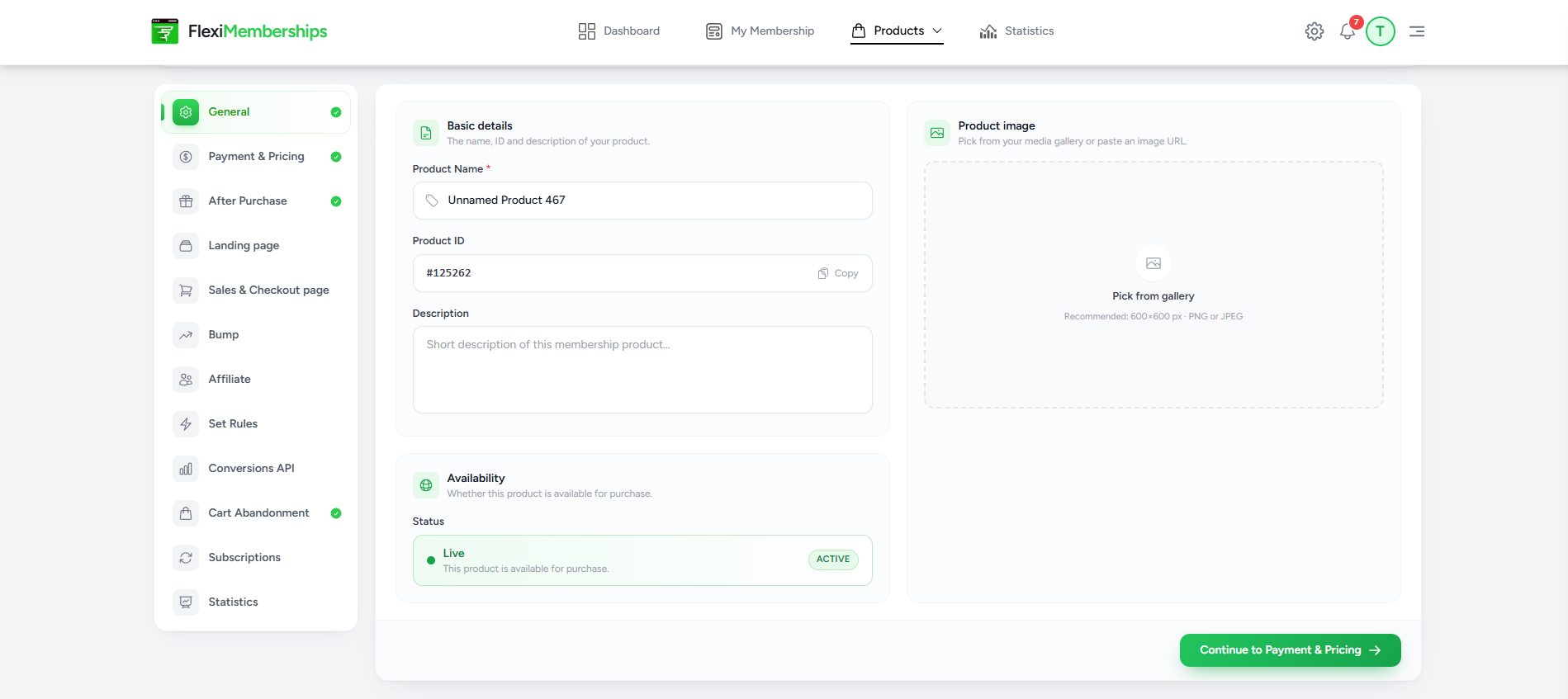
The General section contains the basic information about your product.
You can configure:
- Product Name
- Product ID
- Product Description
- Product Image
- Product Status
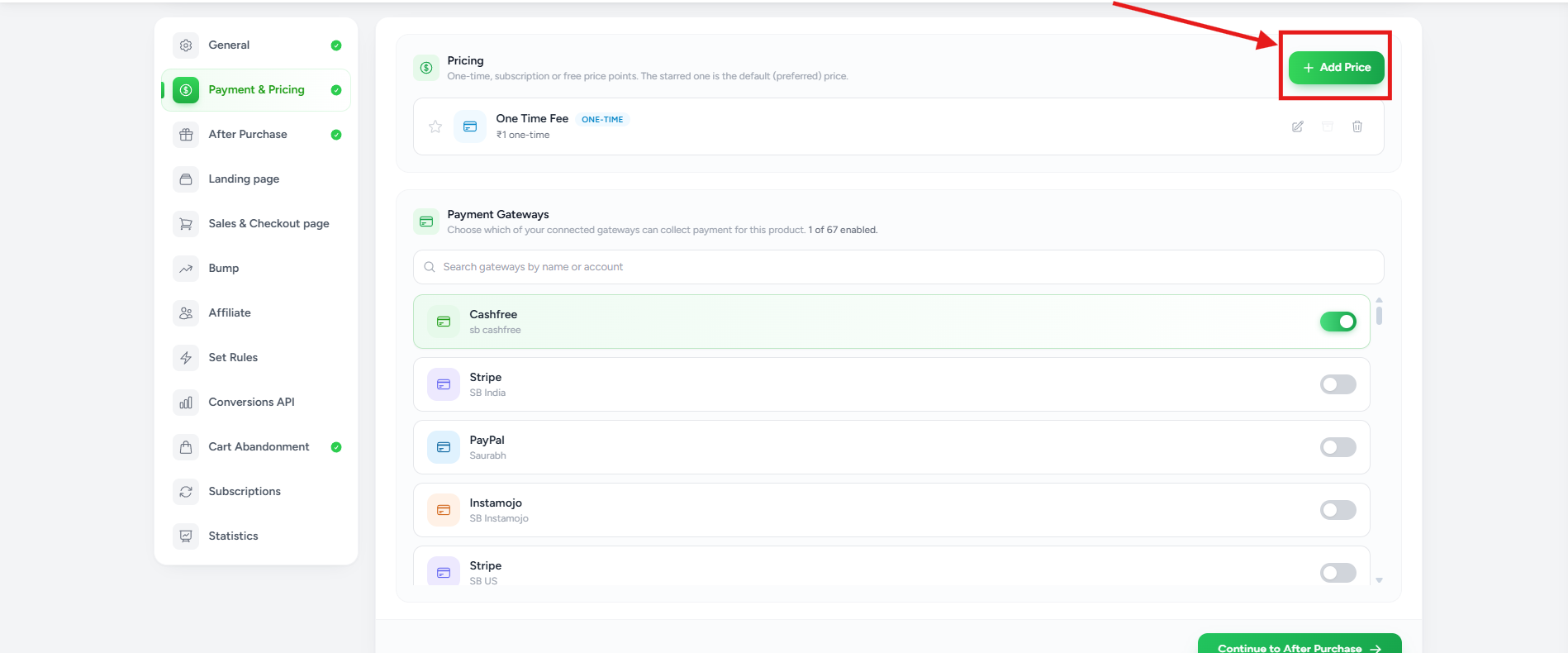
Payment & Pricing
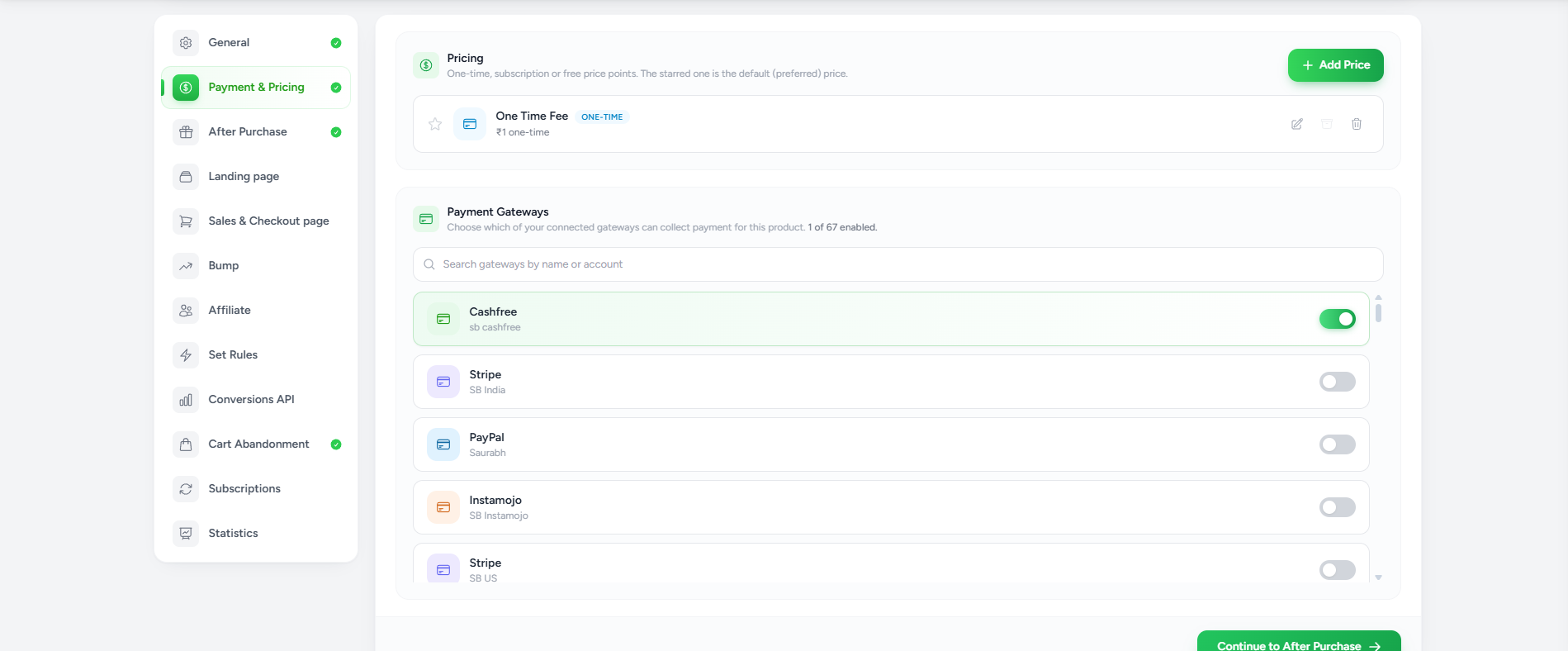
The Payment & Pricing section defines:
- How much customers pay
- How frequently they pay
- Which payment gateways can process payments
Creating a Price
Click Add Price.
Choose one pricing model.
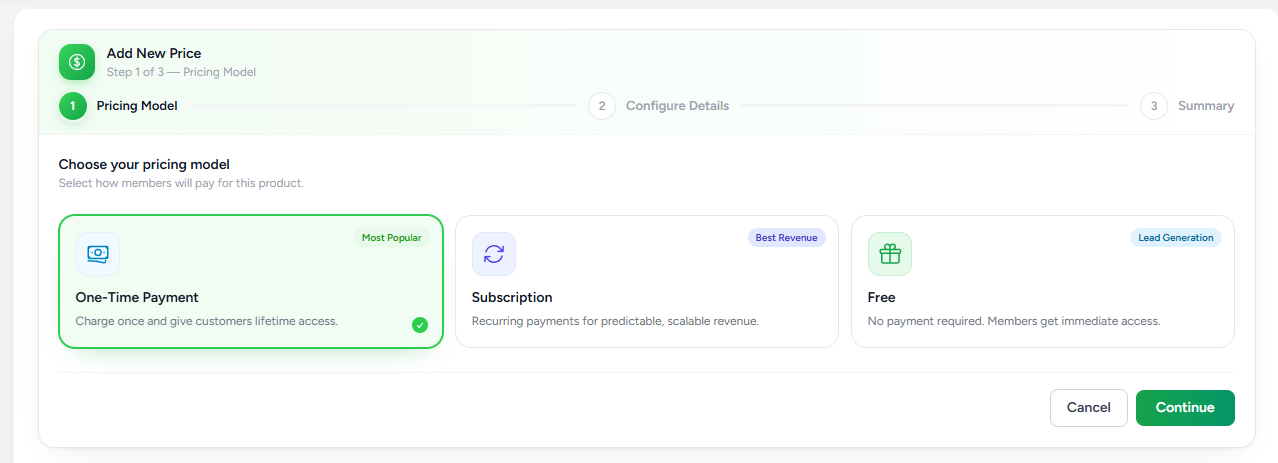
One-Time Payment
Customers pay once and receive lifetime access.
Ideal for:
- Online courses
- Workshops
- One-time purchases
Subscription
Customers pay recurring payments.
Suitable for:
- Memberships
- Communities
- Coaching programs
- Monthly learning platforms
Subscriptions generate recurring revenue automatically.
Free
Allows users to join without making a payment.
Useful for:
- Lead magnets
- Free communities
- Free courses
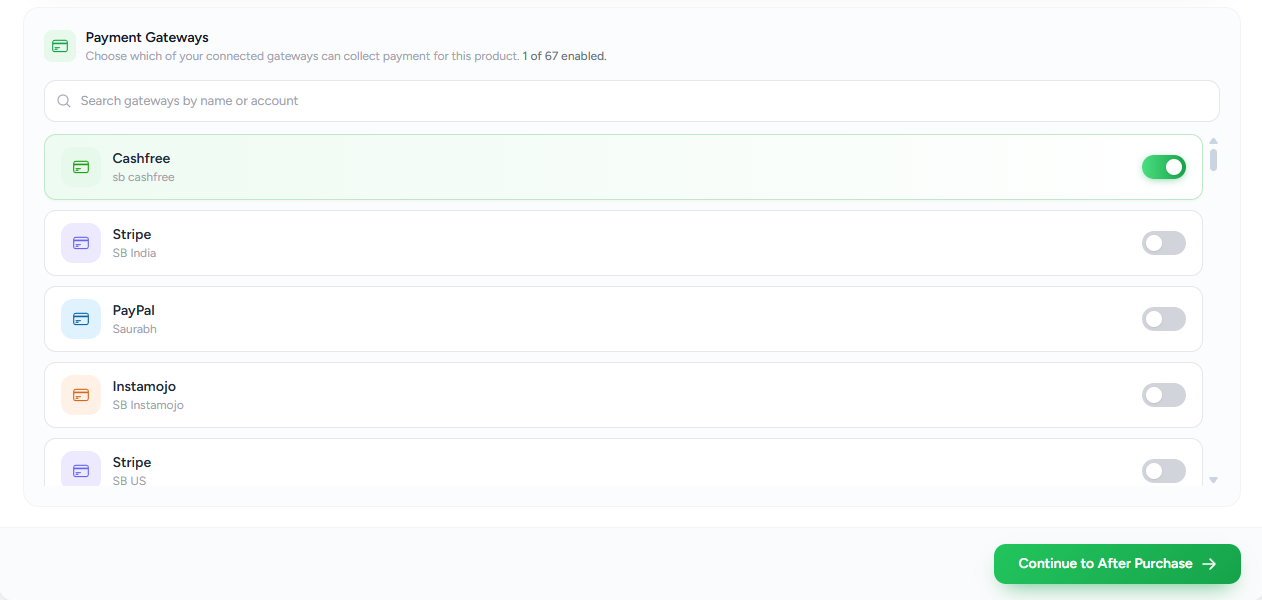
Payment Gateways
Enable the payment gateways that should collect payments for this product.
Only connected gateways appear in this list.
Examples include:
- Stripe
- Cashfree
- PayPal
A paid product cannot accept payments until at least one payment gateway is enabled.
After Purchase
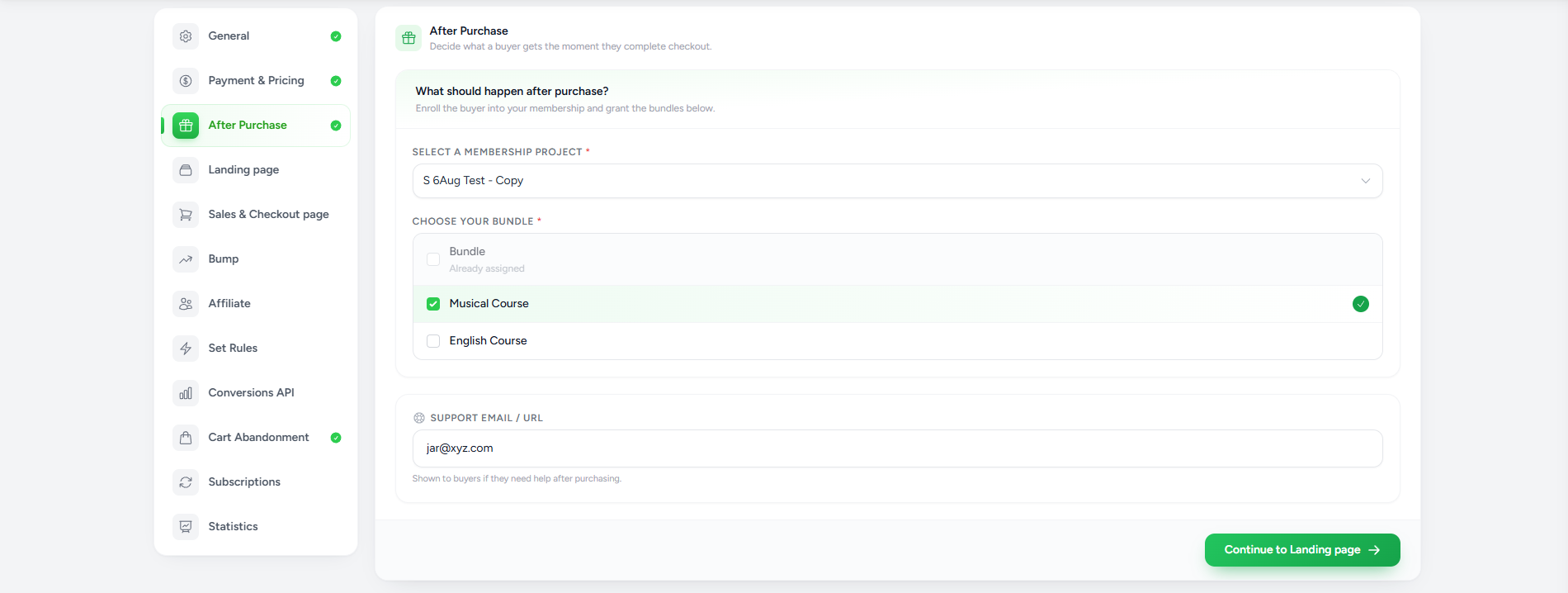
The After Purchase section determines what customers receive immediately after completing payment.
This is the only configuration that differs between Course Products and Group Products.
Course Product
For Course Products:
- Select the Membership Project.
- Choose one or more Bundles.
Customers automatically receive access to the selected bundles after a successful purchase.
Bundles determine exactly which lessons, modules, and course content become available.
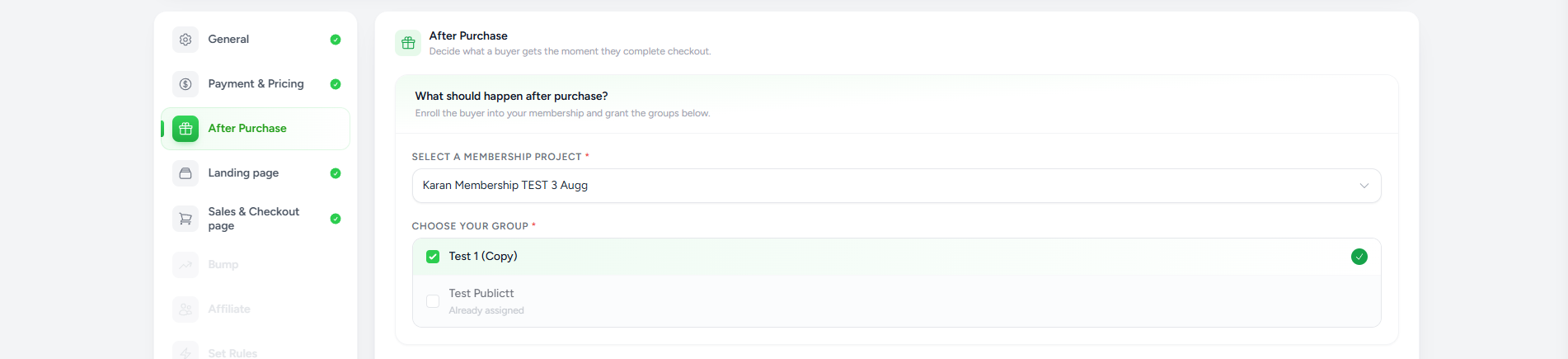
Group Product
For Group Products:
- Select the Membership Project.
- Choose the Group.
Customers are automatically enrolled into the selected community after purchasing the product.
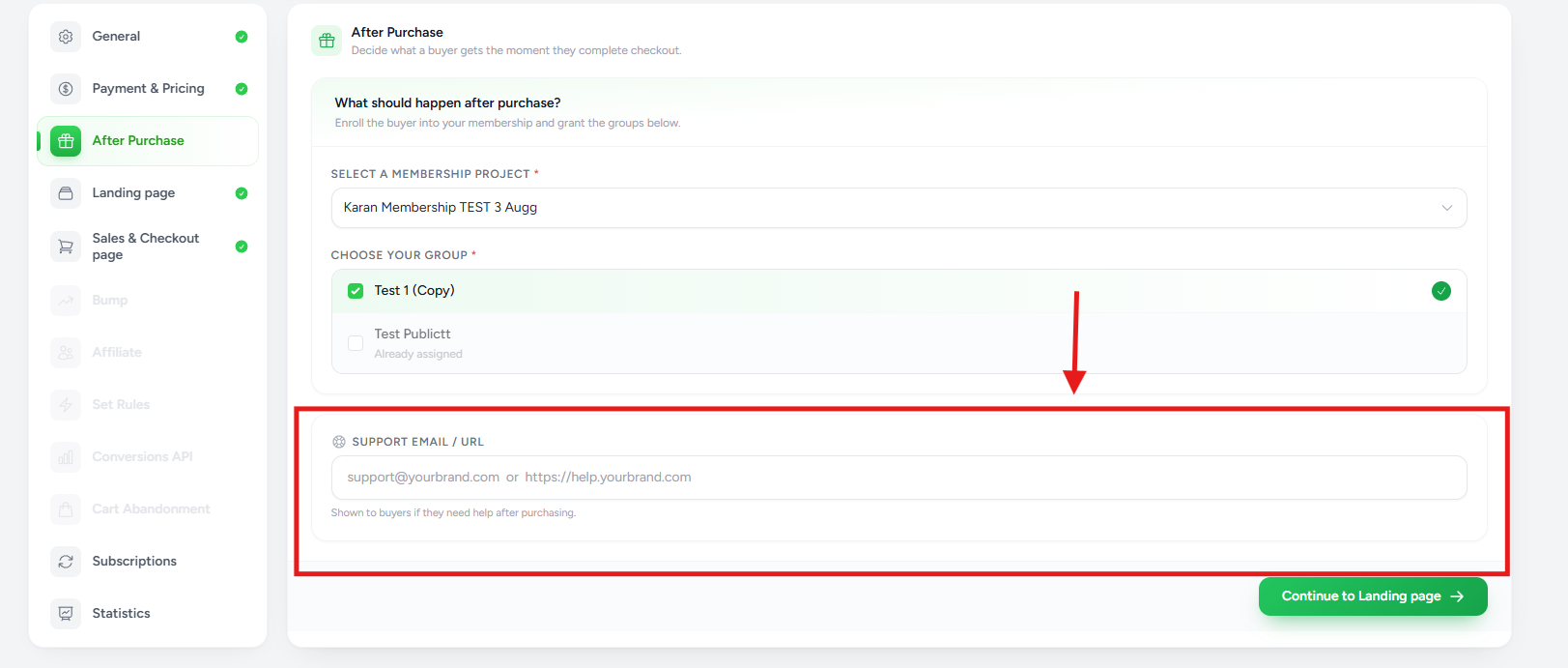
Support Email or URL
- Support Email
- Help Center URL
Customers can use this information if they need assistance after purchasing.
Landing Page
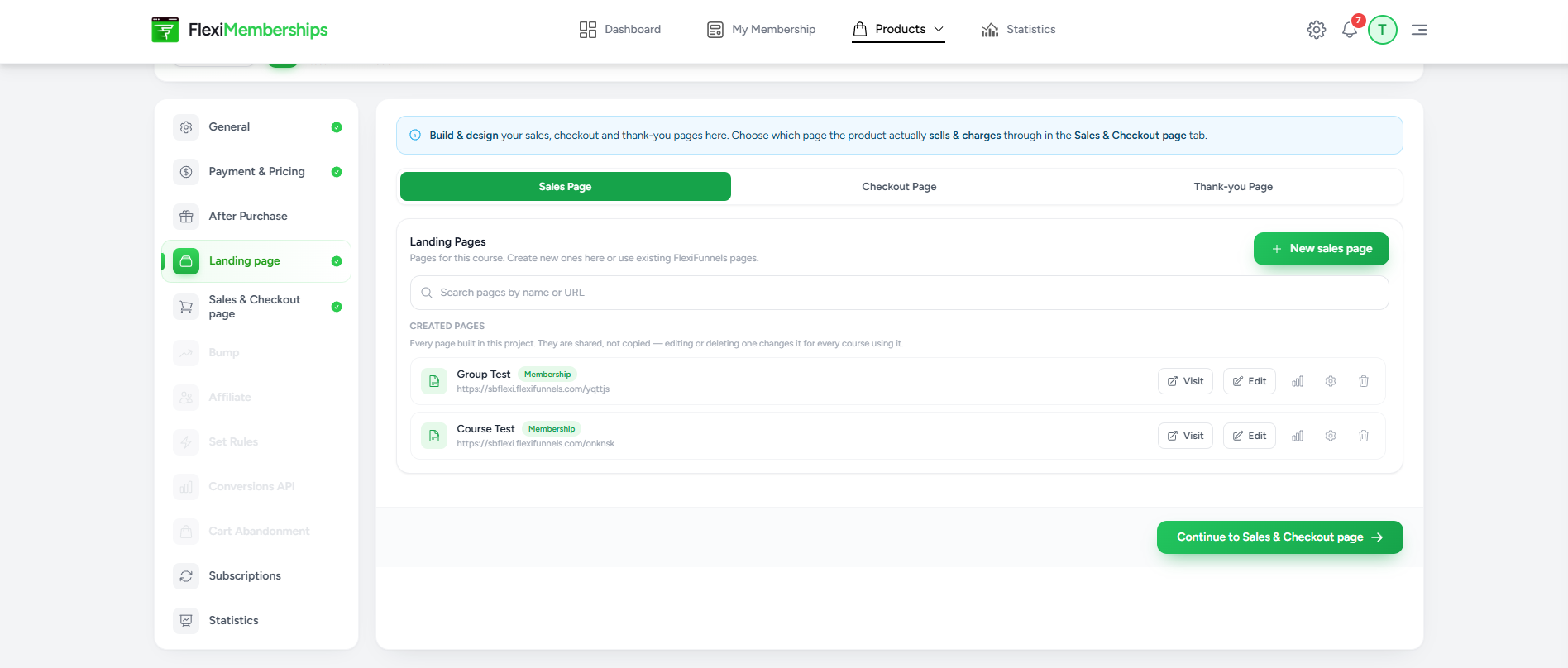
The Landing Page section uses AI to generate the selling pages for your product.
Unlike traditional page builders, FlexiMemberships automatically creates pages based on your membership content.
The AI can generate:
- Sales Page
- Checkout Page
- Thank-you Page
Prerequisites
Before using this feature:
- Course Products must have a Bundle assigned.
- Group Products must have a Group assigned.
Without assigning a Bundle or Group in the After Purchase section, AI cannot generate the landing pages because it needs to understand what content the buyer will receive.
Creating Pages
You can:
- Generate new pages using AI
- Reuse existing pages
- Edit generated pages later
These pages remain fully editable.
Sales & Checkout Page
This section connects the pages customers use during the purchasing journey.
You can configure:
Sales Page
The page where customers learn about your offer before purchasing.
Checkout Page
The secure payment page where customers complete their purchase.
Thank-you Page
The confirmation page displayed after payment.
This page can include:
- Welcome message
- Next steps
- Access instructions
- Download links
Order Bumps
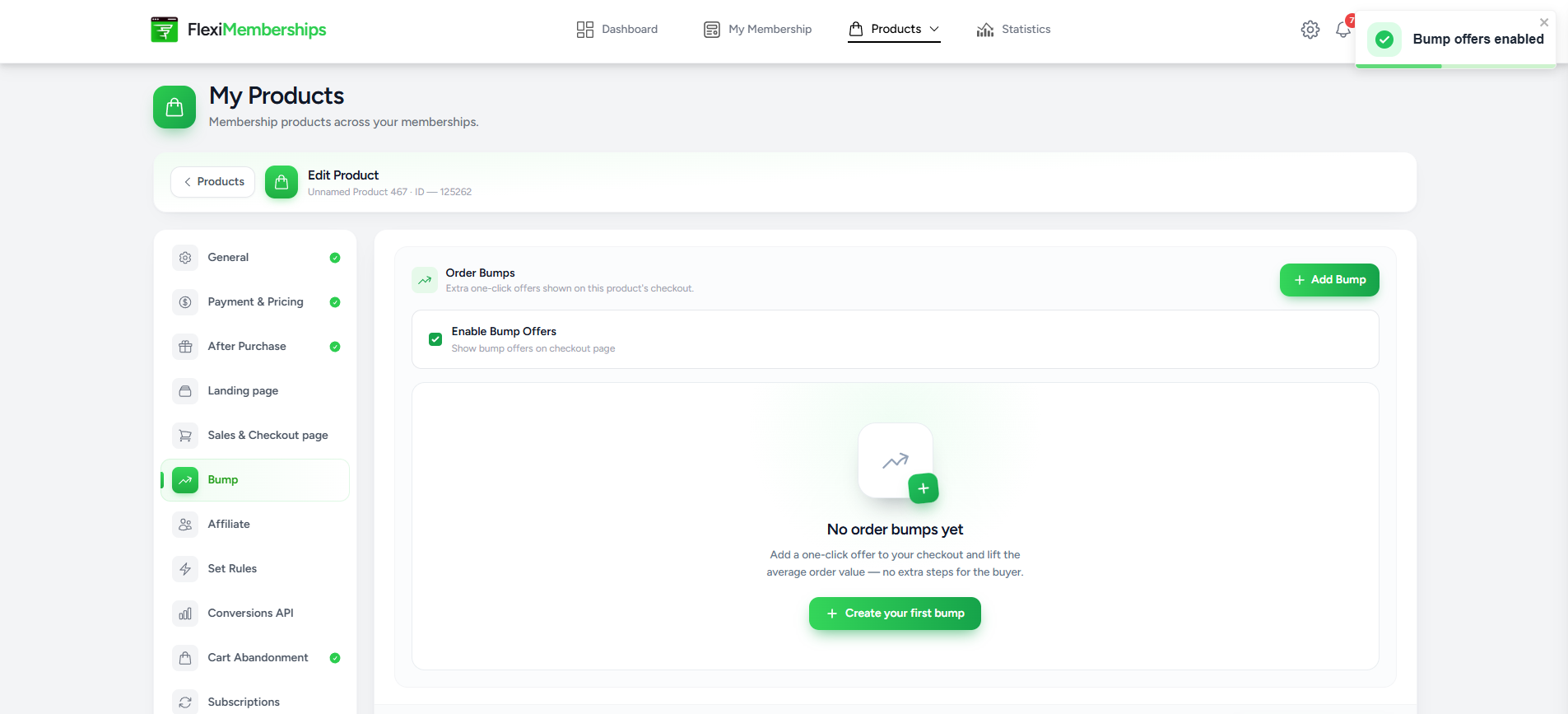
Order Bumps allow you to offer an additional purchase during checkout.
Enable Bump Offers to display complementary products alongside the main offer.
This is useful for increasing average order value by presenting relevant one-click add-ons before payment is completed.
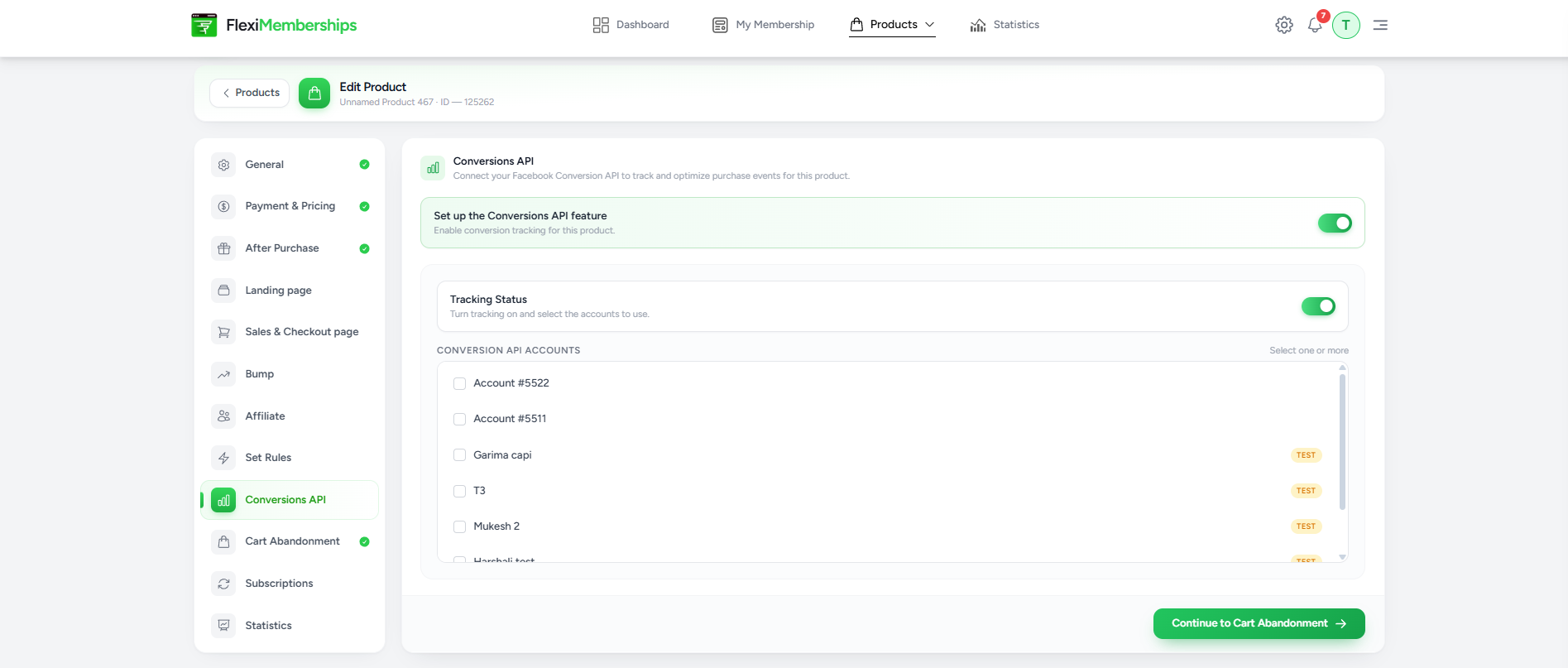
Conversion API
The Conversions API section allows you to connect Facebook's Conversions API to the product.
When enabled, purchase events can be sent directly from the server for improved conversion tracking and advertising optimization.
Use this feature if you want more reliable event tracking than browser-only pixels.
Cart Abandonment
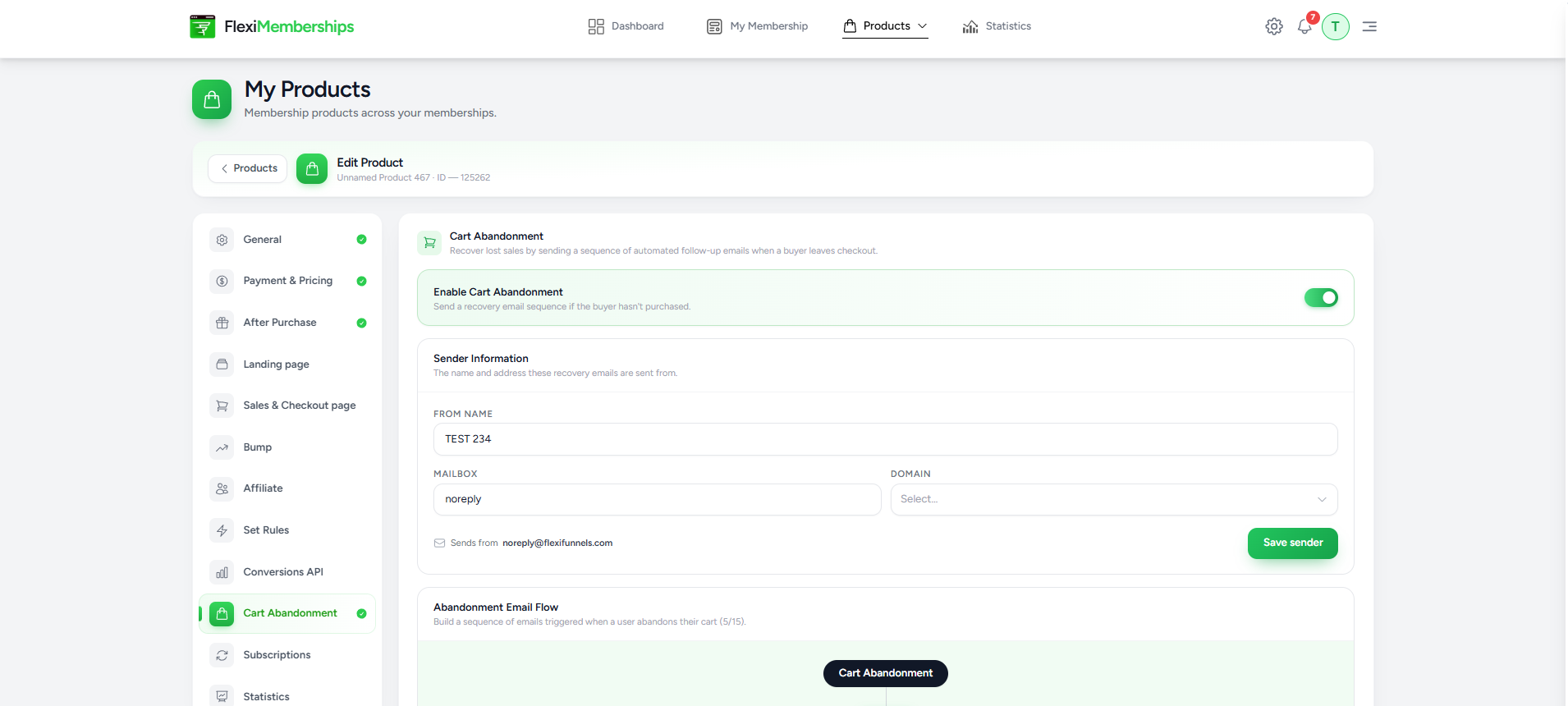
Cart Abandonment helps recover potential sales when customers leave the checkout without completing their purchase.
When enabled, you can configure:
- Sender information
- Recovery email sender
- Email automation sequence
- Delays between emails
This allows you to automatically remind visitors to complete their purchase.
Subscriptions
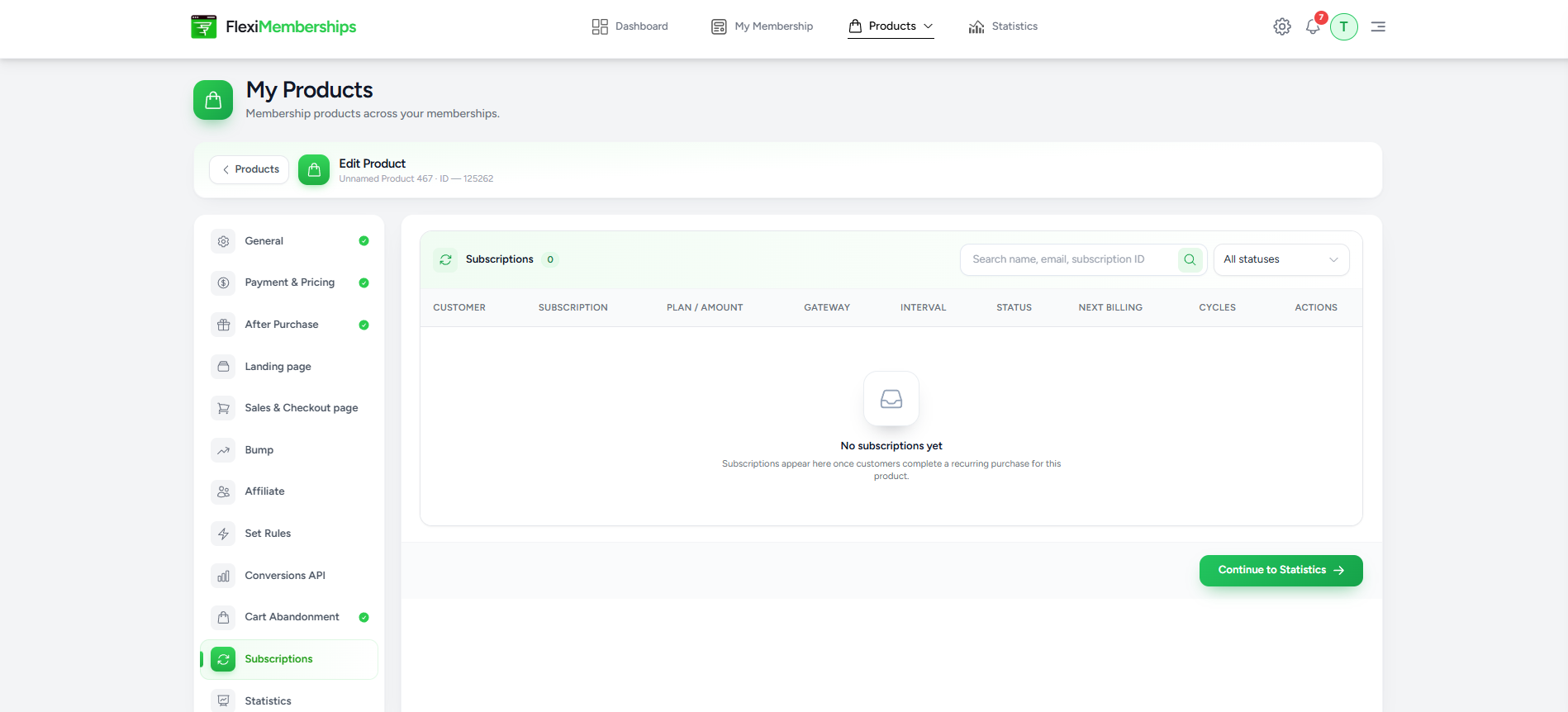
The Subscriptions section is available for products using the Subscription pricing model.
Here you can monitor:
- Active subscriptions
- Customer details
- Billing cycle
- Payment gateway
- Subscription status
- Next billing date
- Renewal history
This page provides a centralized view of recurring customers.
Statistics
The Statistics page provides performance insights for the product.
Available metrics include:
- Units Sold
- Revenue
- Orders
- Active Subscriptions
You can also review:
- Sales trends
- Individual transactions
- Revenue history
- Exportable transaction reports
These insights help you evaluate how your product is performing over time.
Key Differences Between Course Products and Group Products
| Feature | Course Product | Group Product |
|---|---|---|
| Purpose | Sell course content | Sell community access |
| Access Granted | Bundles | Groups |
| AI Landing Pages | Generated using assigned Bundle | Generated using assigned Group |
| Payment Settings | Same | Same |
| Pricing Models | Same | Same |
| Checkout Configuration | Same | Same |
| Cart Recovery | Same | Same |
| Statistics | Same | Same |
Best Practices
- Give every product a clear and descriptive name.
- Connect at least one payment gateway before publishing a paid product.
- Assign the correct Bundle or Group in the After Purchase section before generating landing pages.
- Review AI-generated sales pages before publishing to ensure the messaging aligns with your offer.
- Use Order Bumps to increase average order value with complementary offers.
- Enable Cart Abandonment to recover incomplete purchases.
- Regularly review the Statistics section to monitor sales performance and customer activity.
Was this article helpful?
That’s Great!
Thank you for your feedback
Sorry! We couldn't be helpful
Thank you for your feedback
Feedback sent
We appreciate your effort and will try to fix the article