A community is like a clubhouse ?. Your members go inside, talk, and share pictures and videos.
Little words, big meanings
| Word | What it means |
|---|---|
| Product | the ticket that lets people in |
| Payment gateway | the tool that takes the money, like Stripe |
| Pricing Type | Free, Paid or Free Trial |
You can make 3 kinds of community
| Kind | What it means | Do you get a ticket (product)? |
|---|---|---|
| Free | Anyone can come in. No money. | ✅ Yes, made for you |
| Paid | People pay money to come in. | ✅ Yes, made for you |
| Free Trial | Free for a little while. Then people pay. | ❌ No ticket |
- The ticket is called a community product
- When someone gets the ticket, they walk into the community
Create Your Community in 6 Steps
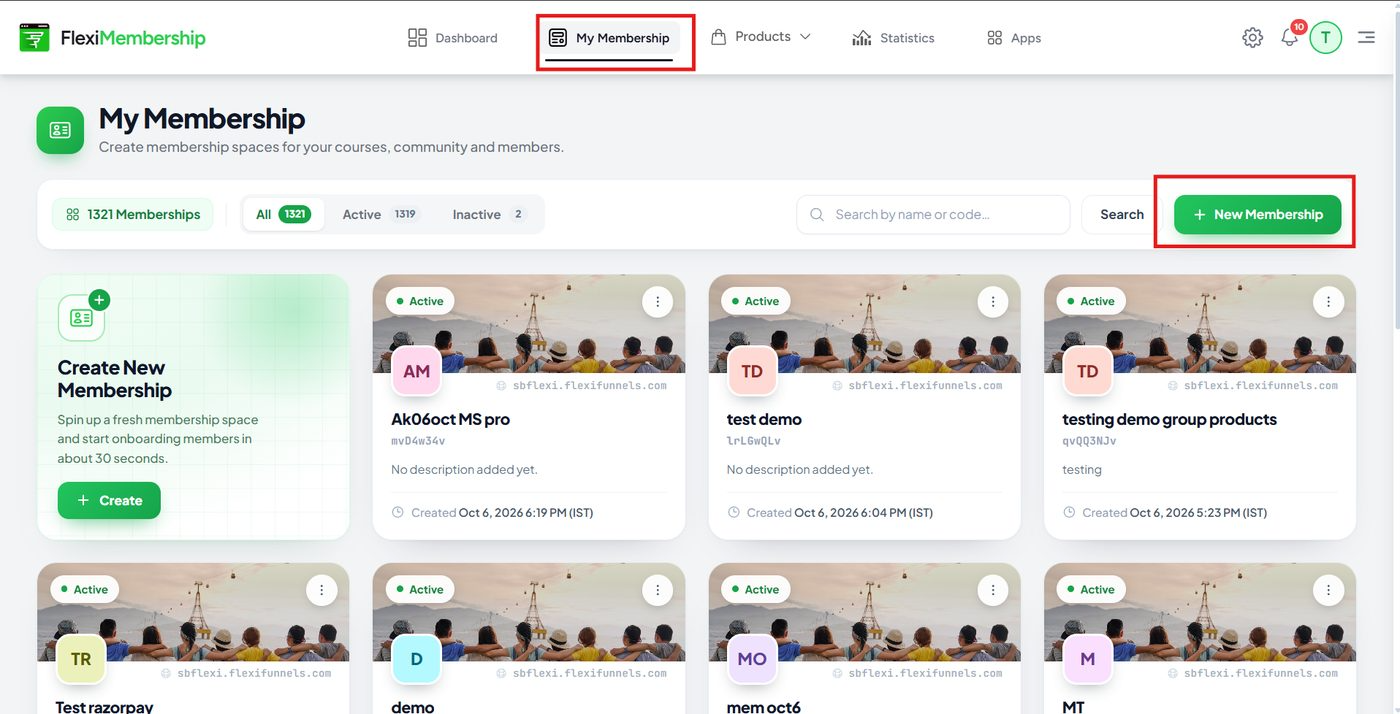
1Make a membership
- A community lives inside a membership, so you need one first
- Click My Membership at the top
- Click the green New Membership button
- Type a name and click Create
- Already have a membership? Open it and go to Step 2
2Click New Community
- Open your membership
- Click the Communities tab
- Click the green New Community button
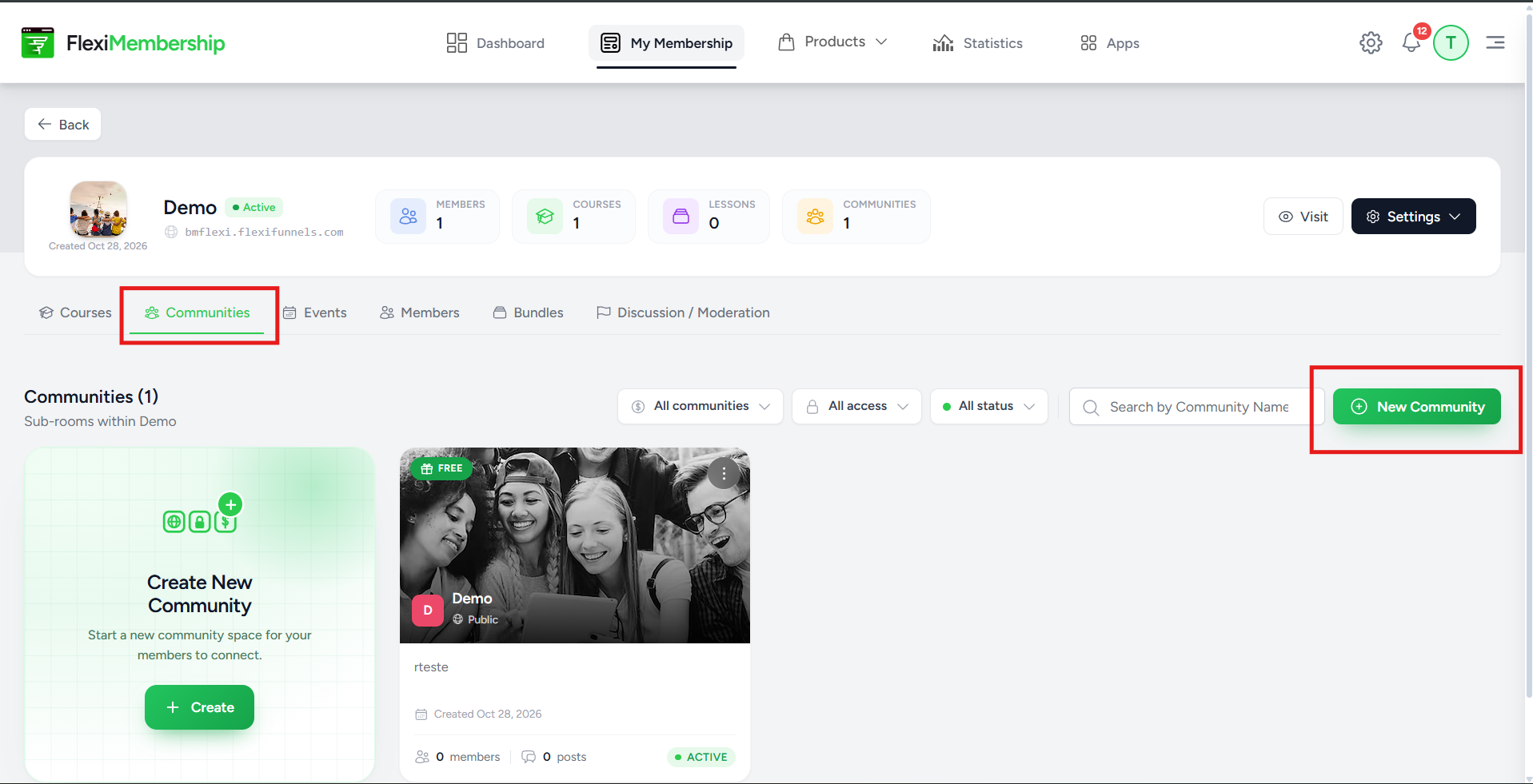
You will see: a box called Create Community opens.
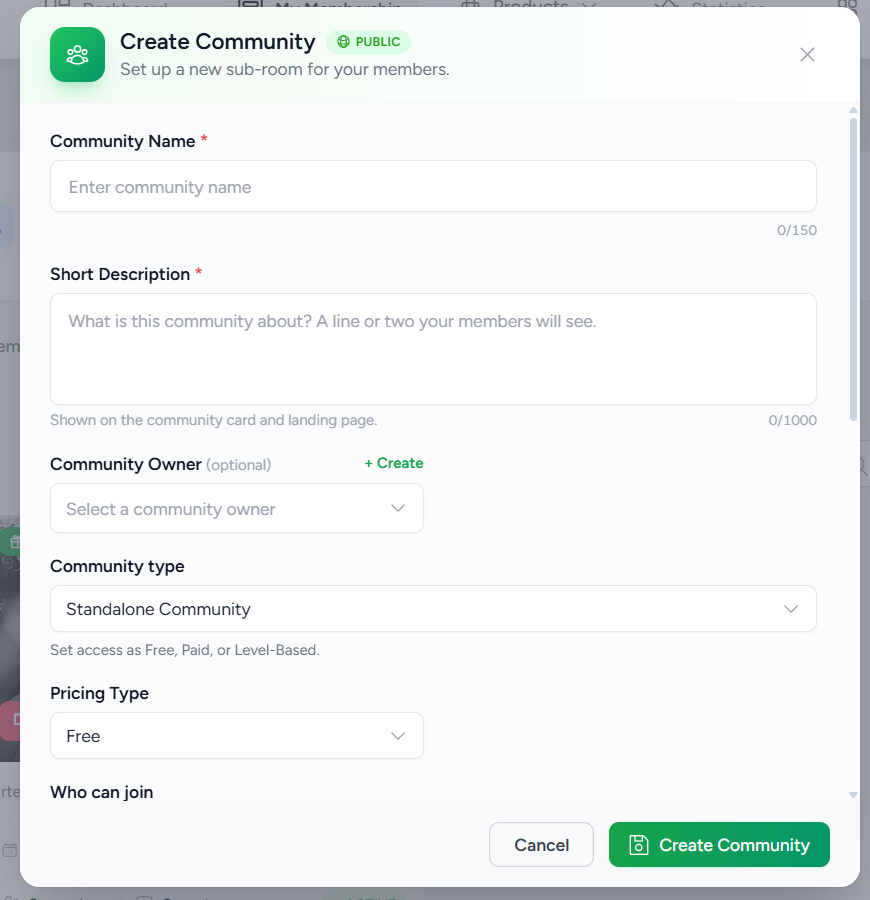
3Fill in the box
| Field | What to enter |
|---|---|
| Community Name | The name of your community |
| Short Description | One or two lines about the community |
| Community Owner | You can skip this |
| Support Email / URL | Where people can ask for help |
- Then pick the Pricing Type: Free, Paid or Free Trial
If you want a Free community
- Set Pricing Type to Free
- Click Create Community
- That's all!
 If you want a Paid community
- Set Pricing Type to Paid
- Fill in the money type (currency), the price and the payment gateway
- Click Create Community
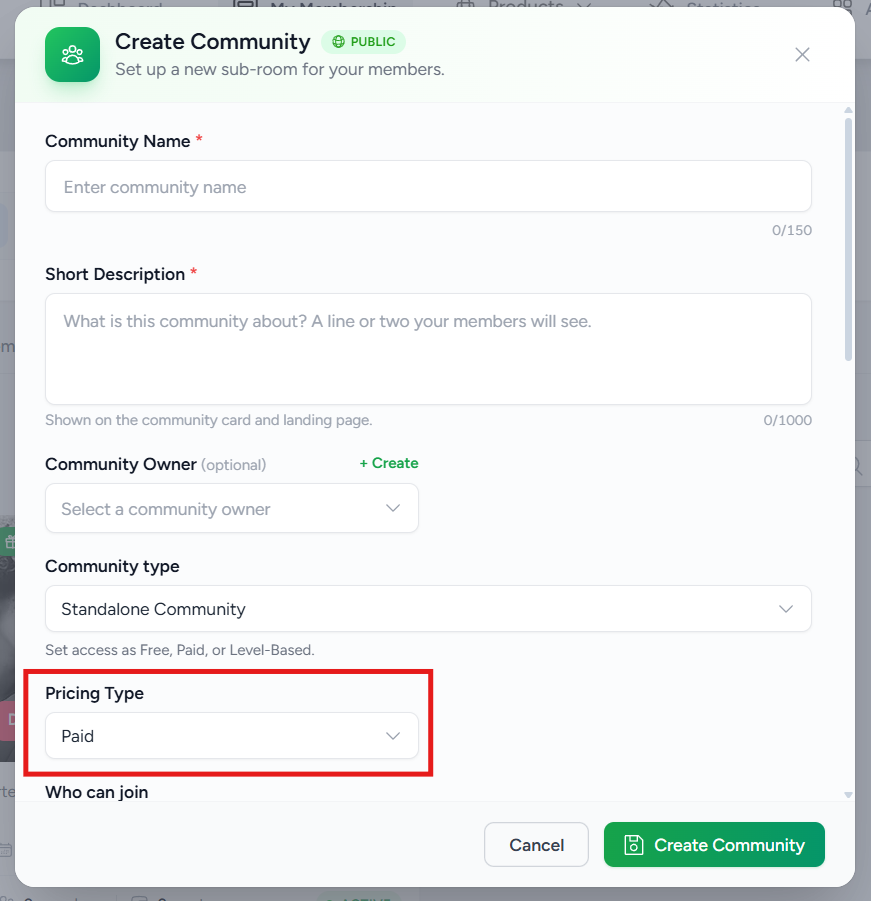
TipFor a paid community, Who can join shows Only members who were granted it. People must buy the community, or you let them in, before they can join.
Wait a momentWait a few seconds after you click Create Community. For Free and Paid, your ticket (product) is being made in the background.
4Find your product (Free and Paid only)
- Click Products at the top
- Find your new product. It has a Community Product label
- Click it to open it
- Can't see it? Refresh the page. It may need a moment
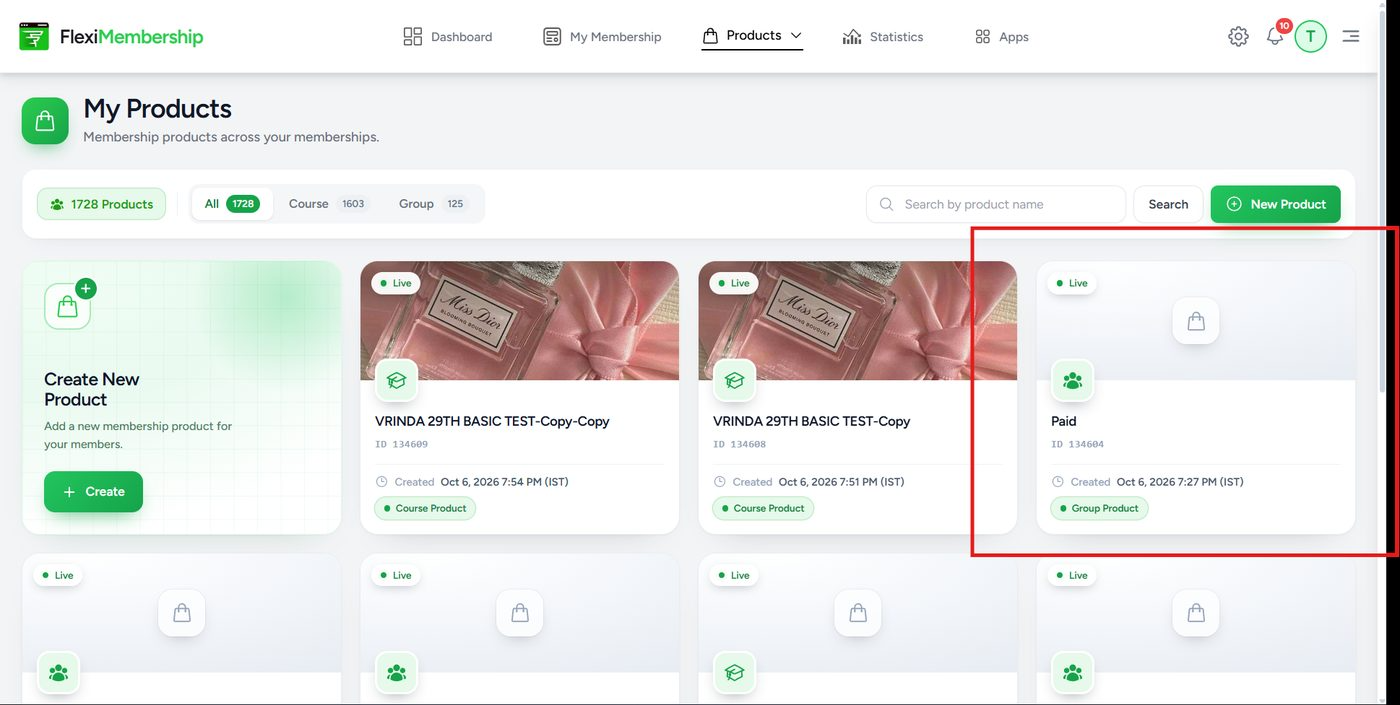
5Make your 3 pages live (Free and Paid only)
- The price and settings are already done for you
- You only need to publish the pages
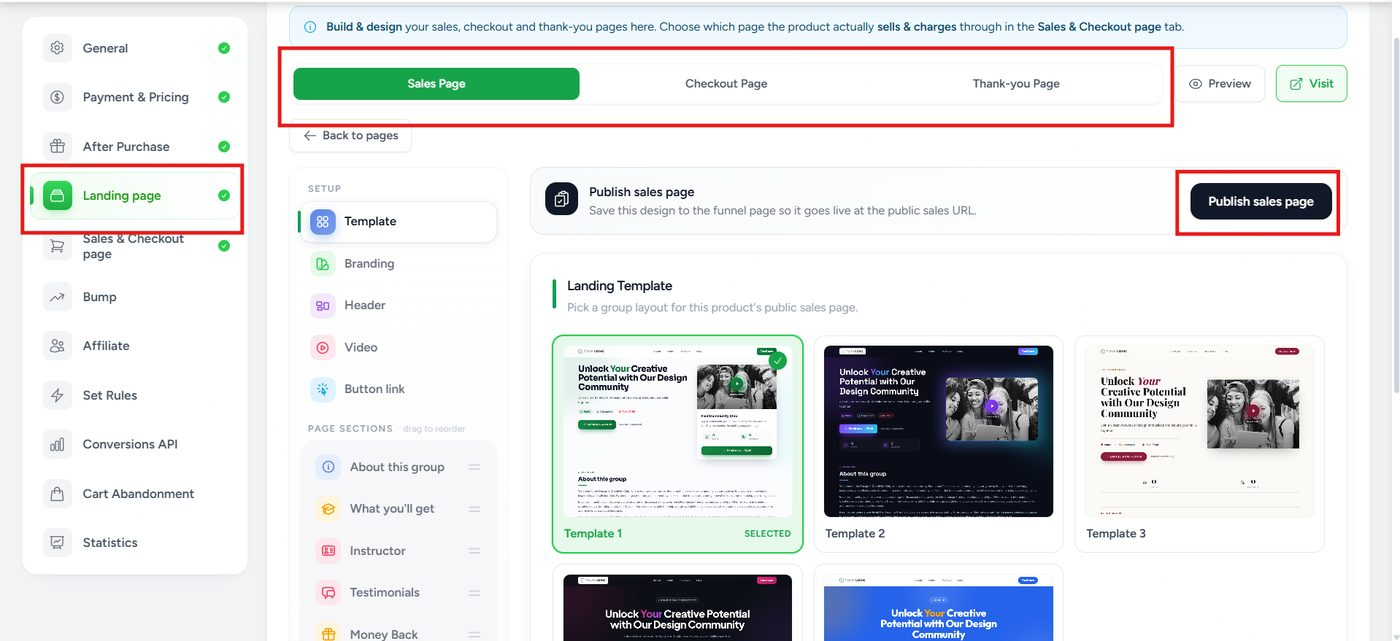
- In the left menu, click Landing page
- Do the steps below for each page
| Page | What it is |
|---|---|
| Sales Page | The shop window. People see it first |
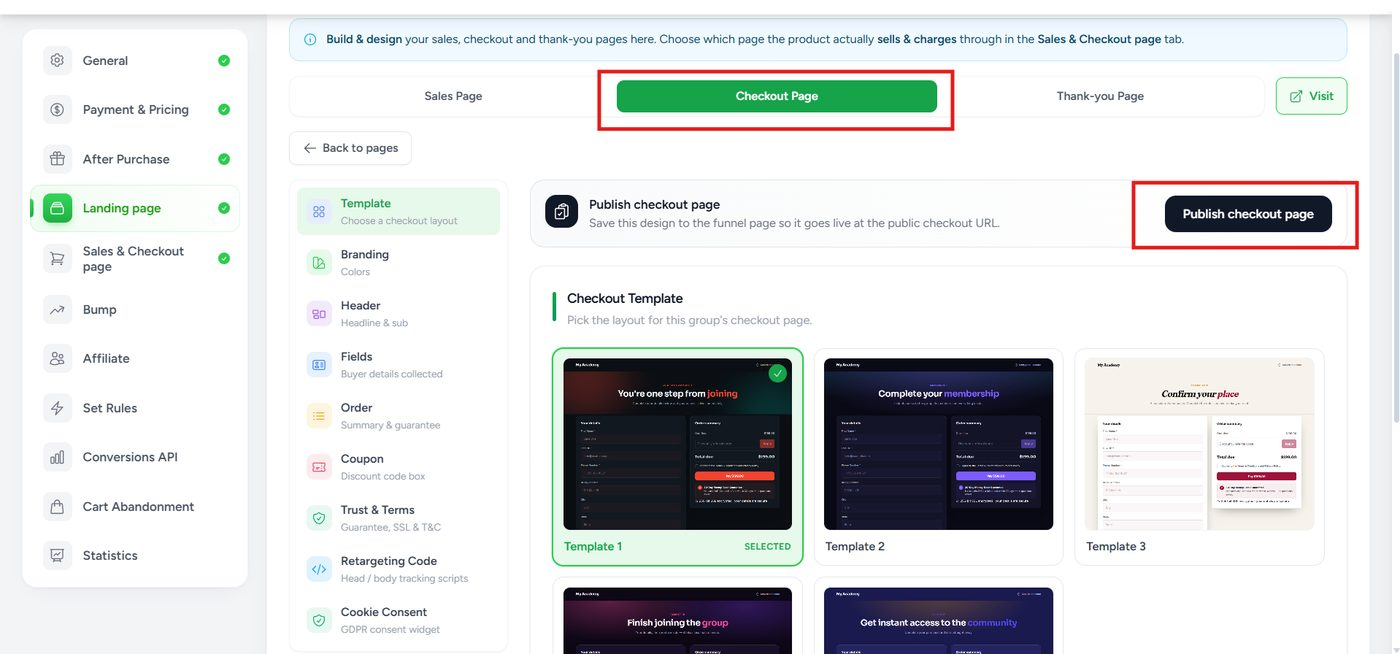
| Checkout Page | Where they pay (or pay ₹0) |
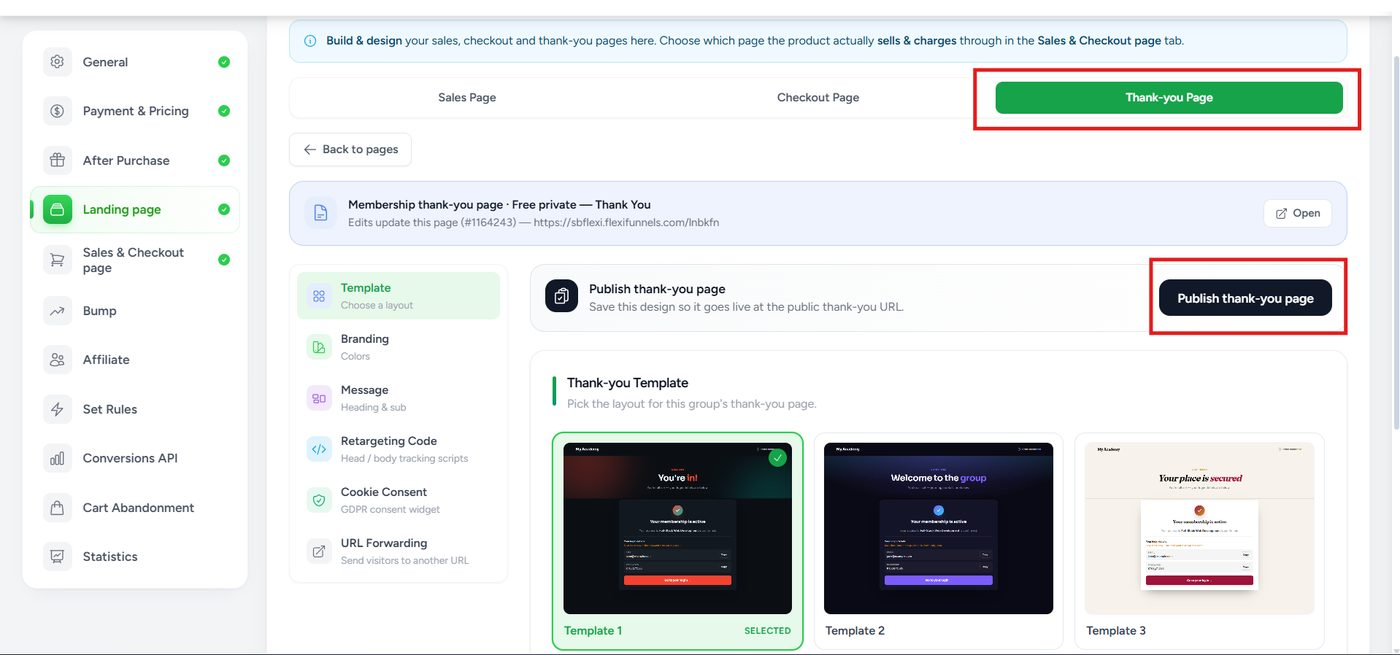
| Thank-you Page | Says "Yay, you're in!" |
Sales Page
- Click the Sales Page tab
- Pick a template you like
- Click Publish sales page
 Checkout Page
- Click the Checkout Page tab
- Pick a template you like
- Click Publish checkout page
 Thank-you Page
- Click the Thank-you Page tab
- Pick a template you like
- Click Publish thank-you page
ImportantPublish all 3 pages. If you skip one, your visitors can't use it.
6Try it yourself (Free and Paid only)
- Pretend you are a buyer
- Open your Sales Page (click Visit)
- Click the Enroll now button
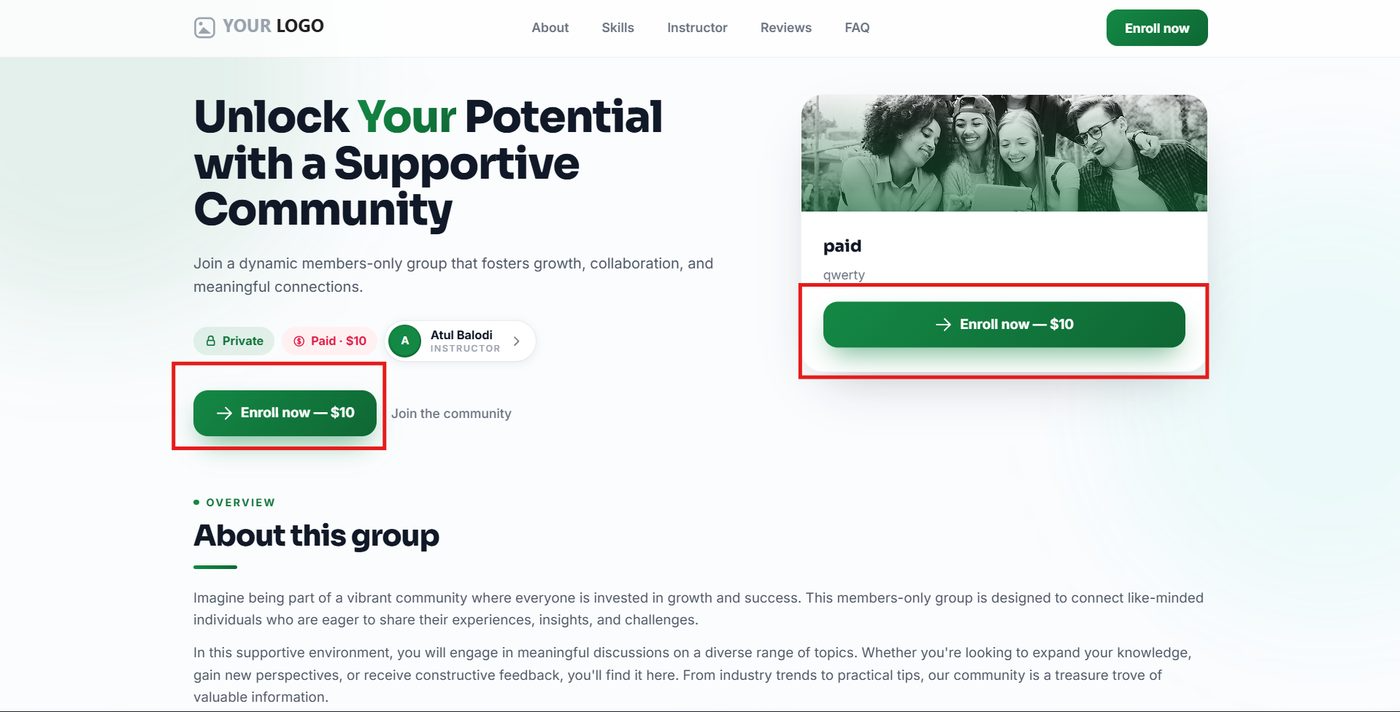
- You are now on the Checkout Page
- Type your name, email and phone
- Use an email you can log in with
| Kind | What to do |
|---|---|
| Free community | The total is ₹0. Click Pay ₹0. You are not charged anything |
| Paid community | The total is the price you set. Pay with the payment gateway you picked, like Stripe |
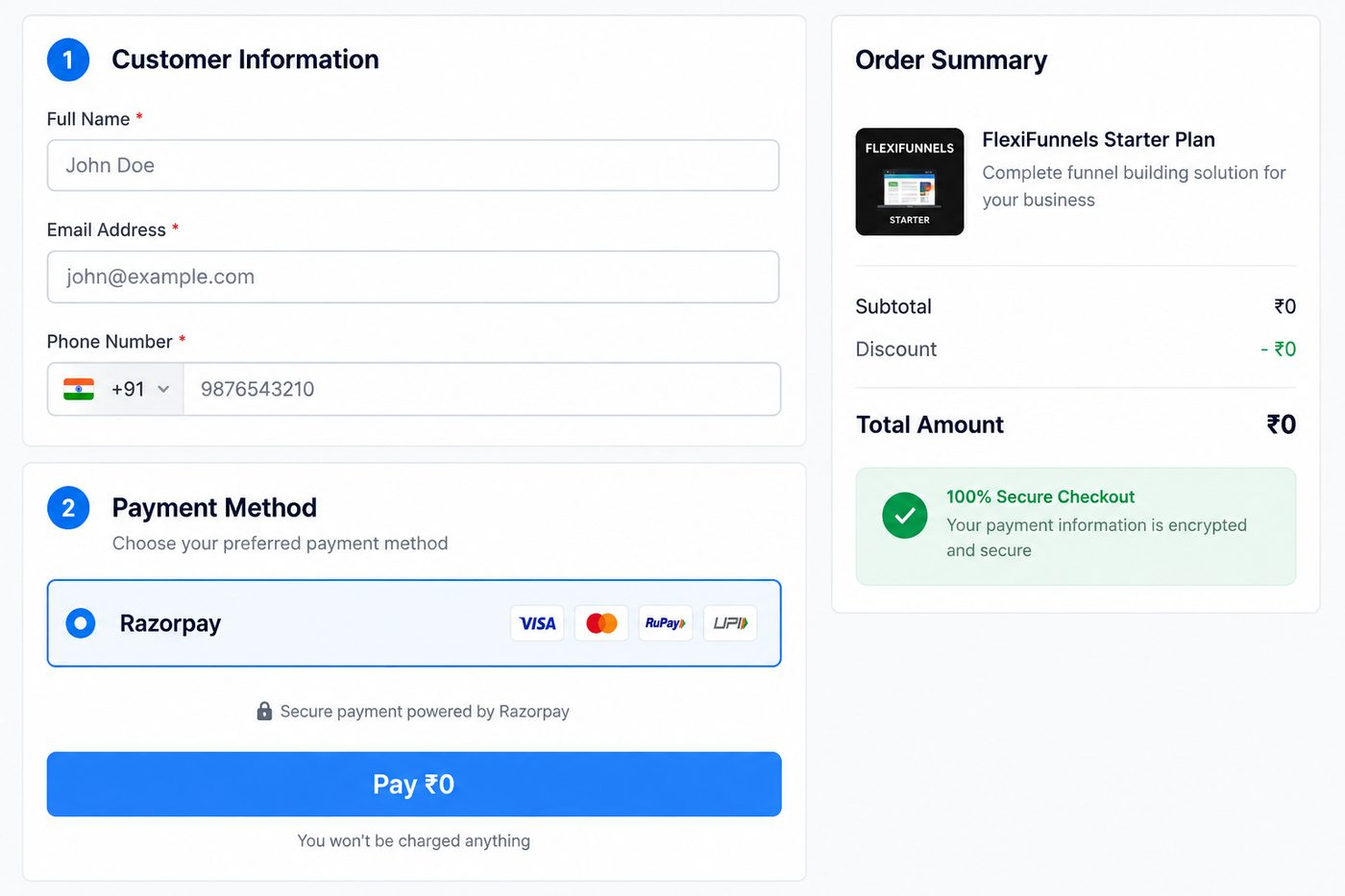
Free community
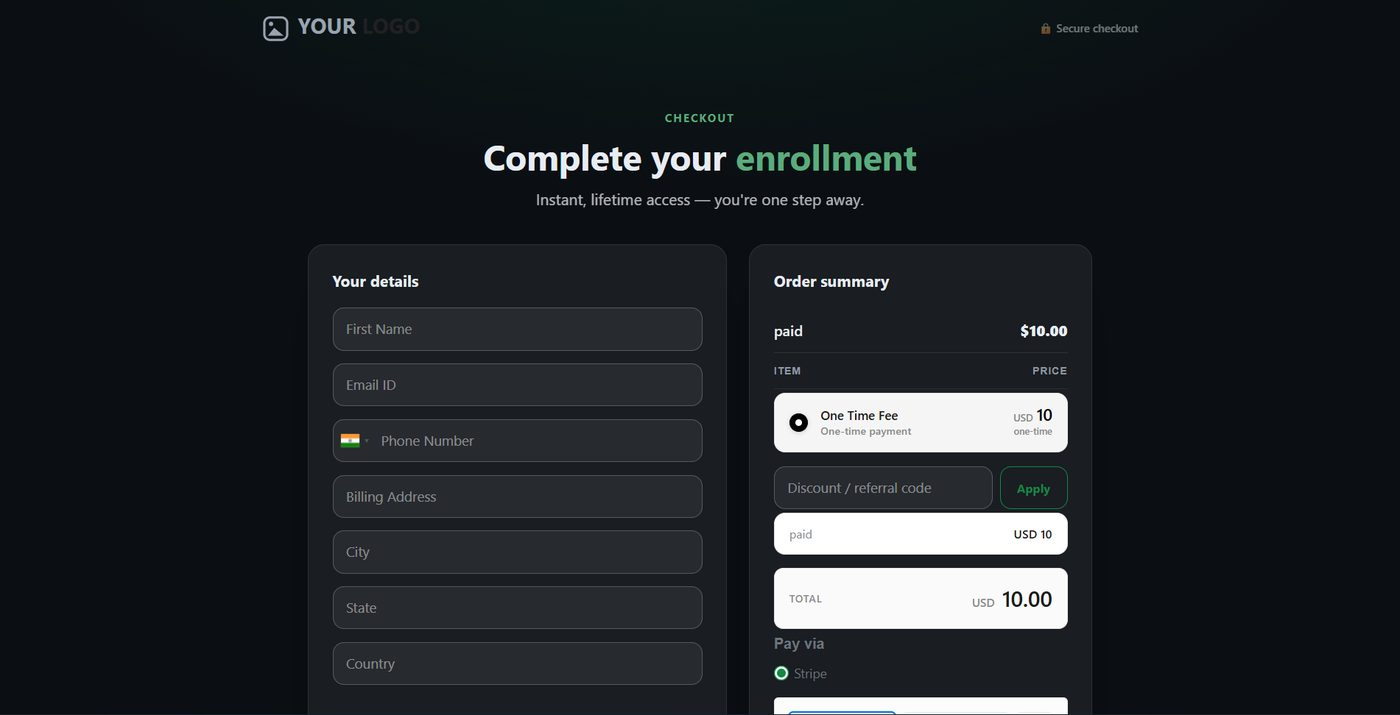
Paid community
You will see: the Thank-you Page. You are in the community! Log in to the member dashboard and open the Community tab to find it.
What About Free Trial Communities?
- No ticket, no pages
- Your community is ready as soon as you click Create Community
- See it in the Communities tab
- Members get in based on Who can join
- Anyone in the membership? Every member finds it in the Community tab
Quick Fixes
| Problem | Fix |
|---|---|
| I can't find my product | Go to Products and refresh the page. Wait a little and look again |
| My Free Trial community has no product | That's normal. Free Trial communities don't get one |
| My page won't open | Check that you clicked Publish. Just did? Wait a moment. Still not working? Publish it again |
| I can't see my community on the dashboard | Refresh. Make sure you bought it with the same email you logged in with |
| It says "no course yet" | That's okay. Communities aren't courses. Look in the Community tab |
Was this article helpful?
That’s Great!
Thank you for your feedback
Sorry! We couldn't be helpful
Thank you for your feedback
Feedback sent
We appreciate your effort and will try to fix the article