Feed Categories are like labelled shelves ?️ for posts. Members pick a shelf when they post, so others can find the right topic fast.
Little words, big meanings
| Word | What it means |
|---|---|
| Feed Category | a label on a post, like Questions |
| Admin Only | only admins can post in it |
| Filter | show only posts from one category |
ExampleExample for a Digital Marketing community: Announcements, Questions, Facebook Ads, Google Ads, Success Stories, Resources.
Create a Category in 3 Steps
1Open the Categories window
- Open the Flexi Membership app
- Open your membership project
- Open the community you want
- Click the ⋮ (More Actions) menu
- Click Categories
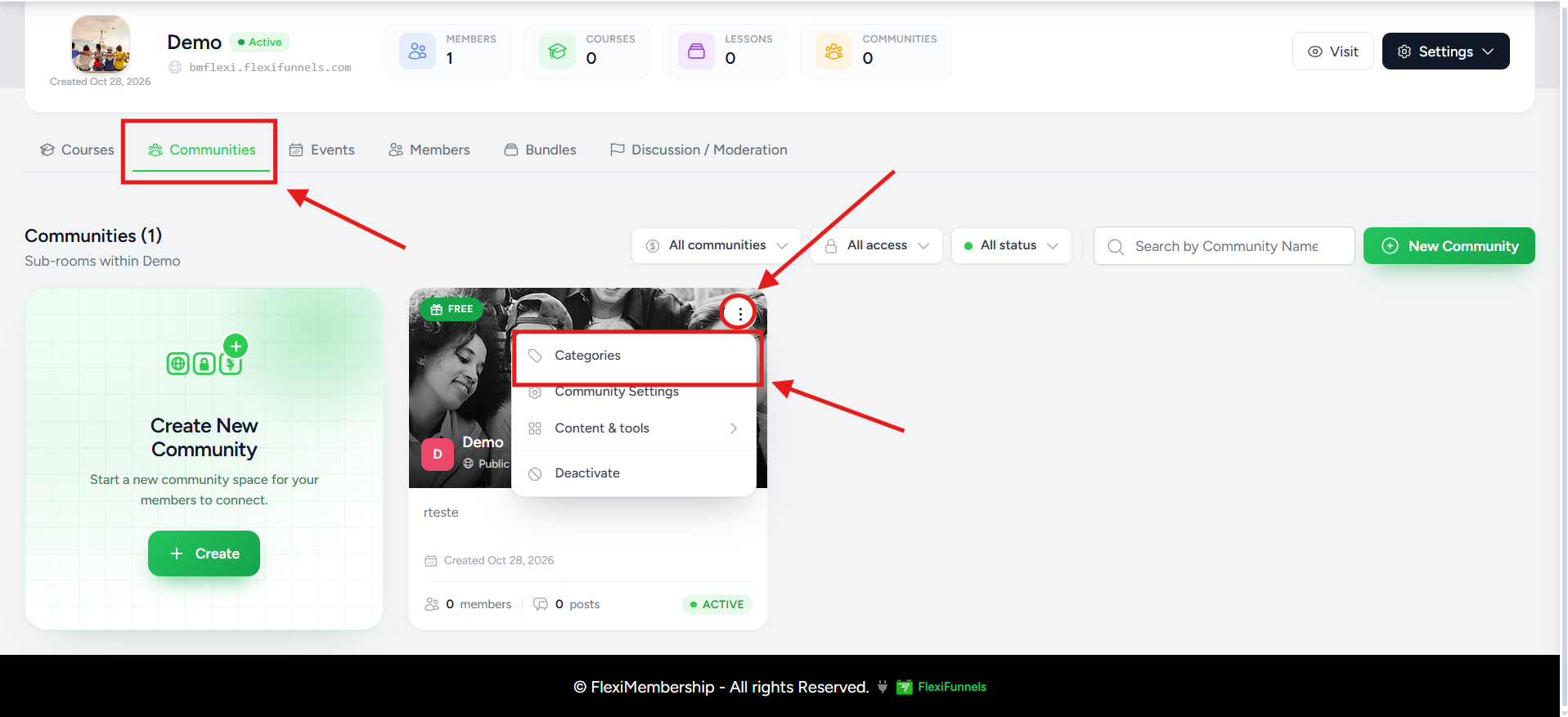
You will see: the Feed Categories window opens.
2Add the category
- Type a Category Name, like Questions
- Want only admins to post here? Turn on Admin Only
- Click Add
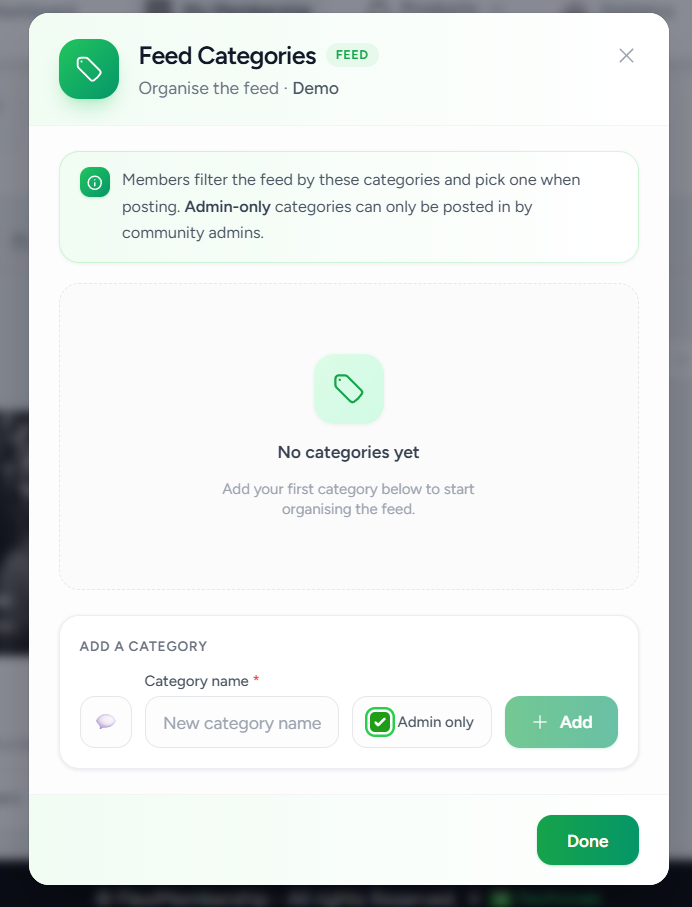
3Check it works
- Look at the category list
- Members now see the category when they write a new post
You will see: your new category in the community's category list right away.
Choose a Good Name
- Keep it short and simple
- Make the topic clear to members
- Examples: Announcements, General Discussion, Questions, Support, Wins & Success Stories, Resources, Feedback
Admin Only Categories
- Only Community Administrators can post in an Admin Only category
- Members can still see the posts, based on community permissions
- Good for Announcements, Updates, Release Notes, Community Rules and Events
Example for a Coaching Community
| Category | What it is for |
|---|---|
| Announcements | Official updates from administrators |
| Questions | Members ask for help |
| Wins | Members share achievements |
| Resources | Useful documents and links |
| Feedback | Product or course feedback |
| Introductions | New members say hello |
TipsMake categories before you invite members. Start with a few. Review them now and then, and remove ones you no longer need.
Quick Answers
| Question | Answer |
|---|---|
| Can members make categories? | No. Community administrators and moderators manage them. |
| How many can I make? | As many as you need. |
| Do members have to pick one? | If categories exist, members can pick the best fit when they post. |
Was this article helpful?
That’s Great!
Thank you for your feedback
Sorry! We couldn't be helpful
Thank you for your feedback
Feedback sent
We appreciate your effort and will try to fix the article