Overview
The Leaderboard ranks members based on the points they have earned within the membership. It encourages engagement through friendly competition and allows members to monitor their standing.
Opening the Leaderboard
Navigate to:
More → Leaderboard
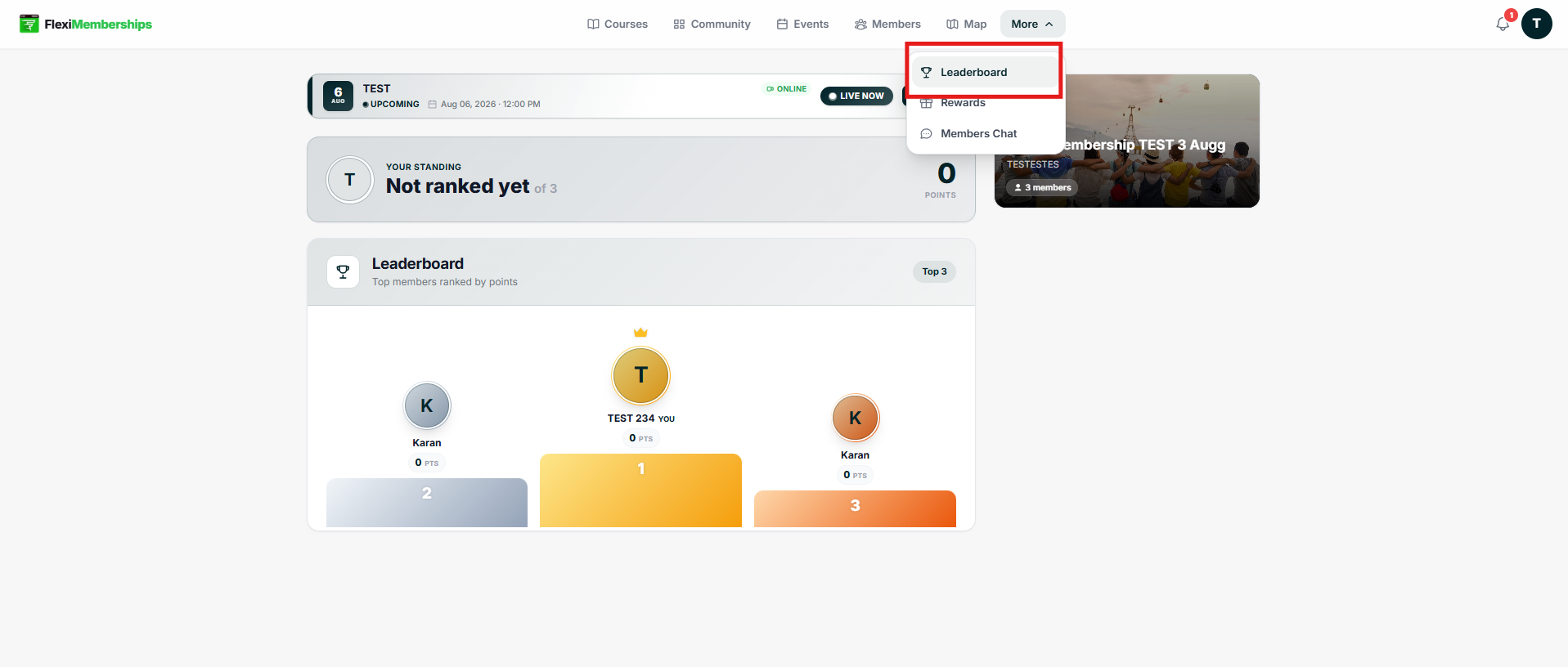
Your Standing
At the top of the page, you'll see your current ranking.
This section displays:
- Current rank
- Total participants
- Total points earned
If you have not earned any points yet, you'll see Not Ranked Yet.
Top Members
Below your ranking, the leaderboard displays the highest-ranked members.
Each position shows:
- Member avatar
- Member name
- Total points
- Ranking position
The top three members are displayed using a podium layout.
Points
Points are awarded based on activities configured by the membership owner.
Examples may include:
- Completing courses
- Participating in discussions
- Community engagement
- Other gamified actions
Tips
- Complete courses regularly to earn points.
- Participate in community discussions.
- Stay active to improve your ranking.
Note: Point calculations are determined by the membership owner's gamification settings.
Was this article helpful?
That’s Great!
Thank you for your feedback
Sorry! We couldn't be helpful
Thank you for your feedback
Feedback sent
We appreciate your effort and will try to fix the article